
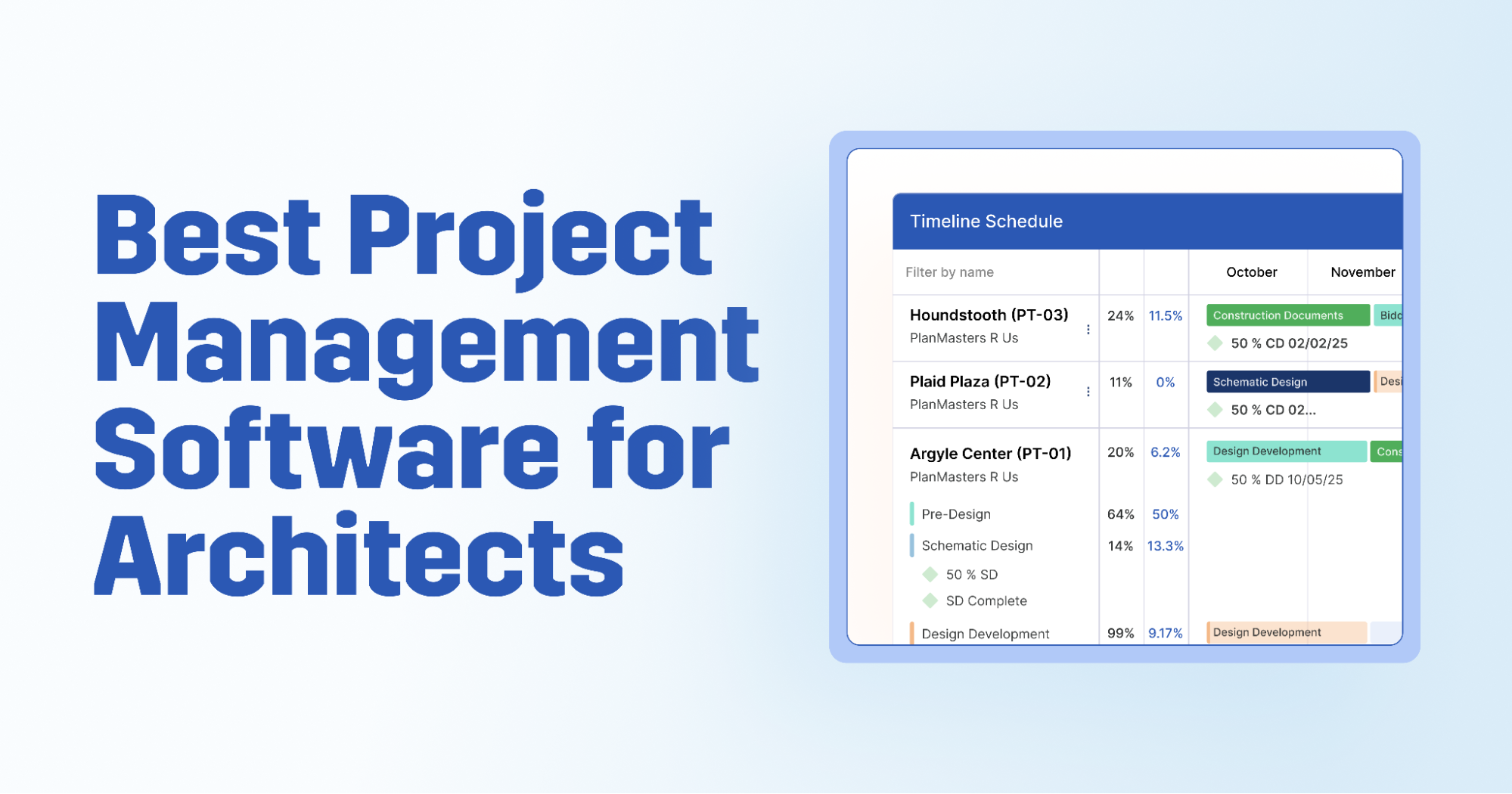


Your typical project management software platform wasn't built for architecture firms.
Generic tools track tasks and deadlines well enough, but they don't understand phases, fee burn, utilization rates, or the billing structures that architecture projects actually run on. Firms end up turning to spreadsheets to fill the gaps left by generic tools, which defeats the purpose of investing in project management software in the first place.
This guide covers the 8 best project management software tools for architects, evaluated on the criteria that matter most to architecture firms.
What to Look for in Project Management Software for Architects
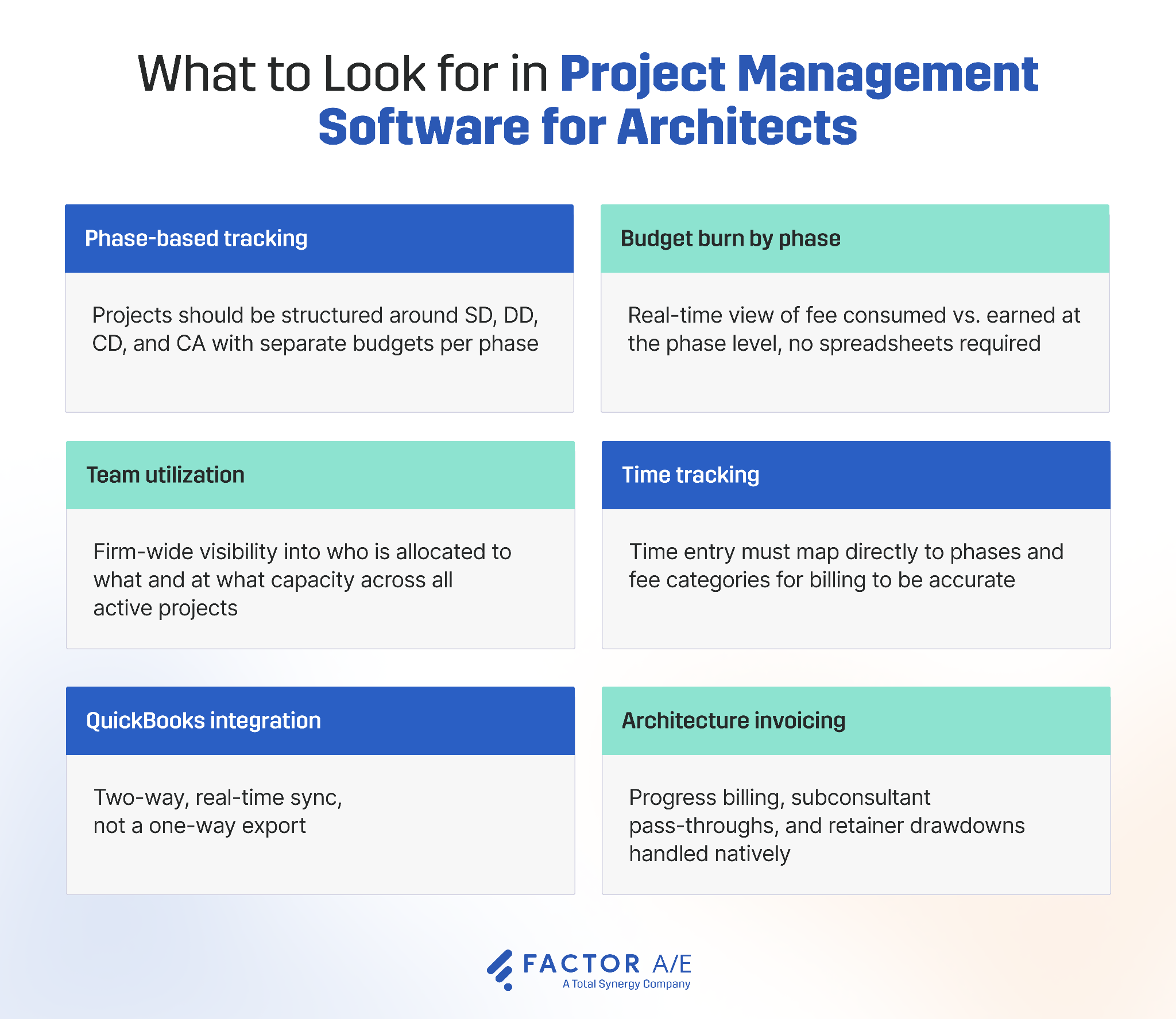
These are the crucial features that separate generic PM tools from specialized project management platforms for architects.
Phase-based project tracking
A lot of generic PM tools don’t support phase-based project tracking, and it's the single biggest workflow improvement you’ll see when switching to dedicated project management software for architects.
Look for the ability to structure projects around SD, DD, CD, and CA natively, without a workaround, and percent-complete tracking tied to each stage rather than generic task lists.
Budget burn by phase
Your PM software should allow you to separate budgets per phase for more detailed cost tracking and view in real time the budget consumed vs. earned value per phase. If you have to export to a spreadsheet to work this out, it’s not the right tool for you.
Team utilization and resource scheduling
Architecture project management software should provide visibility into who is allocated to what tasks, and what percentage of each person’s capacity is being used at any given time.
Most importantly, resource scheduling tools need to give you the ability to track utilization across all active projects firmwide, not just per project, to prevent overloading resources.
Time tracking built for billable work
Time entry must map directly to phases and fee categories. If it doesn't, reporting and invoicing break down, and you’ll end up spending extra time on data entry and re-categorization.
QuickBooks integration
The majority of architecture firms use QBO as their accounting system. If you’re using something else, then you’ll want to look for an integration with that tool.
This integration needs to be a two-way, real-time sync, not a one-way export. If something gets updated in QBO, it should be reflected instantly in your project management software, and vice versa.
Architecture-specific invoicing
Standard invoicing workflows aren’t enough for architecture firms. Look for:
- Progress billing by phase
- Subconsultant pass-throughs
- Retainer drawdowns
- Reimbursables handled natively, not through workarounds
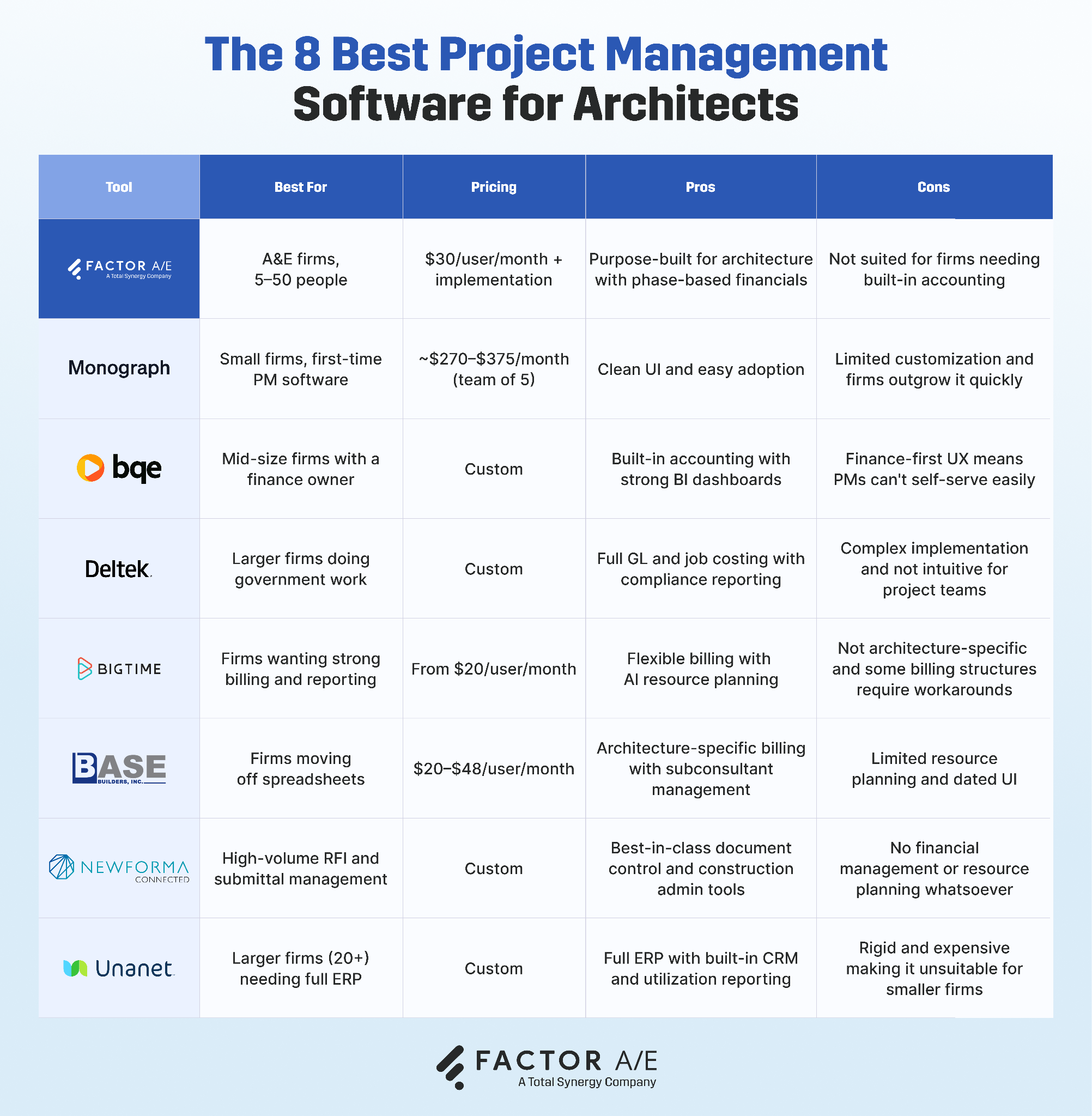
The 8 Best Project Management Software for Architects
1. Factor A/E
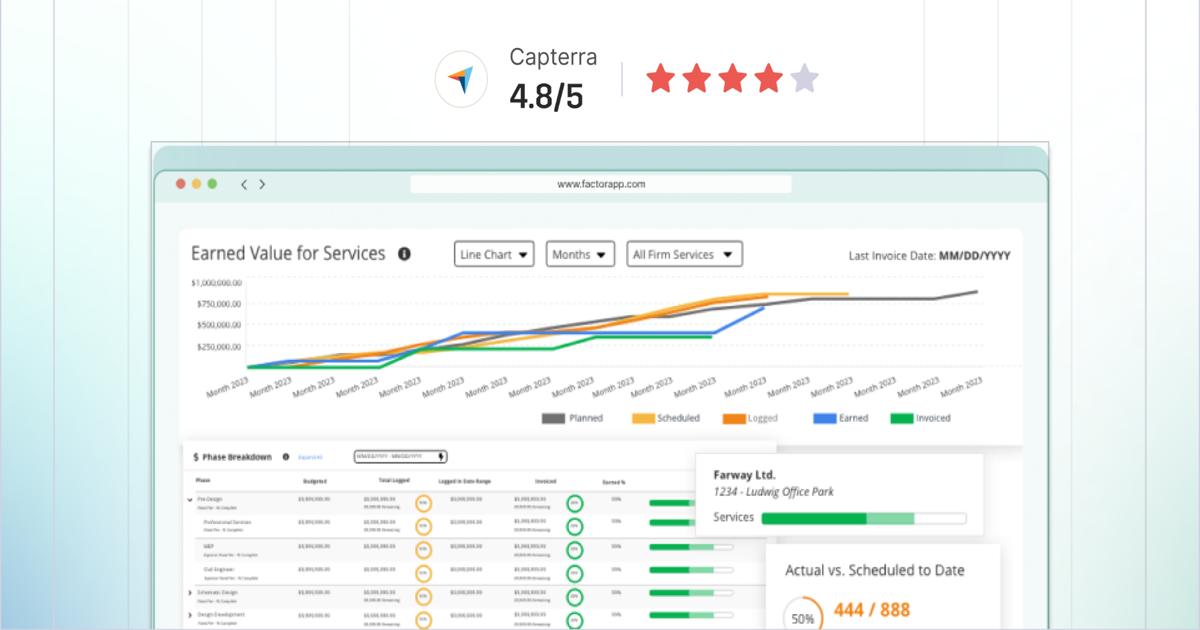
Factor AE is a project management platform built specifically for architecture and engineering firms with between 5 and 50 team members
Unlike many platforms, which are adapted from a generic professional services tool with some architecture-appropriate language painted on, Factor is designed around architecture phases, fee structures, and workflows from the ground up, bringing project management, resource planning, time tracking, and billing into one system, with a QBO integration that actually preserves architectural billing structures.
Factor is best for architecture firms that need:
- Complete phase-based project control
- Real-time financial visibility across the firm
- A QBO integration that preserves architectural billing structures
Key features:
- Full SD through CA phase structures with subphase detail
- Separate budgets for services, subconsultants, and reimbursables
- Subconsultant management at the project, phase, or firm level with pay-when-paid visibility
- Resource scheduling with real-time capacity visibility across the firm
- The Pulse dashboard: real-time views of percent complete, earned value, burn rate, and projected overruns across all active projects
- Fast, low-friction time entry mapped directly to phases and fee categories
- Two-way, real-time QBO sync that preserves phase-based billing in the accounting ledger
- AIA-aligned invoicing: fixed-fee, hourly, milestone, and percent-complete billing with two-step approval
Pricing:
Pricing for Factor is as simple as it gets: $30 per user, per month, plus a one-time implementation fee.
2. Monograph
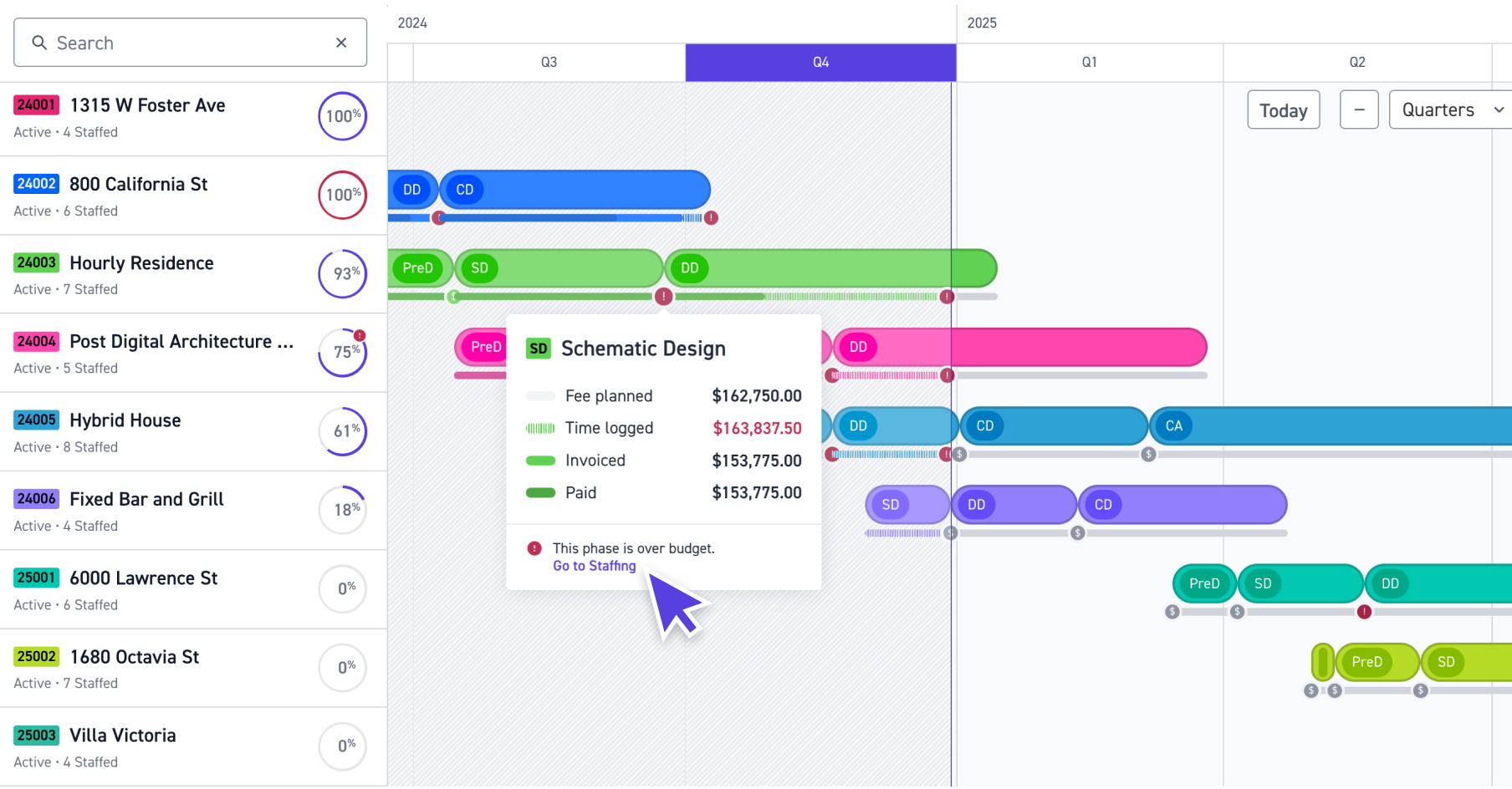
Monograph is a project management software platform built for architecture firms.
Its focus is on simplicity and visual design rather than feature depth, offering pre-built phase templates and a clean, easy-to-navigate user interface.
Monograph is best for small architecture firms with straightforward, repeatable project types and teams prioritizing ease of adoption over depth, such as those moving off of spreadsheets for the first time.
Key features:
- Pre-built phase templates for SD through CA
- Time tracking connected to project budgets
- One-click reporting on utilization, realization rate, and project profitability
- QBO integration for basic accounting sync
- Gantt-style project planning and staff scheduling
Where Monograph falls short:
Monograph provides limited customization abilities, with a rigid phase structure that can’t be adjusted to firm-specific workflows. They also have fairly limited subconsultant support and cross-project resource planning.
As a result, firms frequently start out with Monograph as a first architecture PM tool, then outgrow it as project complexity increases.
Pricing:
Pricing for Monograph is a bit complicated and depends on how many employees you have, whether you’re paying monthly or yearly, and what you need feature-wise. For a team of five paying monthly, expect to pay between $270 and $375 a month.
Learn how Monograph compares to Factor.
3. BQE Core
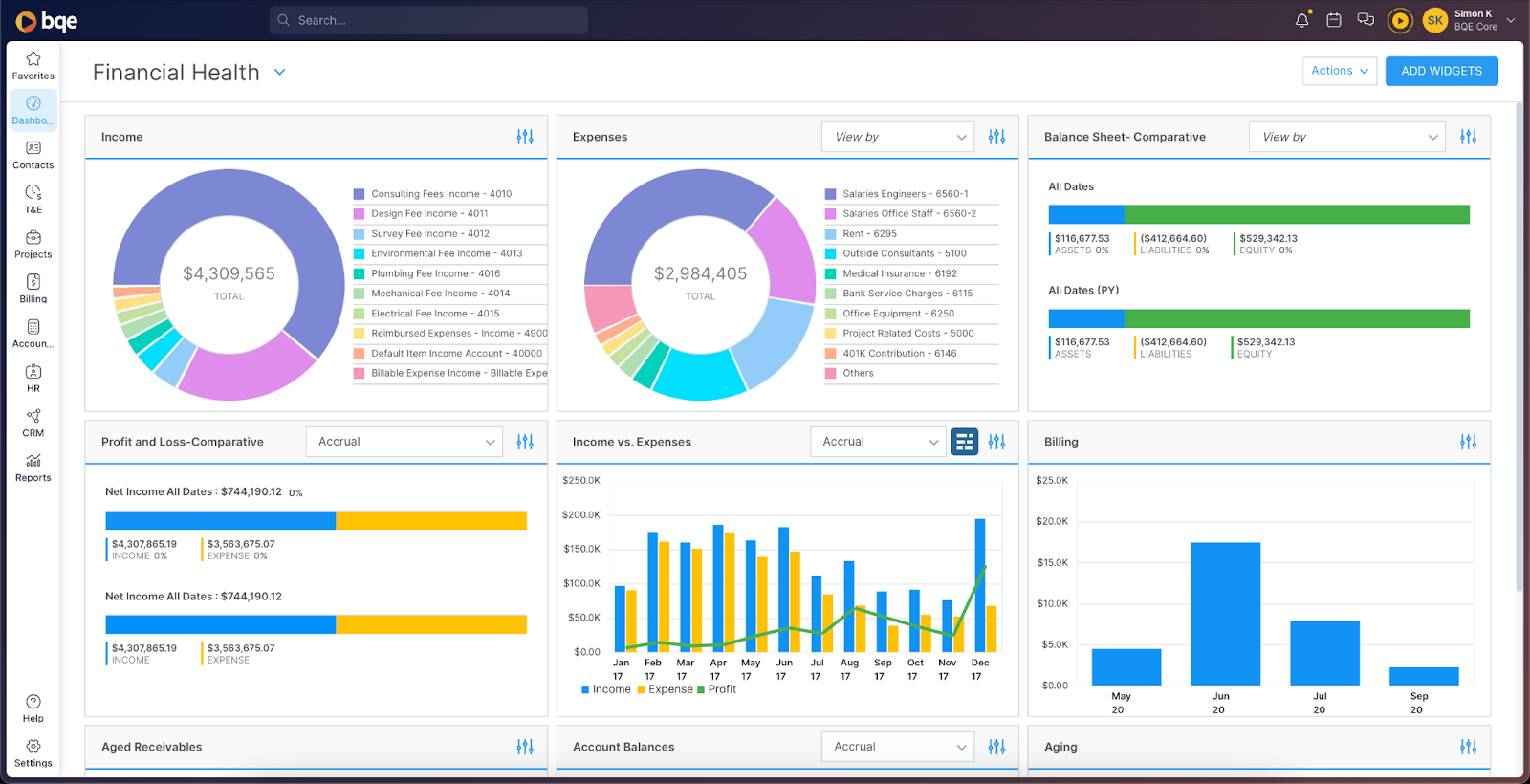
BQE Core is an all-in-one platform combining PM, accounting, time tracking, billing, and CRM.
Firms that need built-in accounting and deep financial reporting find the most value in BQE Core, as these are core capabilities.
BQE Core is best for mid-size architecture firms with a dedicated finance or operations person who can own the platform: someone who has the bandwidth to configure it, maintain it, and act as the internal point of contact when PMs run into issues.
Key features:
- Phase-based project structure with nested sub-projects
- Built-in accounting, no need for a separate QBO
- Strong BI dashboards and analytics
- Time tracking, expense management, and billing in one system
- Mobile app across devices
- CRM module for pipeline and client management
Where BQE Core falls short:
BQE Core is built around its accounting logic, which means the interface and workflows make more sense to the person managing your books than to the PMs and designers who use it daily. Project teams often can't self-serve and need to route through whoever owns the finance side to get what they need.
Pricing:
Pricing for BQE Core is built on a per-customer basis.
4. Deltek Ajera
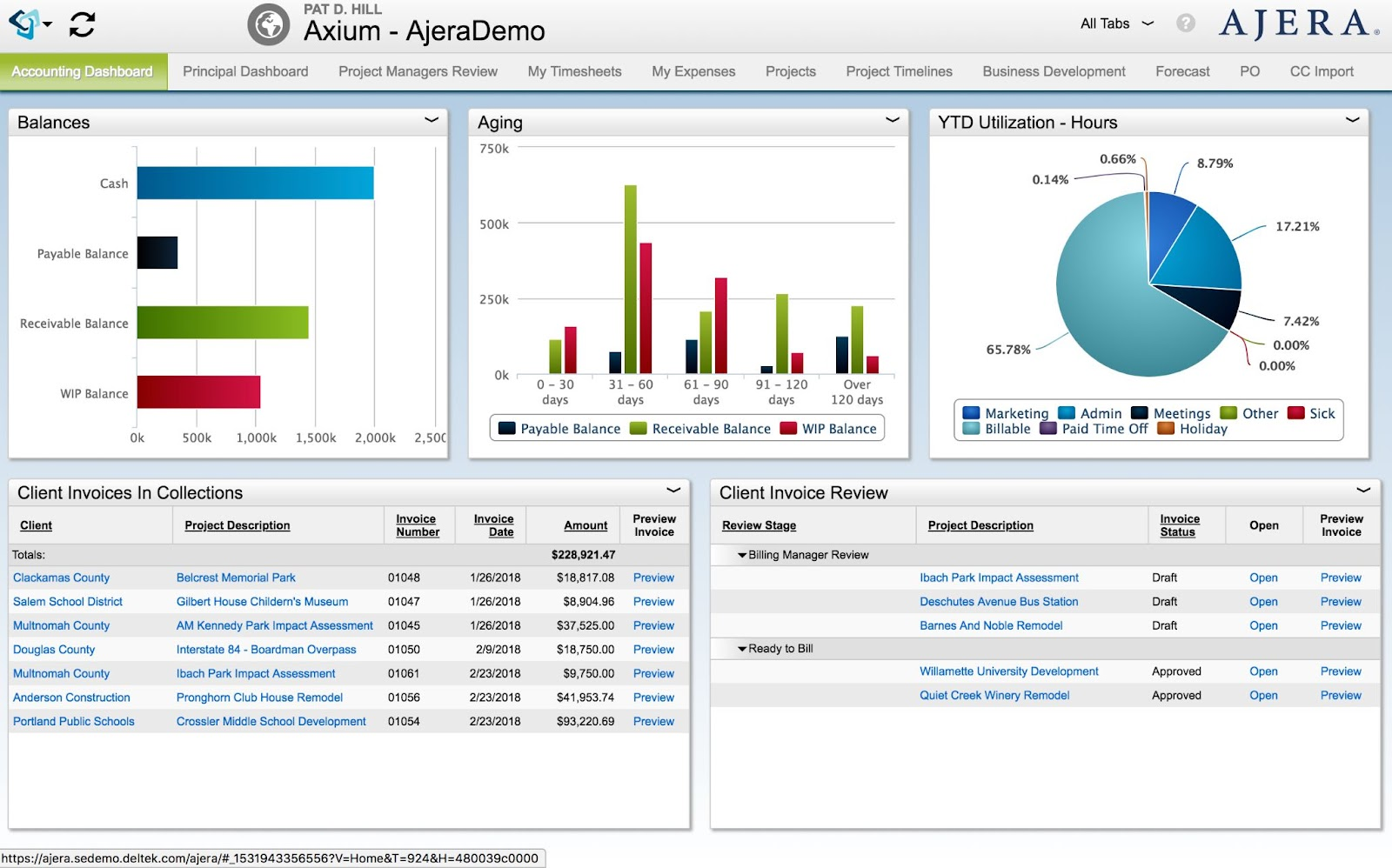
Deltek Ajera is a combined PM and accounting platform for architecture firms, placing a strong emphasis on financial control, job costing, and compliance.
It's best for mid-sized to larger architecture firms with dedicated finance teams, especially those doing government or publicly funded work that requires compliance reporting and audit-ready financials. If that's not you, you might find yourself paying for infrastructure you’ll never use.
Key features:
- Phase-based budgets and billing with detailed configuration
- Built-in accounting with full general ledger, job costing, and payroll
- Robust financial reporting and dashboards
- Resource allocation and time tracking are tied to project financials
- Compliance reporting for government contracts
Where Deltek Ajera falls short:
Deltek Ajera is built for financial governance first, and project teams feel that in the interface, so PMs and designers may find it's not particularly intuitive or suited to their day-to-day workflows.
It also carries significant implementation complexity and cost, often requiring external consultants to properly stand it up, which makes it a hard sell for any firm that isn't specifically drawn to its compliance capabilities.
Pricing:
Pricing for Deltek Ajera is not made public. They custom-design packages depending on your firm’s size and needs.
Learn how Deltek Ajera compares to Factor.
5. BigTime
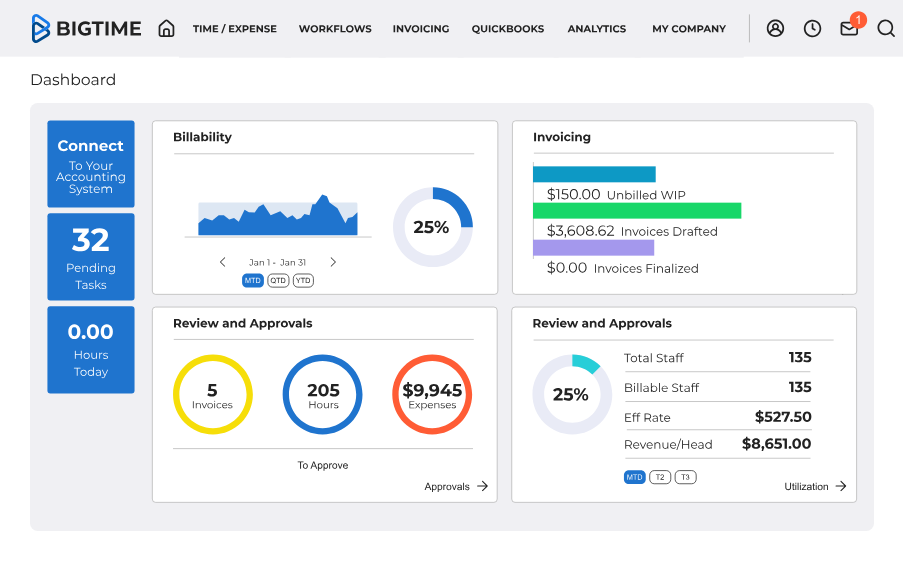
BigTime is a professional services automation platform, serving architecture, engineering, consulting, and IT firms.
It's a good fit for firms that want strong billing and reporting, and are fine with a broad professional services tool that works for architecture firms, but isn’t specifically built for them.
Key features:
- Budget vs. actual tracking at the project, phase, and task levels
- AI-driven resource planning and capacity forecasting
- Flexible billing: fixed fee, time and materials, retainers
- QBO, Sage Intacct, and Xero integrations
- One-click invoice generation from tracked time
Where BigTime falls short:
As mentioned, BigTime is not specifically built for architecture. It handles time-and-materials billing well, but architecture invoicing structures are where the generic PSA DNA shows up. Progress billing by phase, subconsultant pass-throughs, and retainer drawdowns require workarounds rather than native support.
Pricing:
Pricing for BigTime is not publicly available. You’ll need to contact their sales team for a custom quote.
6. BaseBuilders
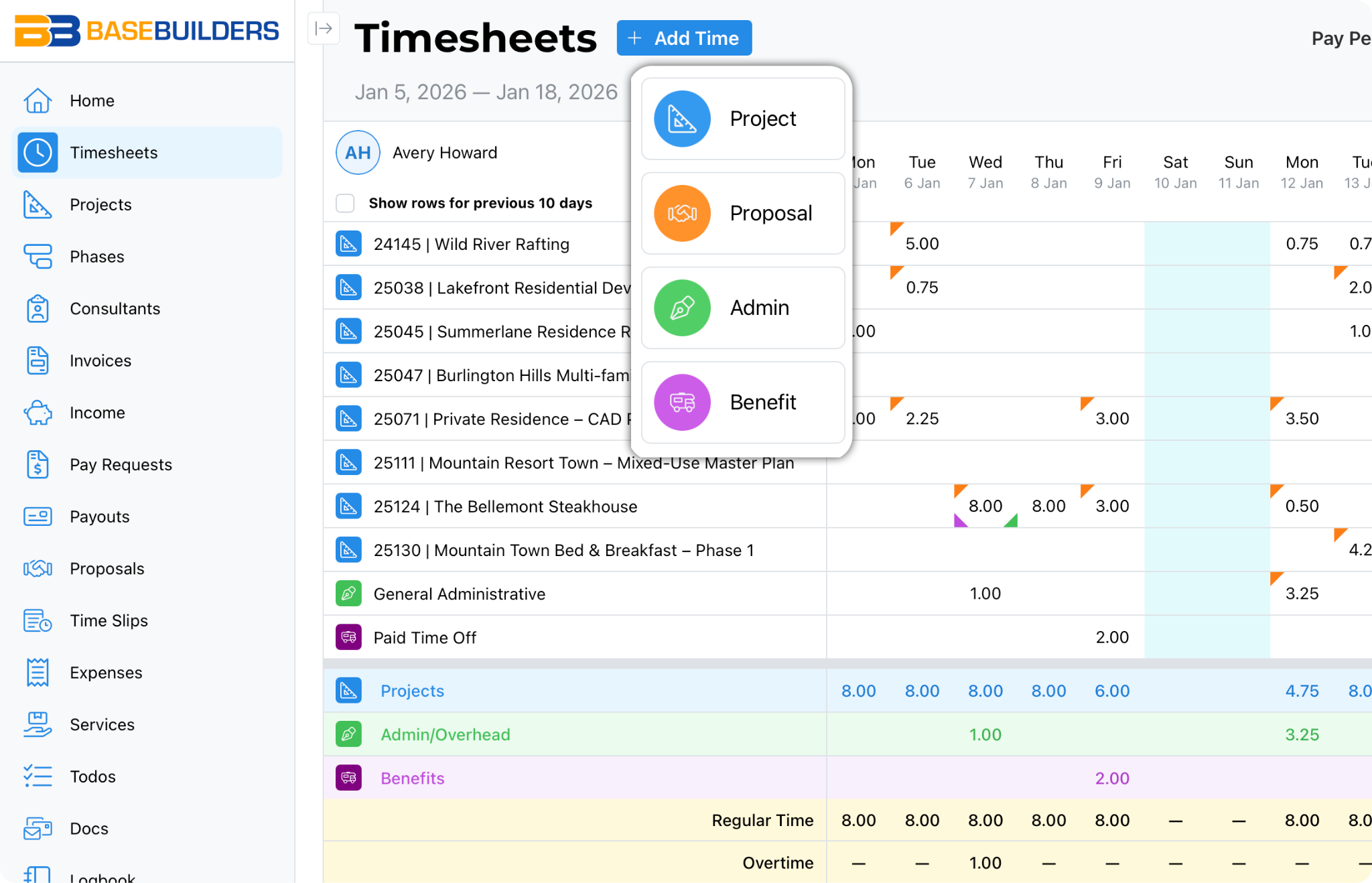
BaseBuilders is a purpose-built project management and billing platform for architecture firms.
It's best for firms moving off spreadsheets that want architecture-specific billing without a heavy ERP.
Key features:
- Phase-based project tracking with fees, time, labor, and expenses per phase
- Subconsultant management, including pay requests and payouts
- Time tracking is mapped directly to project phases
- Invoicing built for architecture billing structures: fixed fee, hourly, reimbursables
- Two-way QBO and Xero integration
- Proposal tracking through to project closeout in one system
Where BaseBuilders falls short:
Compared to some of the large software options on this list, BaseBuilders offers limited resource planning depth, making it less suited to larger or multi-office firms that need to manage resources across multiple projects and offices. The UI has also drawn criticism for feeling dated, which can slow adoption with larger or younger teams.
Pricing:
Pricing for BaseBuilders ranges from $20 to $48 per user, per month.
7. Newforma
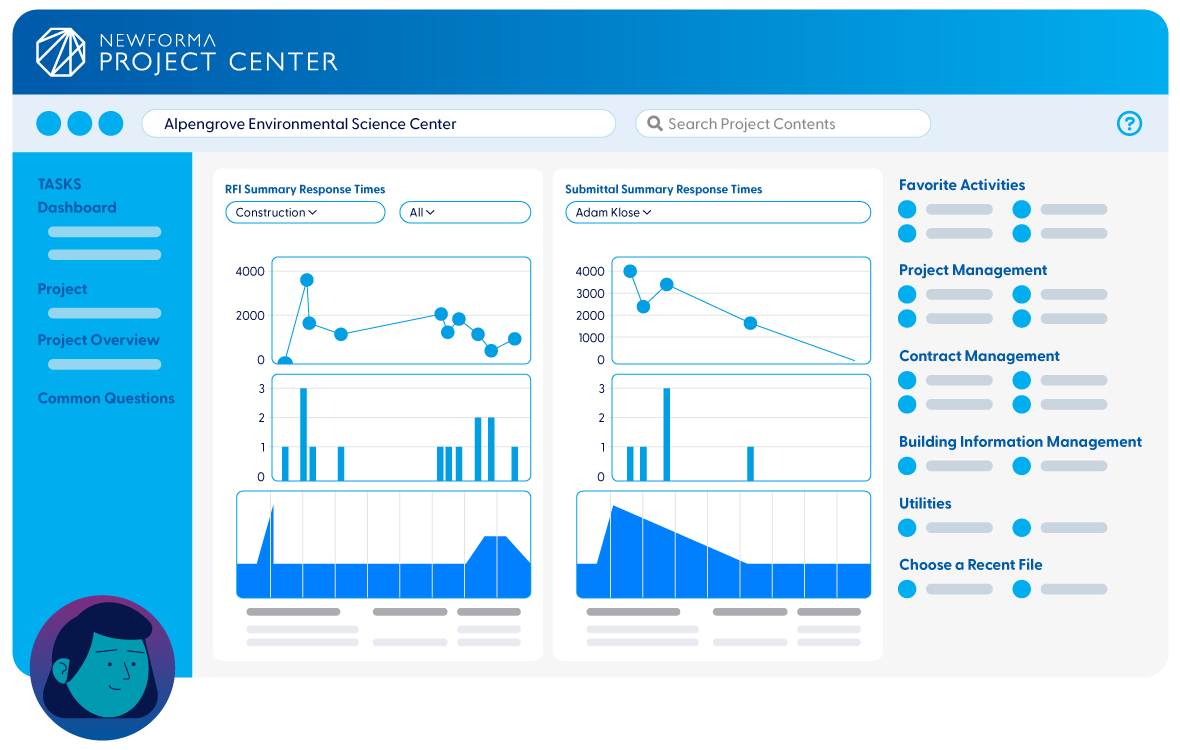
Newforma is a project information management platform built for AECO firms.
It doesn’t offer any financial management or resource planning tools, and instead focuses on document control, construction administration, and project communication. As such, Newforma is best for firms handling high volumes of RFIs, submittals, and contract documentation who need a centralized, auditable record of all project communication.
Key features:
- Document control with version management and audit trails
- RFI and submittal tracking with digital stamps and markup tools
- Contract administration and change management
- Email management with Outlook integration to capture project correspondence
- BIM coordination and 2D/3D model viewing
- Mobile companion app for field access
Where Newforma falls short
If you need financial management features like budgeting, time tracking, or fee burn tracking, Newforma is not a good choice.
Pricing:
Newforma does not publish its pricing model publicly.
8. Unanet AE
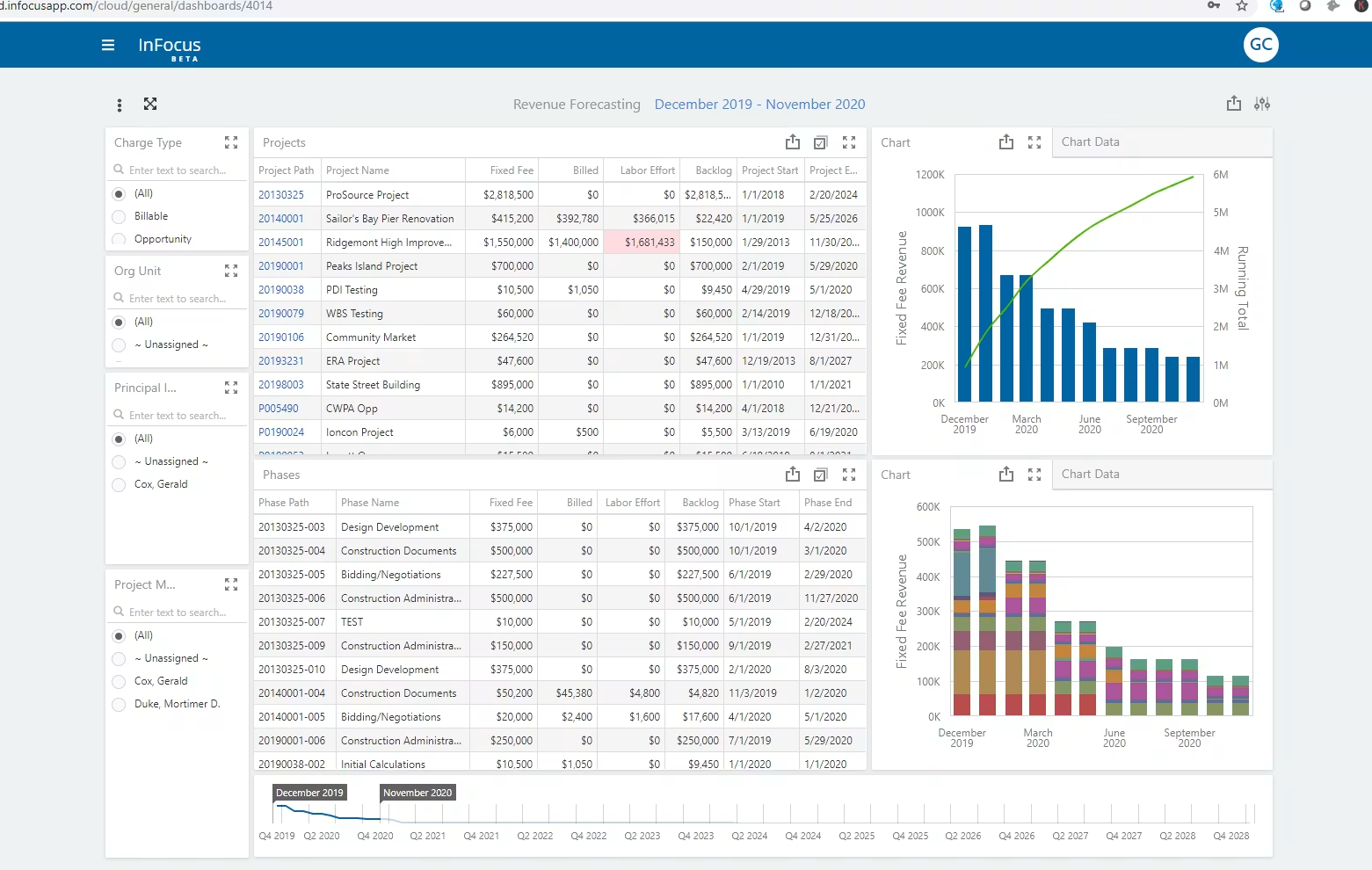
Unanet AE is an ERP platform purpose-built for architecture and engineering firms. It combines project management, accounting, resource planning, and CRM in one system.
Unanet AE is best for larger architecture firms that need strong profitability and resource utilization reporting, and who want their accounting system to exist in the same place they manage projects.
Key features:
- Phase-based project management with work breakdown structures and Gantt charts
- Real-time visibility into utilization, margins, and project performance
- Time and expense tracking tied directly to project phases
- Built-in billing, invoicing, and accounts receivable
- Resource planning with capacity forecasting
- Built-in CRM for pipeline and business development
- QBO, Sage Intacct, and NetSuite integrations
Where Unanet AE falls short:
Unanet AE is a full ERP, and the tradeoff for that breadth is that it's fairly rigid compared to other options on this list.
The platform is built around a fixed set of use cases, meaning firms that need to customize reporting or adapt workflows to how they actually operate find that it doesn’t play ball. Getting around those limitations often means bringing in outside consultants, which adds cost on top of an already high per-seat price.
For these reasons, it's probably not a good fit for firms with fewer than 20 people, as the cost-per-person becomes prohibitive.
Pricing:
No pricing information is available for Unanet AE.
Choosing the Right Project Management Software for Your Firm
Not all architecture firms need the same kind of project management software. Those with straightforward, repeatable project types have different requirements than those managing complex multi-phase work across a large team.
For architecture firms that want phase-level financial visibility, integrated resource planning, and billing structures that reflect how architecture projects actually run, Factor is worth a closer look.
Factor connects project execution and financial tracking in one system, so fee consumed, scope completion, and staff utilization are visible together while a phase is still open.




.avif)