



Can architecture software solve the real challenges behind business contraction, revenue leakage, and declining profitability?
It’s a fair question, but not always the right one.
With the AIA’s October 2025 Billings Index signaling rising economic uncertainty, forward-thinking firms are becoming far more strategic about internal investments. And in a moment of industry-wide contraction, the firms gaining ground are the ones using this window to close operational leaks, such as:
- Hidden overruns caused by phase budgets scattered across separate systems.
- Lost revenue from untracked hours and manual time entry.
- Delays in billing cycles that push receivables months behind.
In other words, the firms pulling ahead in 2026 aren’t necessarily designing more. They’re replacing fragmented workflows with connected tools that show, in real time, where profit is made or lost. In an industry with razor-thin margins, even a few percentage points of leakage can reshape an entire year.
So, the real question becomes: Are you building a disconnected software stack that will cost your firm money, or are you choosing an integrated platform that ties project work directly to financial outcomes?
This guide is your answer to that question, covering:
- What to look for when evaluating architecture software, especially if your bottlenecks are budgeting, billing, resource scheduling, or revenue forecasting.
- How well today’s leading platforms handle workflow complexity and support the business side of projects, beyond just design.
Let’s start by clarifying the types of software architecture firms actually need, and why so many teams end up choosing the wrong category.
What “Architecture Software” Really Means (And Why Choosing the Right Category Matters)
One of the first things A&E firm leaders discover as they begin shopping for tools is that “architecture software” is not a single category. There is no all-in-one, out-of-the-box tool that covers all aspects of architecture.
This complicates things from a buyer’s perspective, but the bigger issue is that many firms start in the wrong place.
Despite reducing revenue leakage being a top priority for A&E firm leaders, most teams choose software based on the most visible pain at the time, rather than the root operational problems that affect delivery, utilization, and profitability.
As a result, they tend to make one of three mistakes:
- They rely on design and production tools, but leave core operational issues untouched.
- They adopt generic project management software that doesn’t reflect phase-based A&E workflows, causing downstream efficiency issues.
- They invest in financial tools that track results, but are disconnected from the day-to-day work that creates them.
This kind of disconnection creates real, material downstream issues, with 77% of A&E firms missing project deadlines due to poor project information management driven by, you guessed it, disconnected tools and scattered data.
Each of these tools plays an important role. Architecture firms obviously need design tools.
The problem is, choosing siloed tools as the foundation of your tech stack creates gaps that compound over time.
Below, we break down the three main categories of architecture software, highlight the mistakes that lead firms astray, and outline what to do differently.
Category 1: Design and production tools (CAD/BIM)
Design and modeling tools like Revit, AutoCAD, SketchUp, and ArchiCAD support design accuracy, efficiency, and coordination.
For many architects, the decision to use one CAD or BIM tool over another is often less about the feature set and more about what they already have hands-on experience working with; the best software is the one you know best.
These software tools drive creative output, but they don’t manage how projects are run or how the firm generates revenue, meaning they don’t include functionality like:
- Workflow visibility
- Resource planning
- A&E billing management
For that, you need the next category of architecture software.
Category 2: Project and resource management tools (operations layer)
This is the category of software where most A&E firms stand to gain the most ground. It's where the business health of an architecture firm lives.
If you’re trying to fix revenue leakage, late billing, or inconsistent delivery, this is the category you actually need.
A&E-specific project and resource management tools (e.g., Factor AE, Monograph) support critical firm operations. They offer:
- Real-time monitoring of resource utilization to spot gaps and stop leaks
- Phase-based budgeting that matches how architecture projects run
- Stronger visibility across workflows, helping teams identify opportunities to refine processes
Many firms operate with generic project management tools, such as Asana, which solve fundamental PM tasks like task and resource scheduling, but don’t align with how architecture projects progress through distinct phases (SD, DD, CD, CA).
Here’s what you need to keep front of mind when shopping in this category:
If a tool can't manage phase-level budgets and track earned value against each phase independently, it won't match how your firm actually operates.
Category 3: Firm operations and financial tools (accounting + billing)
In this category, you’ll find industry-standard solutions like QuickBooks and FreshBooks, as well as enterprise-grade A&E-specific finance platforms like Deltek Ajera. These tools all solve for financial management duties like:
- Financial compliance
- Bookkeeping
- Revenue tracking and forecasting
- Expense management
All of these are 100% necessary for architecture firms, but there’s still a huge blind spot in what these tools solve for A&E firms.
They track financials, but they don’t address the operational challenges that hinder productivity and negatively impact profitability downstream.
If architecture software focuses solely on providing great accounting tools, it can’t fix broken workflows, and robust financials also rely on accurate, timely project data upstream.
Solutions that bring together financial management with firm and project coordination (like Factor AE) are the category firms should be prioritizing when profitability and operational control are the real problems.
So, which category of architecture tools should you be shopping in?
If, like many A&E firms, your core issues are cost overruns, scope creep, low utilization, slow invoicing, and resource misalignment, then your chosen architecture software needs to go beyond simple design tools.
Instead, you’re looking for operations-layer software built specifically for A&E work.
Top Architecture Software for 2026: From Design to Business Management
These seven architecture software tools span the gamut from CAD to workflow management, covering all three categories discussed above.
For each, we’ll provide you with the rundown on when and where it's useful, who it's best suited for, and what kind of price tag you can expect.
1. Factor AE: Integrated project and financial management for architecture firms
- Category: Project and resource management (operations layer)
- Best for: A&E firms that need to reduce revenue leakage, accelerate billing, and regain visibility into project profitability while work is still underway.
- Cost: Monthly or annual subscriptions starting at $30 per user, per month.
Factor AE is built for architecture and engineering firms that already have CAD tools and accounting software, but still lack visibility into what is happening while projects are being delivered.

Factor fills that visibility gap by managing work in progress and tying day-to-day project activity directly to financial outcomes.
Phase-level visibility while work is underway
Architecture projects progress through defined phases, each with its own scope, fee, and risk profile. Factor’s project management suite structures projects around these phases, keeping budgets, percent complete, and fee burn visible as work progresses.
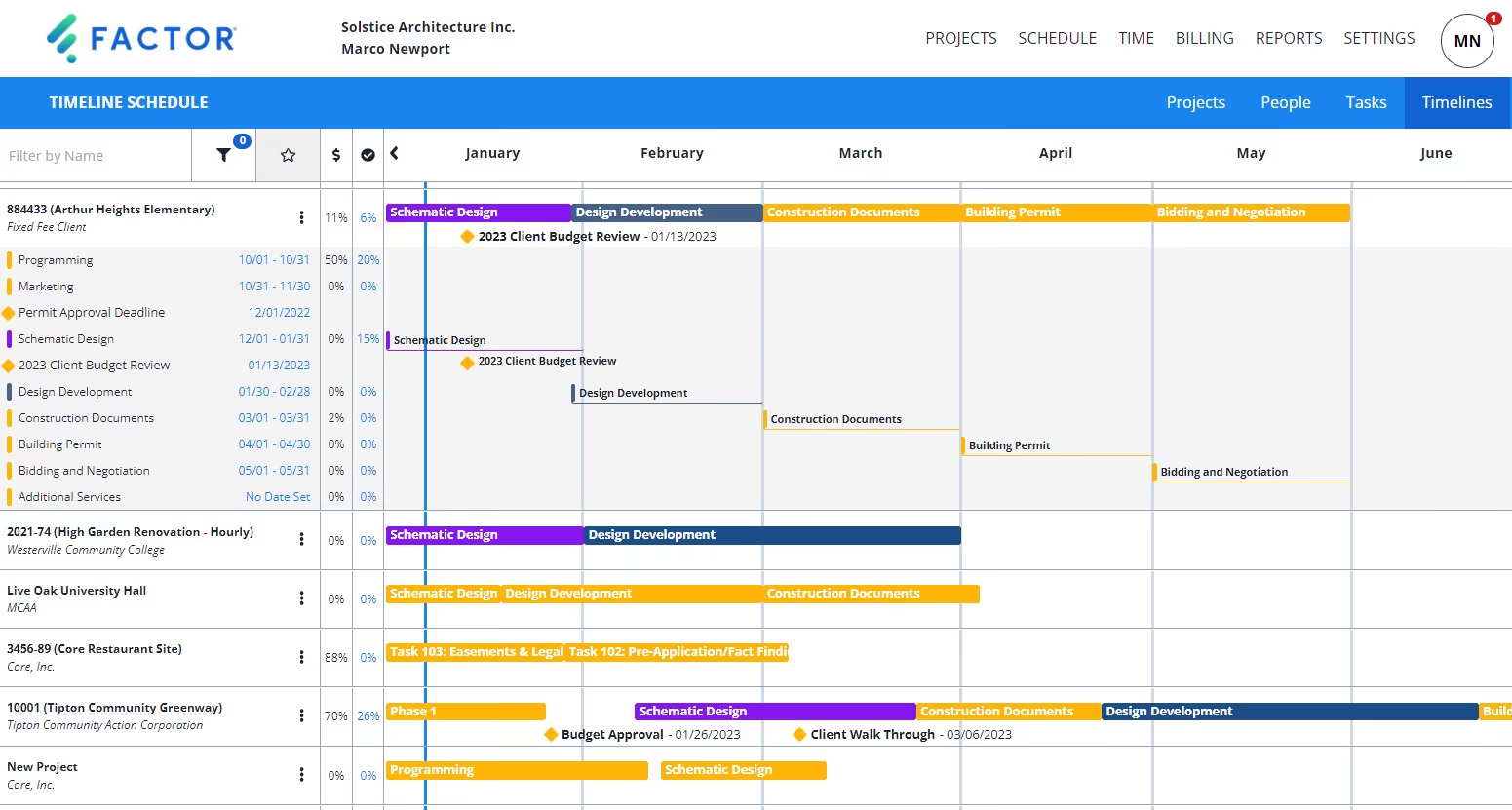
This allows project managers and principals to spot early warning signs, such as phases consuming more effort than planned, and avoid the standard 28% budget overrun.
Instead of discovering margin erosion after invoicing, teams can adjust staffing, scope, or billing timing while there is still time to act.
Time tracking that reflects reality
Untracked or delayed time entry is a common source of lost revenue. Factor AE connects time tracking directly to live project budgets and billing readiness, making gaps visible as they happen.
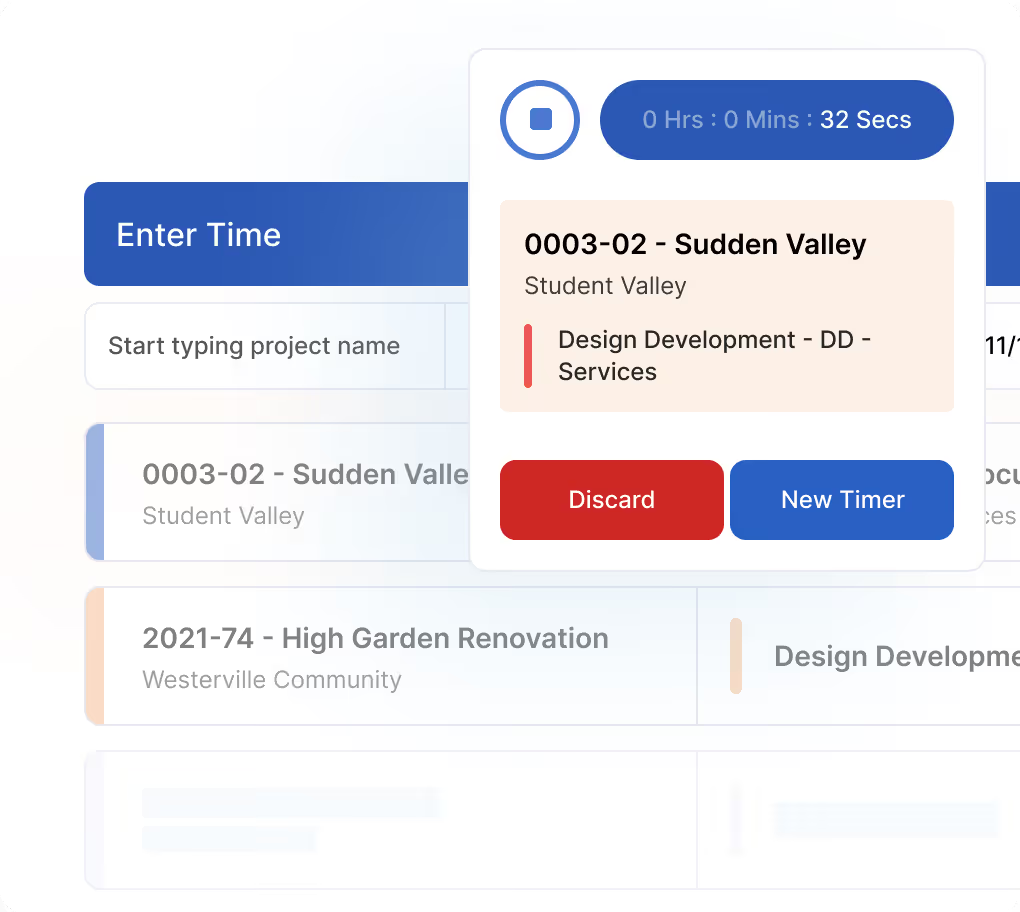
Because time tracking data is updated in real-time, missing hours are identified immediately, rather than weeks later during invoicing. This improves accuracy, reinforces accountability, and ensures that work performed is accurately reflected in both delivery metrics and financial outcomes.
Billing driven by live project data
Billing delays often result from fragmented workflows.
When invoices require reconciling timesheets, budgets, subconsultant invoices, and accounting records across multiple tools, billing cycles slow, and receivables drift. This can negatively impact your utilization rate.
Factor’s invoicing feature reduces this friction by generating invoices from approved project data. Billing reflects actual progress and effort rather than manually assembled summaries, helping firms invoice sooner and with greater confidence.

Subconsultant costs without the blind spots
For firms managing multiple consultants, subconsultant costs can quickly become a blind spot. Factor AE tracks subconsultant contracts, budgets, and pay-when-paid status alongside internal labor and project fees.

This provides clear visibility into committed costs and prevents surprises when subconsultant invoices arrive late in the project.
The bottom line
The firms succeeding in 2026 and beyond are not necessarily designing more work. They are closing operational gaps that hide risk and drain profit.
Operations-layer software, such as Factor AE, turns fragmented project activity into real-time financial clarity, aligning delivery decisions with business outcomes.
2. AutoCAD by Autodesk
- Category: Design and production
- Best for: Firms that prioritize 2D technical documentation and need universal file compatibility.
- Cost: Around $1,770/year per seat.
If you're drafting technical details and coordinating with contractors, AutoCAD remains the industry standard.
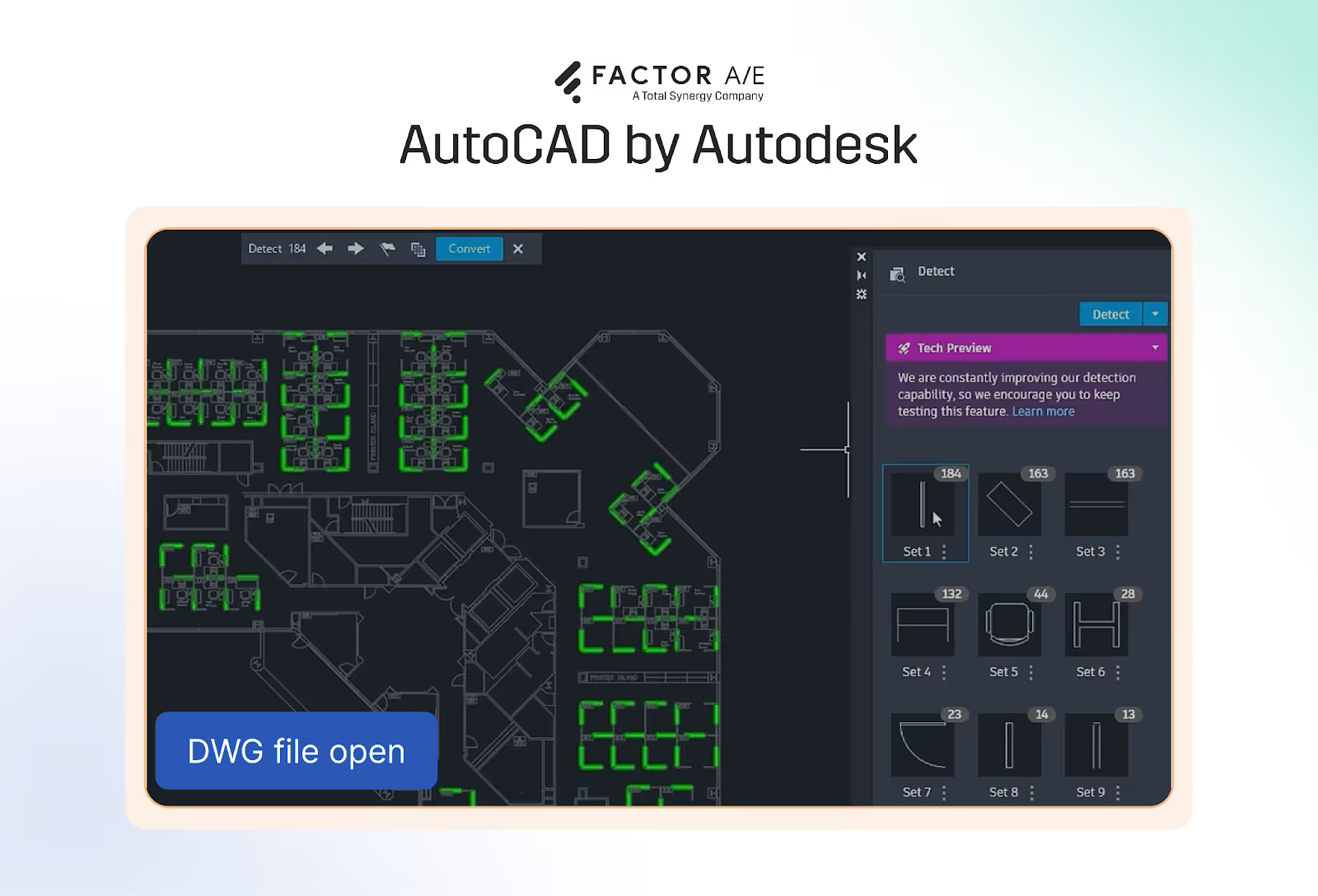
It's reliable for precision 2D drafting and integrates with other Autodesk products like Revit and Civil 3D.
Like all technical tools, the learning curve is real. However, once your team becomes familiar with it, they become fluent in the industry's common language, as everyone is familiar with AutoCAD’s DWG file format.
Just know that AutoCAD starts and stops at design.
For billing, budgeting, and project tracking, you'll need something else. AutoCAD won't tell you if you're profitable or when to invoice.
3. Revit by Autodesk
- Category: Design and production
- Best for: Firms working on complex, multidisciplinary projects requiring real-time design coordination.
- Cost: Around $2,545/year per seat
Revit is Autodesk’s BIM platform for integrated 3D modeling, documentation, and coordination.
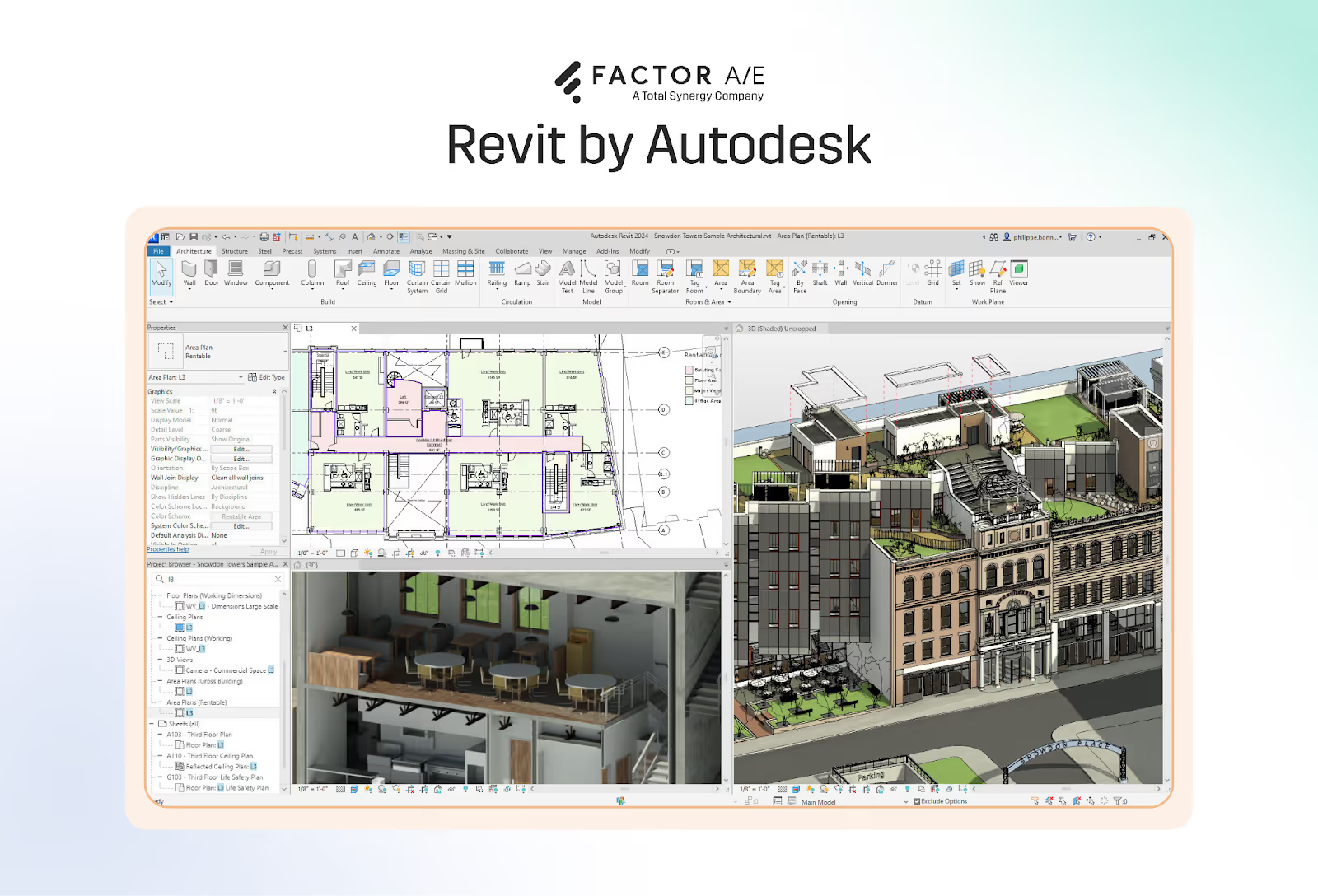
What Revit does really well is centralize design coordination.
A single, federated model allows teams to see how changes in one discipline affect others in real time. This reduces clashes, improves drawing accuracy, and shortens coordination cycles as projects move through design development and construction documentation.
For complex projects, this level of coordination is essential. Where Revit falls short, though, is the business side of project delivery.
Revit has no native understanding of fees, budgets, utilization, or billing. It can’t tell you how much of a phase budget has been consumed, whether work completed aligns with earned revenue, or when a project is drifting off track financially.
For budgeting, billing, fee tracking, and forecasting, you’ll need to pair Revit with an operations layer that connects project activity to financial outcomes.
4. SketchUp
- Category: Design and production
- Best for: Early-phase design exploration and client-facing visualizations.
- Cost: A free tier is available, while the Pro version costs around $300/year.
SketchUp is a lightweight 3D modeling tool commonly used for early-stage design exploration.
Where AutoCAD and Revit are built for precision and documentation, SketchUp is optimized for speed. It allows teams to quickly explore massing, spatial relationships, and conceptual forms without committing to the level of detail required in BIM or CAD environments.

What SketchUp does really well is rapid iteration.
You can build and modify models very quickly, which is especially valuable during schematic design, feasibility studies, and early client conversations. Teams can test ideas, adjust layouts in real time, and communicate design intent visually without slowing the process down.
What it's not great for, however, is execution.
SketchUp is a concept tool, not a documentation, design development, or project delivery platform. It doesn’t support robust drawing production, discipline coordination, or downstream workflows required for construction documentation.
It also has no connection to budgeting, billing, resource planning, or project tracking. SketchUp can help sell an idea, but it cannot tell you how much that idea will cost to deliver or whether the work is tracking profitably.
Like other design tools, SketchUp plays a valuable role early in the project lifecycle.
However, it must be paired with more robust design and operational systems as projects move beyond the concept stage.
5. Monograph
- Category: Project and resource management
- Best for: Small firms (under 10 people) who want an out-of-the-box solution with no need for firm-level flexibility/customization
- Cost: Subscription-based; plans starting around $25 per user, per month.
Monograph is a project management platform designed specifically for architecture and engineering firms.
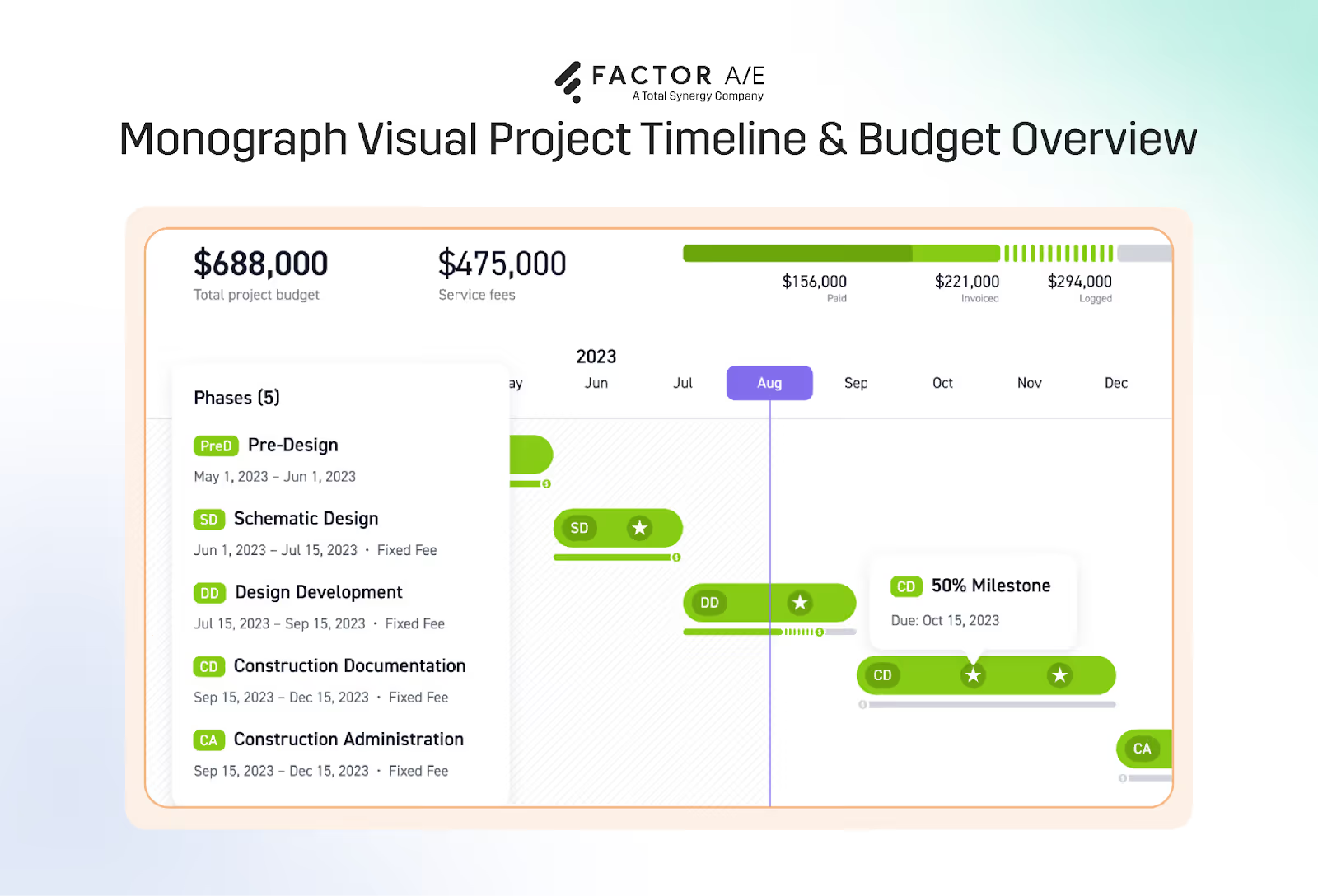
The software is designed around a clear philosophy: standardize firm operations through a fixed, prescriptive workflow. For small teams that work in a similar way across projects, this can reduce complexity and make it easier to get started quickly.
What Monograph does well is simplicity.
The platform is visually clean and easy to understand. Project managers can see high-level project health, utilization, and budget burn without navigating complex configuration or reporting layers. It supports phase-based projects, time tracking, and basic resource planning in a way that feels familiar and approachable.
For firms that value simplicity over flexibility, this can create fast alignment and reduce administrative overhead.
Where Monograph starts to break down is when a firm’s workflows deviate from the assumptions baked into the platform.
Because Monograph follows a one-size-fits-all model, it offers limited flexibility in how firms structure phases, break down work, handle subconsultants, or represent contracts. If your firm’s billing logic, staffing model, or project structure differs from Monograph’s defaults, there is little room to adapt the system to match reality.
The same limitation applies to financial workflows.
While Monograph integrates with QuickBooks for basic accounting, it lacks deeper billing controls and financial nuance, such as dual-rate structures, detailed earned value tracking at the phase level, or highly customized invoices and reports.
As project complexity grows, these gaps become more visible.
Monograph can be thought of as a middle-ground solution: more sophisticated than spreadsheets or generic PM tools but more pared back than enterprise-facing systems like Deltek.
Firms that require greater flexibility, deeper financial alignment, or systems that adapt to their existing operations may eventually outgrow it.
6. Deltek (Ajera & Vantagepoint)
- Category: Firm operations and financial tools
- Best for: Large firms (100+ people) with dedicated IT and administrative resources.
- Cost: Enterprise pricing. Quote required.
Deltek Ajera and Vantagepoint are enterprise-grade project accounting and management platforms built for large A&E firms.

Deltek is a finance-first system designed to support multi-office firms managing large project portfolios with complex financial and compliance requirements. It provides deep accounting, billing, and reporting capabilities, enabling executive-level oversight across projects, departments, and offices.
What Deltek does well is financial control at scale.
The platform supports detailed financial reporting, complex billing structures, and firmwide governance that smaller systems cannot. For firms with mature administrative processes, Deltek can serve as a central system of record for financial performance.
The tradeoff is complexity and steep learning curves.
Implementation for this kind of software often requires the assistance of consultants, and training and onboarding take months, not weeks. Day-to-day use often depends on administrative enforcement rather than organic adoption by project teams.
For large firms with the resources to support it, Deltek remains one of the few platforms built for enterprise-level A&E financial management. For smaller firms, it's usually overkill.
7. BQE CORE
- Category: Firm operations and financial tools
- Best for: Mid-sized firms (15-40 employees) seeking detailed reporting and business intelligence.
- Cost: Subscription-based; contact for pricing, complex pricing by module
BQE CORE is a practice management platform that combines project management, time tracking, billing, and accounting.
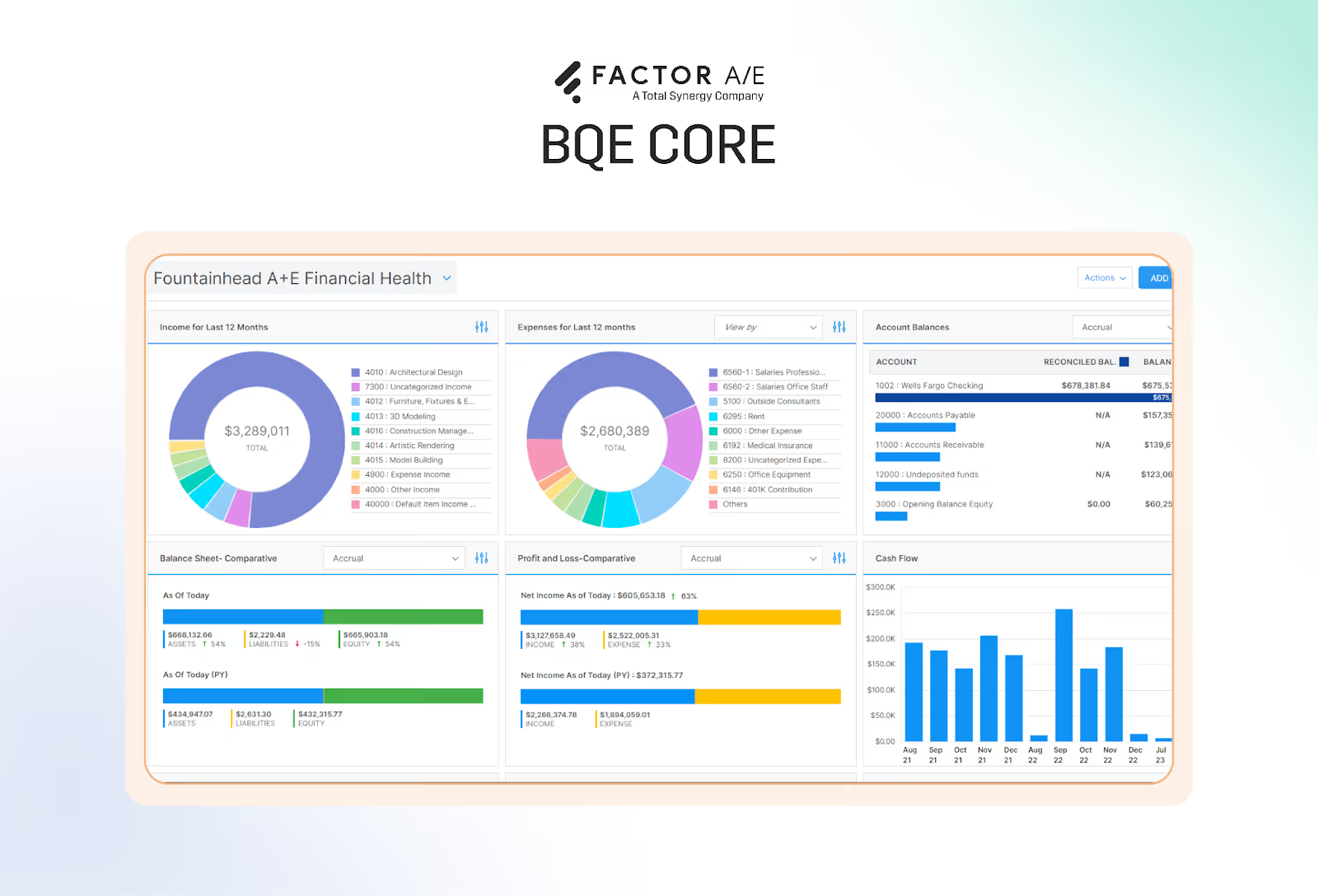
The thing with BQE CORE is that it's designed for a broad range of professional services firms, not exclusively for architecture and engineering. This gives it solid financial depth, but introduces friction for A&E-specific workflows.
The platform offers robust analytics and business intelligence, allowing firms to analyze performance by project, client, or employee. For leaders focused on financial oversight and historical performance, this is a clear strength.
However, for A&E firms, it falls short in terms of operational alignment.
Project and phase structures do not naturally mirror how A&E contracts are written, often requiring additional setup and manual organization.
As a result, budgeting, resource scheduling, and forecasting tend to follow accounting logic rather than how design work is planned and delivered.
BQE CORE sits between lighter operations tools and complex enterprise systems. It offers more financial control than Monograph and less complexity than Deltek, but for A&E firms, it can feel like a financial platform adapted to architecture rather than one built around it.
Closing the gap between design and profitability
Most firms are not struggling because they lack tools. They struggle because their tools are disconnected.
Design platforms produce drawings. Accounting systems record results. But without an operations layer connecting work in progress to financial reality, issues like scope creep, delayed billing, and revenue leakage go unnoticed until it is too late to fix them.
The firms pulling ahead are making a different choice.
They are prioritizing software that reflects how architecture work is actually delivered, phase by phase, person by person, invoice by invoice. Instead of reacting to financial reports after the fact, they are using connected systems to see where profit is made or lost while projects are still underway.
If your firm is feeling the strain of fragmented workflows or manual reconciliation, the next step is not another design tool or a heavier accounting system. It is software that brings project delivery and financial performance into the same conversation.
See what that looks like in practice. Start your free trial of Factor.

Recommended articles
.png)
See Factor in action
In one quick call, we’ll show you a simpler way to run projects and get paid faster.
.png)
“I recommend Factor to other firms. The team is great, it’s easy to use, and it has streamlined my project management. It can do the same for yours.”
Adam Mayberry
Architect / Managing Principal


