


Most accounting software runs on static ledgers and after-the-fact reporting. In architecture, profitability is won or lost inside each project phase. Utilization, varying billing structures, and subconsultant costs determine margins long before the financial statements are finalized.
As firms grow, the gap between traditional accounting tools and the financial realities of architecture workflows becomes harder to manage. Project managers, accountants, and firm leaders rely on spreadsheets and disconnected systems to connect project performance with finances.
But this approach fails when complexity increases. Your financial blind spots widen, spreadsheets multiply, reconciliation becomes routine, and margin issues surface only after the damage is done.
This guide explains why most accounting tools hold architecture firms back and what to look for instead. We’ll also dive into the key features, pros, cons, and pricing of the five best accounting software for architects, so you can find an architecture-specific solution that matches how your projects work.
Why Generic Accounting Software Falls Short for Architecture Firms
Architecture accounting is fundamentally different from standard small-business bookkeeping. Instead of sales or services, revenue in architecture is tied to multi-phase projects, percent-complete billing, labor utilization, and subconsultant coordination.
That complexity creates financial management needs that generic accounting tools aren’t designed to handle.
What Architecture Firms Are Trying to Fix
Many architecture firms looking for specialized accounting software are trying to solve one or more of these recurring challenges:
- Reactive margin analysis: Project managers, finance teams, and firm leaders are currently relying on spreadsheets to track financial performance. By the time they notice overruns or budget issues, it’s often too late to correct them.
- Siloed systems: Project management, time tracking, and accounting are handled in separate platforms. This disconnect is causing endless back-and-forth between teams and increased manual reconciliation.
- Forecasting difficulties: Without integrated data, they’re having a hard time predicting and planning utilization, staffing needs, and resource allocation across multiple projects.
- Limited subconsultant visibility: Tracking external consultants’ budgets, invoices, and their impact on project margins is challenging and error-prone in current systems.
- Tool complexity and cost: Firms are juggling tools to get the information they need, send invoices, and track profitability. This approach creates complex workflows, increases costs, and can lead to more mistakes.
Firms want tighter alignment between project delivery and financial outcomes, not just bookkeeping tools.
The Core Problem with General Accounting Software
General accounting software cannot address the architecture-specific problems we’ve mentioned above because it wasn’t designed for project-driven workflows.
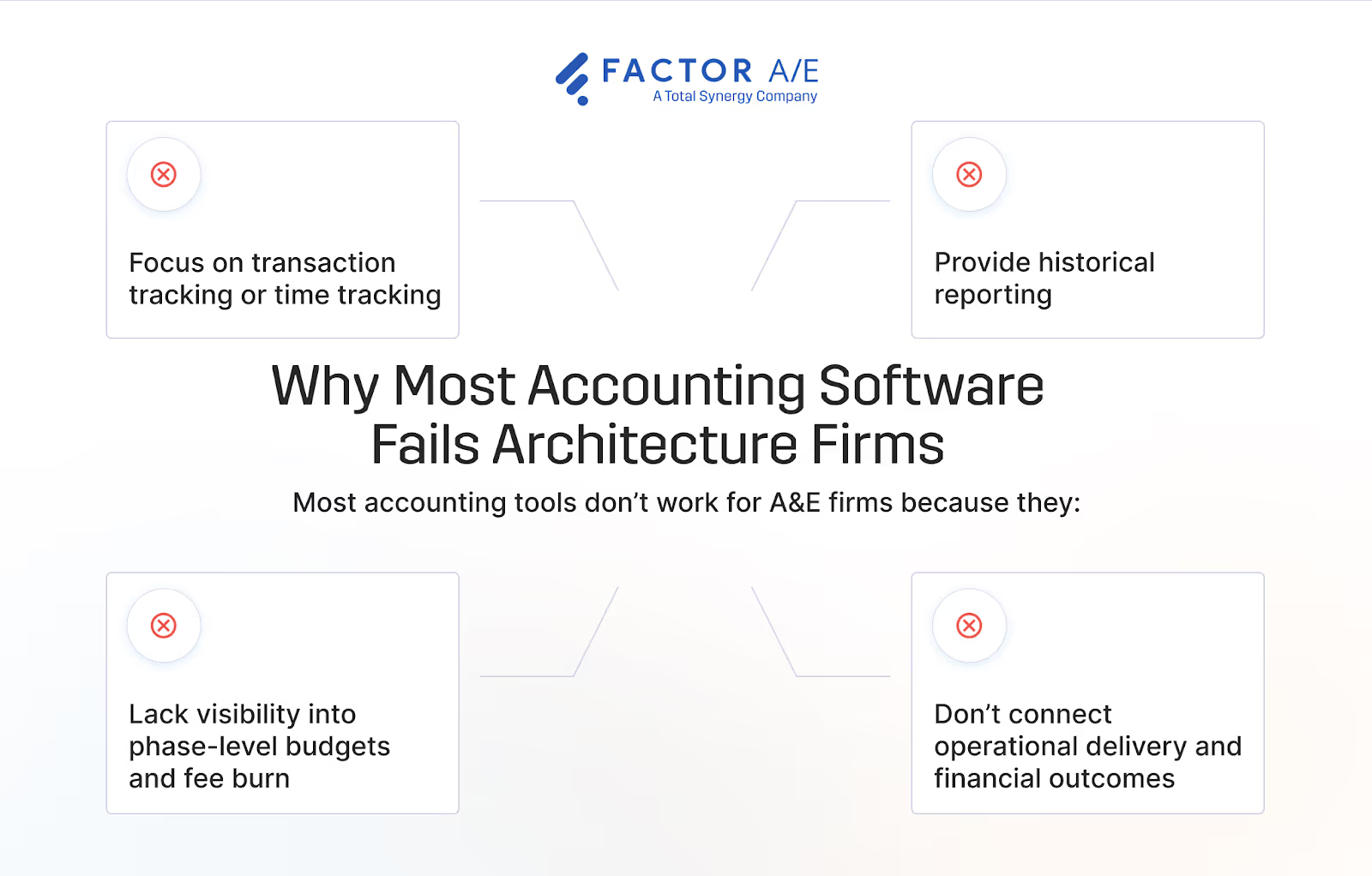
While they handle core accounting tasks well, their limitations become clear in architecture environments because:
- Popular tools like Harvest or BigTime are good at transaction tracking or time tracking, but they fall short at project performance management.
- Generic software focuses on historical reporting after invoicing.
- They lack phase-level visibility into budgets, cash flow, and fee burn.
- They don’t natively connect project workflows and finances, requiring extra customizations or integrations.
All of these failure points lead to operational decisions without real-time financial data and to margin erosion due to delayed visibility. Eventually, your firm is back at square one, trying to somehow maintain profitability while using scattered systems and outdated data.
What Firms Actually Need from Architecture Accounting Software
To stop this constant cycle of trying tools just to end up with more questions or even more complex workflows, you need an accounting solution that connects financial data to project performance. And it should do this while fitting into your existing architecture workflows.
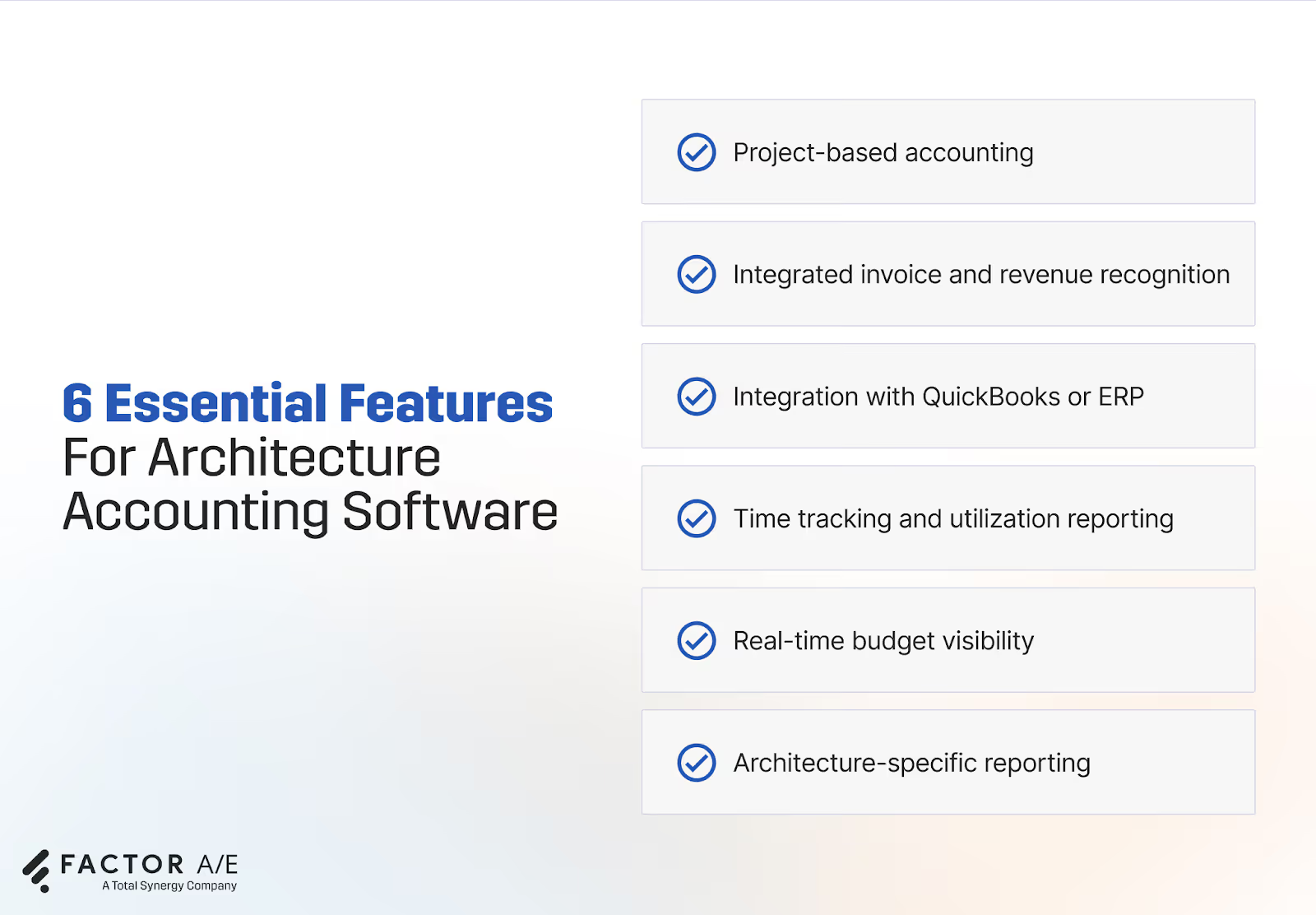
Architects and firm leaders looking to modernize their accounting systems should prioritize.
- Project-based accounting: The software should track revenue, costs, and profitability by project and across each phase of the architectural design process. For example, project managers at MA-KE Architects saved 3 hours per week by consolidating their tasks on Factor’s connected platform, while the firm saved 8 hours every invoicing cycle.
- Integrated invoice and revenue recognition: Architecture firms often bill based on percentage of completion, milestones, or time-and-materials. Software should support flexible billing structures and automate revenue recognition where possible.
- Integration with QuickBooks or ERP: Many small and mid-sized firms use QuickBooks for accounting and other enterprise resource planning (ERP) software. The tool you choose should have a strong integration with these platforms to prevent duplicate data entry and keep financial records aligned.
- Time tracking and utilization reporting: Accurate time capture tied to projects is critical for billing and performance analysis. Look for architecture software that simplifies time entry and instantly reports on billable hours, utilization percentages, and more.
- Real-time budget visibility: Real-time budget tracking helps prevent overruns. Managers should be able to compare planned vs. actual hours and costs without having to export spreadsheets.
- Architecture-specific reporting: Look for software that has dashboards tailored to architecture work processes. They can provide clearer insights than generic financial reports.
By choosing software built for architecture workflows, firms can lay the foundation for smarter decisions and healthier margins. Now, let’s look at the best accounting software options that deliver these capabilities.
The 5 Best Accounting Software for Architects and Architecture Firms
Choosing accounting software for your architecture firm means finding a system that supports how your projects are planned, delivered, and financially managed.
Some platforms focus on connecting project performance with financial reporting, while others provide full ERP systems built for large A&E organizations. Here are five accounting software options widely used by architecture firms, along with their key features, pros, cons, and pricing considerations.
1. Factor
Best for: Architecture firms that want strong, clear project accounting controls and real-time financial visibility while using QuickBooks Online.
Overview
Factor is an architecture-native project and financial management platform. It gives you live financial insights across your projects and lets you create accurate invoices, based on the latest project data, in minutes.
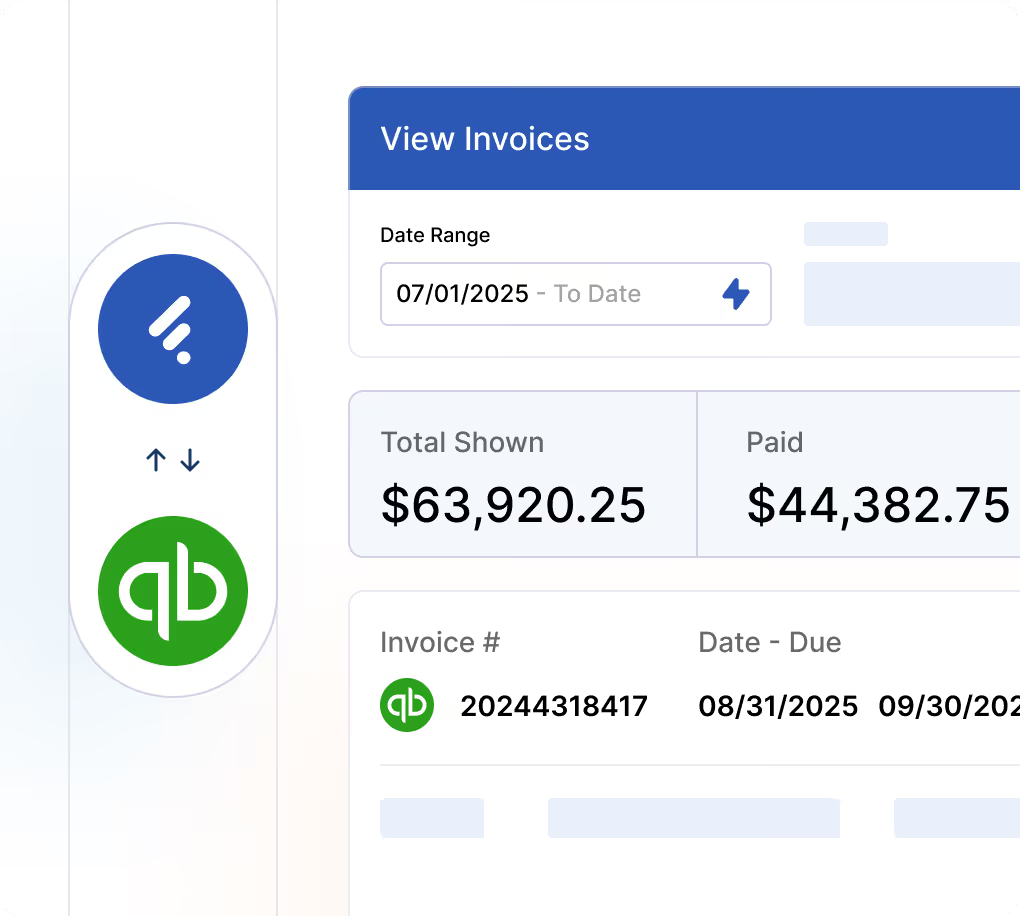
It’s the only architecture-specific platform that offers a real-time, two-way integration with QuickBooks Online, automatically syncing invoices, payments, and financial records. This makes it easier for firms already using QuickBooks to connect accounting data with project performance without manual reconciliation.
Factor also connects contracts, budgets, staffing, and subconsultant costs in a unified system. So, project managers and finance teams can see how every operational decision impacts project profitability.
By aligning project delivery with financial reporting, Factor gives firms real-time visibility into fee burn, earned revenue, and project margins.
Key features
Phase-based revenue and cost tracking
Factor structures financial data around project phases. PMs and finance teams can easily compare budgeted hours vs actual labor costs across each phase, and identify potential issues early.
Accurate invoices and customizable templates
Factor pulls finance data for your invoices from live project information, so your invoices always match your work. You can also create invoices in minutes with customizable templates that fit your billing structure and have unlimited formatting options.
Two-way QuickBooks Online integration
Invoices and payments sync automatically between Factor and QuickBooks Online. So, your accounting records stay accurate and up to date. With Factor handling the project work and QuickBooks keeping the books clean, you get a modern ERP alternative built for architecture.
Subconsultant management
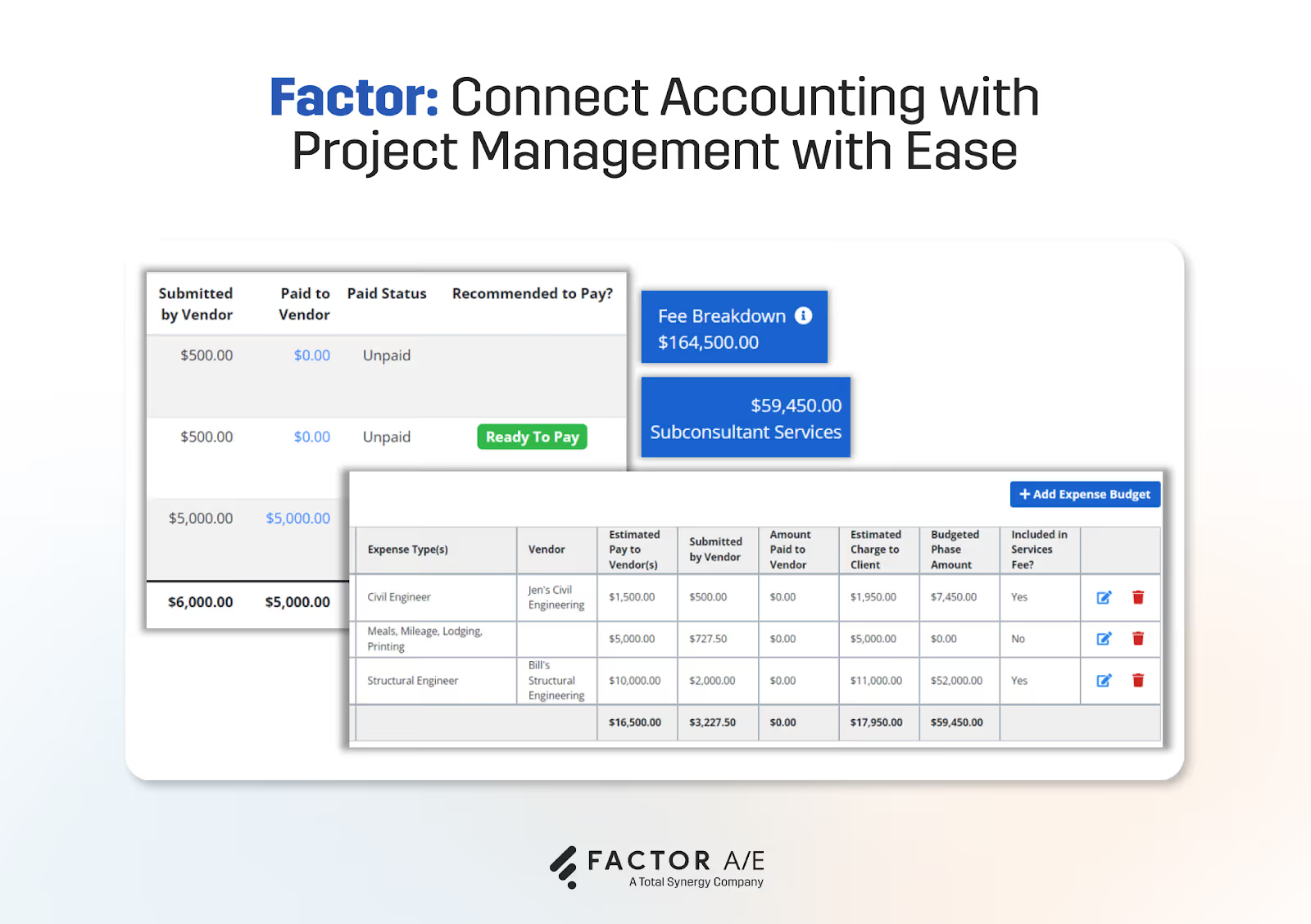
Architecture firms often rely on consultants. Factor allows teams to track and manage subconsultant budgets, commitments, and invoices within the same project financial structure, giving leaders full visibility into total project cost.
Real-time fee burn and earned revenue visibility
Factor offers real-time dashboards that show you how quickly project fees are being consumed relative to the percent complete. Project managers get key insights into early margin risks and can adjust staffing or scope before overruns occur.
Utilization, realization, and profitability reporting
Principals, finance teams, and project managers can monitor utilization rates and profitability through Factor’s resource scheduling features. So, they get the whole picture of how staffing decisions affect financial outcomes, instead of scattered metrics.
Pros
- Built specifically for architecture project accounting workflows
- Real-time synchronization with QuickBooks Online
- Reduces reconciliation effort
- More operational visibility than generic accounting tools
- Faster implementation compared to full ERP systems
- Transparent pricing
Cons
- Not a standalone accounting system
- Requires QuickBooks Online
- Not ideal for large firms that want a full enterprise ERP
Pricing
- $30/user/month (including custom reports and invoicing).
2. BQE Core
Best for: Architecture firms that want an all-in-one accounting and project management solution.
Overview
BQE Core is a cloud-based platform designed for professional services firms, including architecture and engineering practices. It combines accounting, project management, billing, and time tracking in a single system.
Because BQE Core includes built-in financial management tools, many firms use it as a replacement for entry-level accounting software. The platform provides dashboards for utilization tracking, profitability reporting, and project performance monitoring.
While its feature set is comprehensive, it can feel too bloated and unnecessarily complex for growing architecture firms that don’t need every feature that another professional service business might. To add to this, BQE Core offers modular pricing, but it’s not transparent about how this works, so costs can add up quickly as your workflows evolve.
Key features
- Project accounting
- Time and expense management
- Automated invoicing and billing workflows
- Financial dashboards and performance reporting
- Utilization and profitability tracking
Pros
- Comprehensive feature set
- Designed for professional services firms
- Strong reporting capabilities
Cons
- Interface can feel dense and feature-heavy
- Requires configuration to match specific workflows
- Can become complex as firms scale
Pricing
- Contact sales
3. Monograph
Best for: Design-driven architecture firms prioritizing intuitive project performance tracking.
Overview
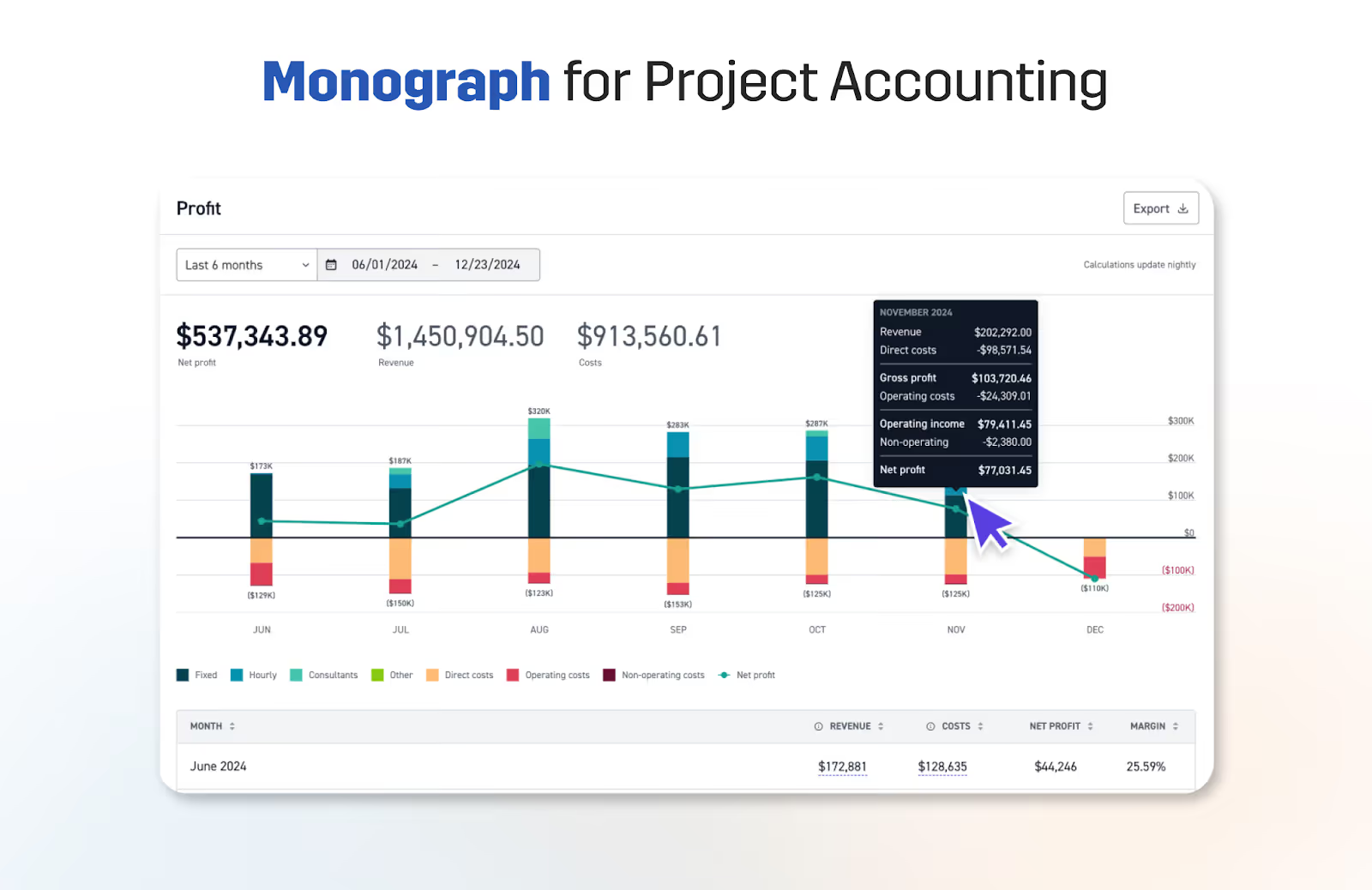
Monograph is an architecture-focused project management platform built to increase visibility into project performance. The software helps teams understand how labor and scope changes impact profitability.
Monograph’s user interface is known for being clean and visually intuitive, making it particularly popular with design-focused firms that want simple project financial dashboards.
The software also integrates with QuickBooks Online for invoicing, but this integration is more limited than Factor’s two-way sync and may require manual entry to keep data consistent on both platforms. It also does not offer the same level of invoice customization and is not upfront about pricing.
Key features
- Clean, intuitive project dashboards
- Real-time financial visibility for project managers
- Architecture-native project structures
Pros
- User-friendly interface
- Strong project-level financial transparency
Cons
- Does not function as a full accounting ERP
- May require separate accounting software for GL, accounts payable/receivable (AP/AR), and compliance
Pricing
- Contact sales
4. Deltek Ajera
Best for: Mid-sized architecture firms that need an advanced ERP tool and can replace QuickBooks
Overview
Deltek Ajera is a comprehensive ERP platform for architecture firms. It combines project accounting, financial management, payroll, and compliance tools.
Ajera replaces QuickBooks entirely and acts as the firm’s core financial infrastructure. It’s typically used by firms that need advanced project financial controls. But these advanced controls can add to workflow complexity, limit flexibility, and require more manual work.
Many small and mid-sized firms find it easier to use a simpler, connected tool like Factor rather than a fully loaded ERP. For example, Fusion Design Consultants cut down their billing time from 20 days to 4 hours and increased user adoption by switching from Ajera to Factor.
Ajera is also more expensive than other tools because Deltek uses a complex modular pricing model. It also typically requires consultant-led implementation and significant onboarding time.
Key features
- Project-based accounting
- General ledger, AP/AR, and financial management
- Time and expense tracking
- Revenue recognition and WIP reporting
- Compliance and audit support
Pros
- Handles more complexity than generic tools
- Strong financial management capabilities
- Built for architecture firms
Cons
- Implementation can be long and consultant-driven
- Interface can feel complex
- Pricing structure is typically higher than SMB tools
Pricing
- Contact sales
5. Sage Intacct
Best for: Architecture firms that need AI-powered advanced financial management and multi-entity consolidation.
Overview
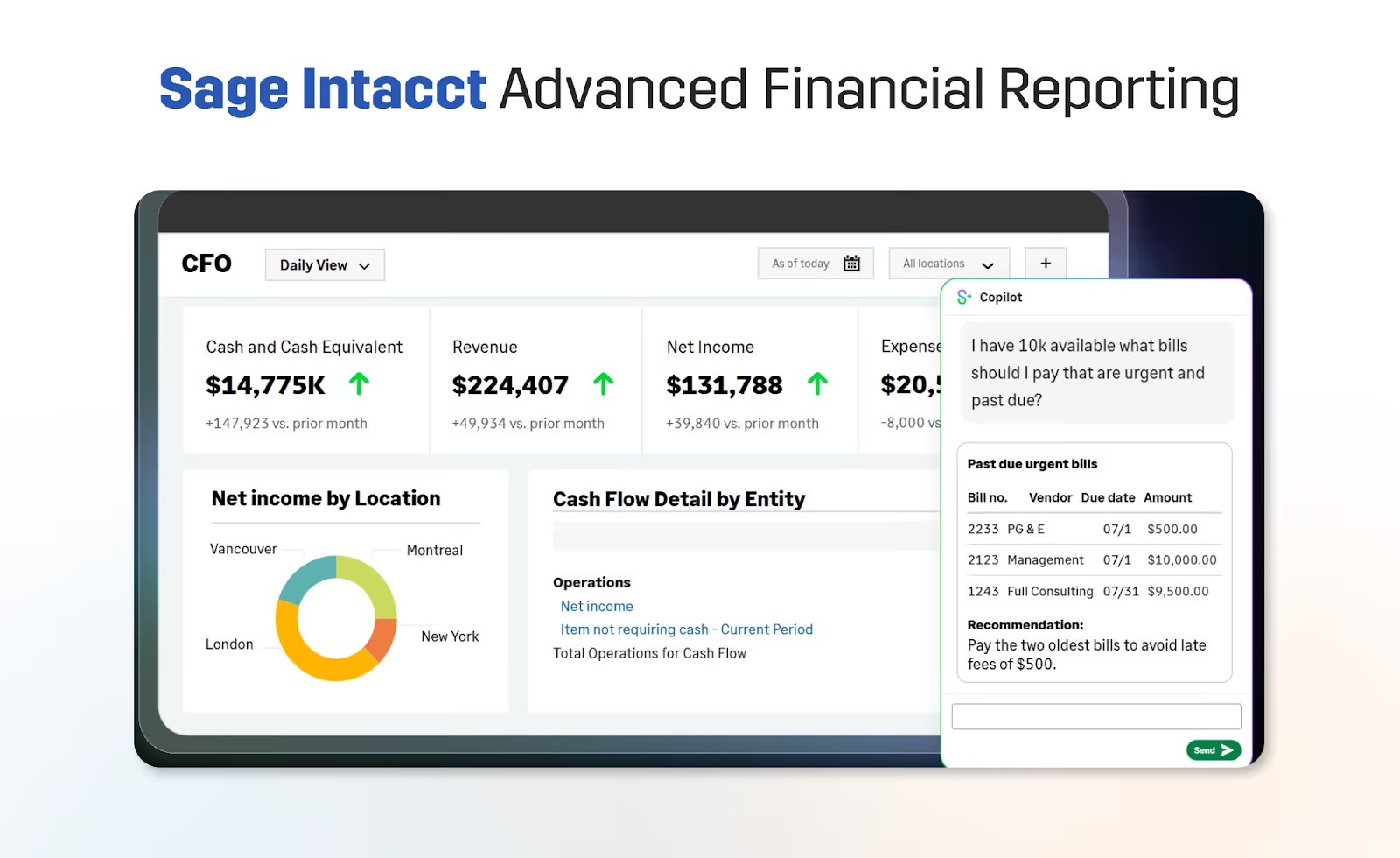
Sage Intacct is an AI-powered, cloud-based accounting software. It is commonly used by mid-sized and large firms that require extensive financial controls, advanced reporting, and robust compliance tools.
The platform supports multi-entity consolidation, detailed financial dashboards, and automated revenue recognition processes. It also has AI agents to track unusual entries, automate bill entry, and answer user questions.
While powerful from a financial perspective, it is not architecture-native and often requires additional integrations to achieve phase-level project visibility. Intacct also uses modular pricing, which can hide extra costs, and takes 3-6 months on average to implement.
Key features
- General ledger and AP/AR
- Multi-entity consolidation
- Advanced reporting and dashboards
- Automated revenue recognition
- Broad integration ecosystem
Pros
- Strong financial controls
- Scalable for growing organizations
- Robust reporting capabilities
Cons
- Not designed for architecture workflows
- Requires integrations for project-level visibility, adding to expenses
- Implementation may require consultants and take a long time
Pricing
- Contact sales
Conclusion
Architecture firms need financial systems built around how projects are actually delivered. When budgets, staffing, and revenue recognition are siloed in disconnected tools, margins suffer and decisions become reactive.
The right accounting software for your firm is one that aligns with how your projects truly operate, rather than forcing workarounds. Whether you need a QuickBooks-connected solution, an all-in-one platform, or a full ERP, the best choice depends on your firm’s size, complexity, and growth plans.
For small to mid-sized architecture firms using QuickBooks Online, Factor stands out. It connects project performance directly to financial data, giving project managers and firm leaders real-time clarity into budget health, fee burn, and overall profitability.
As firms grow, this visibility becomes a competitive advantage.
Book a quick demo to see how Factor connects your project data to real-time financial performance.


.png)