
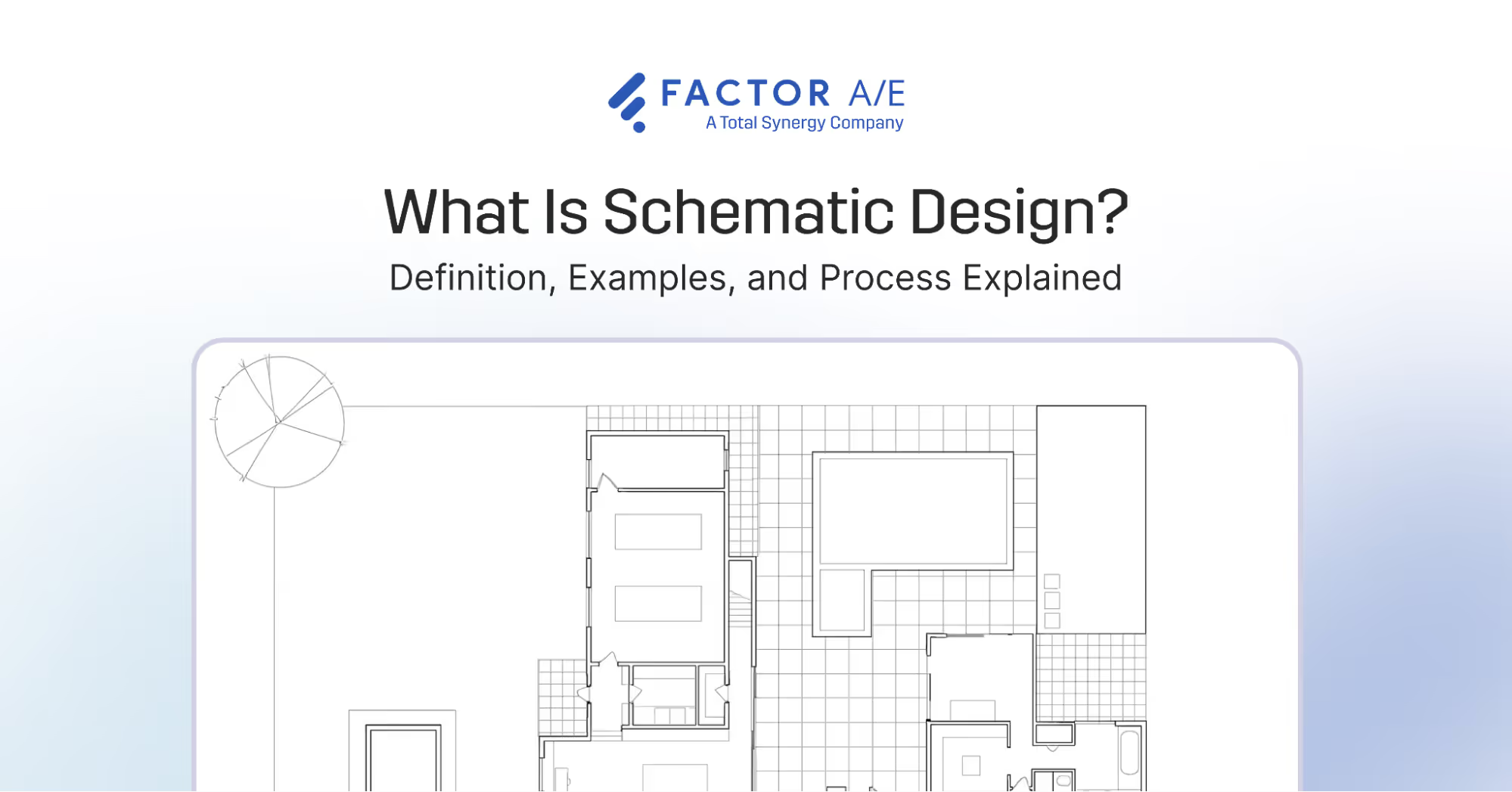


Schematic design is a fast-moving and highly iterative process. When designs and decisions become the main focus, it's easy to lose sight of budgets, resources, and timelines.
Schematic design is where a client’s vision takes shape through ideas, concepts, sketches, and rough plans, creating an outline of the project’s overall look and function.
So, why is such a fun phase a challenge for so many A&E firms? Because there’s no operational clarity. Especially when your project information, costs, and resources sit in separate systems.
The scope expands quietly, budgets slip without warning, and, by the time the phase is complete, the damage is already done.
The best solution here is to take control early.
First, by deeply understanding the design process and what it involves. Then, by creating a workflow that connects your budgets, timelines, and tasks in one place.
This guide breaks down the schematic design phase and shows you how to keep every step on time, in scope, and on budget with Factor AE, a purpose-built solution for A&E firms.

What is Schematic Design?
Schematic design is the first phase of the architectural design process. It’s where your team creates preliminary drawings to show the general form, size, and layout of a proposed building project.
These designs are based on client ideas, goals, and other requirements set during the project programming stage.

At this stage, your team will test programming assumptions, evaluate site conditions, consider sustainability strategies, and ensure that the client’s goals can be met within the budget and constraints.
The schematic design process involves architects, designers, engineers, project managers, and consultants. They work together to create conceptual drawings, site plans, elevations, and early 3D views that help communicate the design intent. They also develop a cost estimate for the project.
These materials help the project team and the client land on a shared vision of the project’s overall concept, scale, layout, and design direction before committing to deeper work.
Decisions made during schematic design influence almost every aspect of the following, more technical phases, and ultimately, the built result.
If the schematic design phase goes wrong, the entire project feels it. Misaligned expectations, unclear scope, or inaccurate assumptions carry forward to create a chain reaction of rework, delays, cost overruns, and operational issues.
In the end, your firm ends up losing time and money, while your clients are left frustrated.
That’s why managing this phase with clarity, alignment, and proper oversight is essential. A strong schematic design process sets the foundation to manage every phase that follows efficiently.
Let’s take a closer look at the steps involved in schematic design.
The Schematic Design Process
There are seven main stages in the schematic design process:

Project programming review
Before any design work starts, your team reviews the project program, which outlines the client’s goals and functional and spatial needs. They clarify doubts with the client and confirm other priorities, like special functions or sustainability goals.
This review, along with additional information, ensures that your schematic diagrams align with programmatic requirements and meet client expectations. The team also evaluates the project budget and schedule to set realistic limits for the design phase.
Full visibility is key at this stage to avoid siloed or scattered information. When your designers start working without a complete picture, it leads to mistakes and rework that eat away at your firm's time and money.
Preliminary design concepts
Once the program is confirmed, your designers start developing conceptual options. They explore massing options, circulation ideas, site layout alternatives, and building orientations.
Budgets can start to drift at this stage without guardrails, with designers burning time on iterations or over-producing options that no one ends up using.
The goal is to evaluate how well each concept design meets project goals while sticking to site constraints and aesthetic priorities. This step provides the client with a range of visual directions before narrowing down to a single concept.
Schematic drawings
Here, your team creates more refined schematic drawings to show the key elements of the chosen concept design. This includes:
- Site plans that show building placement, access, and landscape elements.
- Floor plans to illustrate room layouts and approximate dimensions.
- Exterior elevations showing the building’s appearance and proportions.
- Building sections revealing spatial relationships and key structural ideas.
- Preliminary 3D renderings or sketches to help visualize the design from multiple viewpoints.
Schematic drawings and visualization through building information modeling (BIM) tools help clients understand the proposed design and offer feedback early in the process.
Examples of schematic designs in action
Here are three schematic drawings from architects to help you understand this process better:
- This design from Lawrence and Gomez Architects, shows how simple 2D schematic diagrams can illustrate initial spatial concepts and demonstrate flow.
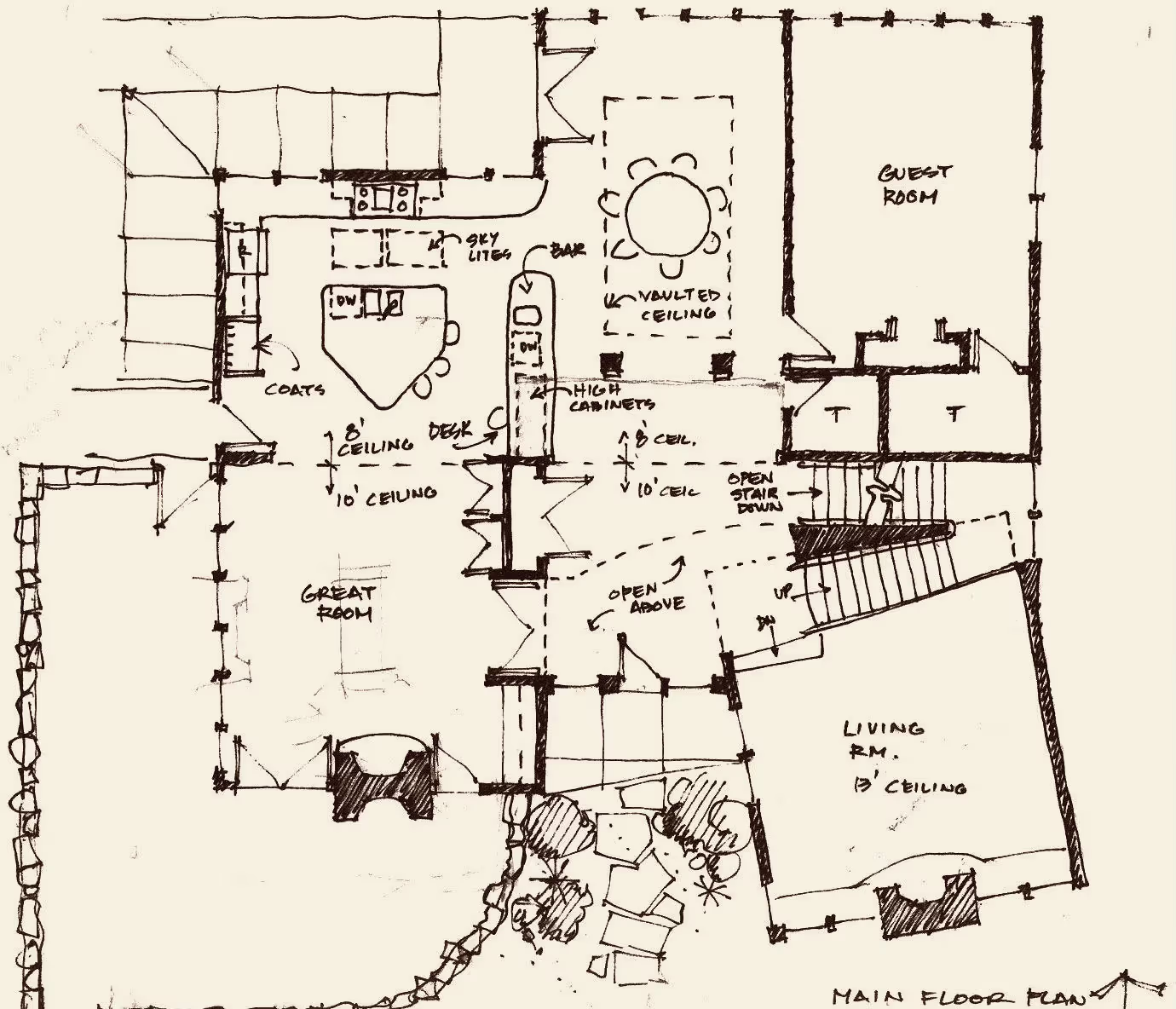
- Rost Architects shows site plans, floor plans, and elevations, communicating design intent and project narrative through schematic design.

- Architect Daniel Kallweit’s schematic diagram illustrates the exterior of a house from the south elevation, highlighting materials and design elements for the roof, skylight, chimney, and other exterior features.

These conceptual sketches, basic renderings, and layout studies help establish the project’s character.
Structural and systems overview
Consultants provide initial input to ensure the schematic direction can support major building systems.
Your team coordinates with structural, mechanical, electrical, and plumbing consultants. Together, they create rough layouts for electrical systems, load-bearing elements, and other structural aspects.
For example, Feldman Architecture’s rainwater management schematic for a sustainable residential project shows how early system drawings support long-term planning.

Material and finish ideas
Architects, designers, and consultants collaborate to explore initial ideas for materials, colors, and textures that align with the design intent.
They may present mood boards, sample palettes, and conceptual material ideas to help clients visualize the style and atmosphere of the project.
Cost estimation
A preliminary cost estimate is established to ensure that the design aligns with the project budget. This early financial review enables your team to adjust materials, scope, or strategy before proceeding to more detailed phases.
Client review and approval
The schematic design stage concludes with a formal client presentation, during which the chosen concept design is reviewed.
The final output of schematic design typically includes site plans, floor plans, elevations, early material concepts, preliminary systems considerations, and the core drawings that define the project’s direction.
The client reviews these deliverables and may provide feedback. After changes are made, the client approves the concept. Once approved, the project proceeds to the design development (DD) phase.
If there were missteps earlier in the process, your firm will feel the consequences in this final step:
- The schematic package may look polished, but it exceeds the intended costs, creating tension with clients and forcing rework.
- Your designers must rework incorrect drawings that result from missing information or lost feedback.
- Each revision consumes unplanned hours, forces the reshuffling of internal schedules, and pushes the next phase back.
All of these factors impact your budget and schedules for future phases, making them more challenging before they even begin.
What Comes After the Schematic Design Phase?
After the schematic design is finalized, the project transitions into the subsequent major phases of the architectural design process, with each phase building on the work completed.
Design development (DD) phase
In this phase, the approved schematic concept is refined and expanded.
Architects detail the layout, materials, systems, and structure while coordinating closely with engineering consultants. DD ensures that the design is technically sound and internally consistent.
Construction document (CD) phase
Once the design is confirmed, architects produce detailed drawings and specifications that contractors will use to build the project.
The construction documents phase sets the technical and legal groundwork for construction, including materials, dimensions, and installation details.
Bidding phase
During bidding, contractors review the construction documents and submit proposals. A&E firms answer questions, clarify details, and help the client evaluate bids to select the right contractor.
Construction administration phase
After construction begins, the A&E team oversees progress to confirm the project is being built according to the plans. They review submittals, visit the site, clear contractor doubts, and handle design-related adjustments.
Schematic design serves as the starting point for all subsequent phases. Errors in the initial phase can lead to compounding problems at every successive stage. Therefore, it’s essential that you take control from the outset.
How to Manage the Schematic Design Phase
Firms battle many inefficiencies while trying to design buildings. For example, in 2025, 48% of firms spent more than 70% of their time on design, but still had to balance administrative tasks, approvals, and coordination.
When both firm leaders and teams lack visibility, they’re stuck trying to tackle high-priority work while still chasing updates, manually tracking budgets, and consolidating feedback.
Eventually, this hurts your profitability as you’re forced to solve problems reactively rather than proactively.
This is why A&E firms need purpose-built software, like Factor AE, to create schematic design workflows that are connected, controlled, and visible.
Here are 7 steps to manage the schematic design phase with Factor AE:

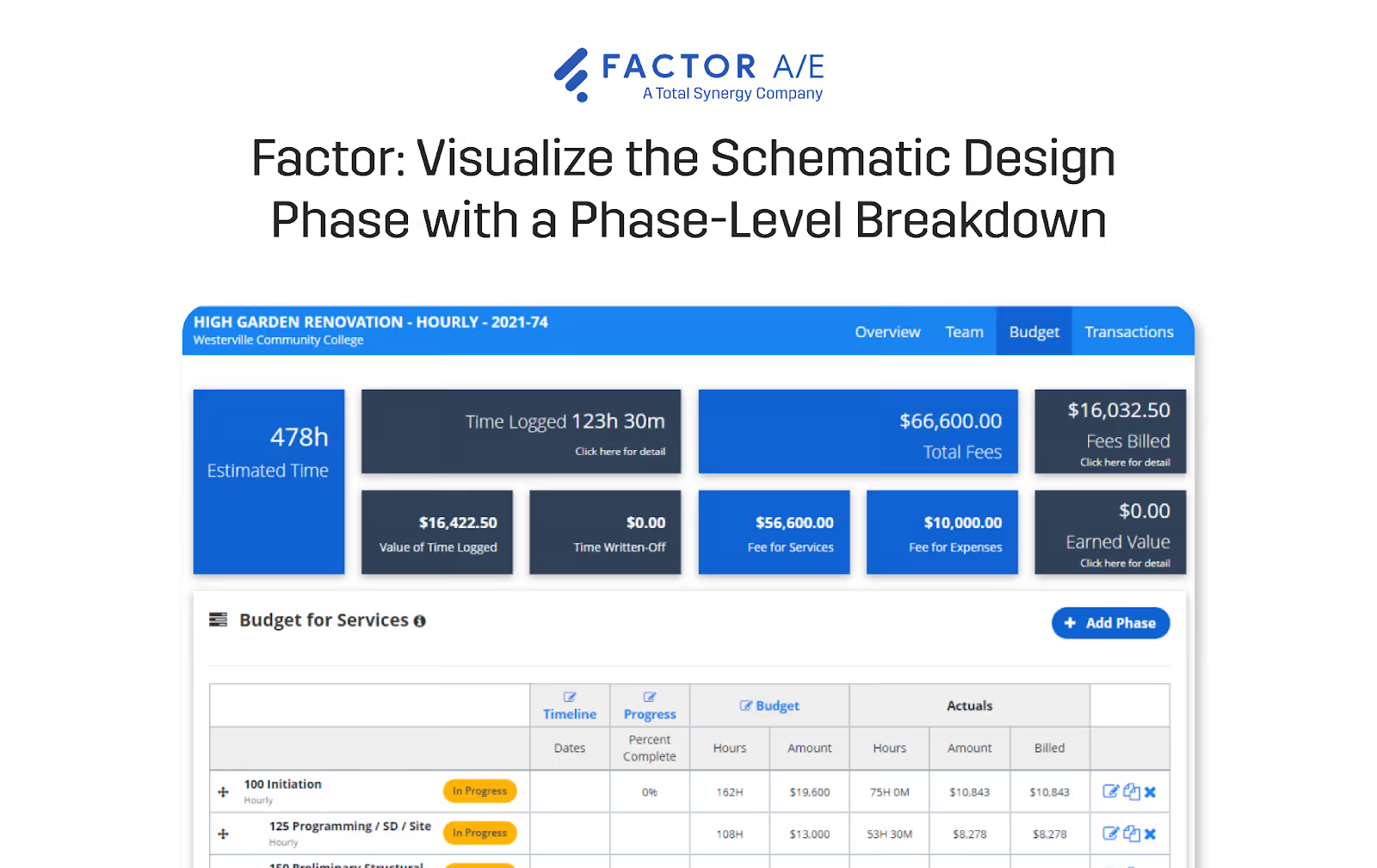
1. Create a phase-level framework.
Start with a clear, structured framework connecting all project information, timelines, and budgets.
To set up your project framework:
- Outline what schematic design includes in your project. It could be site analysis, space planning, concept development, initial drawings, consultant coordination, and cost estimation.
- In Factor AE, use the project management features to create a phase-level breakdown of your project. Add “Schematic Design” as its own phase.
- Assign start and end dates.
- List expected deliverables and use them as milestones. Link tasks with specific deadlines and estimated hours for each of them.
- Record client objectives, design priorities, and sustainability targets, so everyone on your team designs toward the same outcomes.
- Set your phase-level budget or fee structure in Factor AE.
A well-defined phase structure and project timeline provide a unified roadmap that prevents expensive misalignments and keeps all your tasks, time tracking, and billing organized.
2. Assign tasks and monitor progress.
Multiple teams contribute to the schematic design phase. At this stage, successful management requires clear roles, efficient task management, and detailed scheduling.
To manage teams, tasks, and schedules, you can:
- List key participants, like architects, engineers, project managers, and consultants.
- Use Factor AE’s resource scheduling tool to check employee availability and allocate hours appropriately.
- Assign tasks and milestones, while avoiding overloading employees.
Project managers can use Factor AE’s task management features to monitor tasks, update timelines, and adjust schedules as design concepts evolve.
This early visibility is crucial for you and your team to resolve issues before they escalate and derail the entire project.
3. Track time and budget.
The schematic design stage is iterative, which makes the scope and budgets unpredictable.
Budget overruns are a real problem in A&E, with 52% of firms in a 2025 report stating that more than a quarter of their projects go over budget.
Factor AE offers a one-stop solution for effective time and budget monitoring with The Pulse, a central hub with real-time insights into your project’s health, including:
- Scheduled vs. logged time
- Budget vs. actuals
- Phase progress and percent complete
- Profitability
- Utilization
- Tasks
- Upcoming milestones
A unified dashboard, like the one below, helps project managers, studio directors, and firm owners spot scope creep early and track revenue trends and risks at a high level.

Team members log time directly in Factor AE, keeping the dashboard up to date and ensuring your budget data remains accurate.
Factor AE further strengthens budget control with a real-time, two-way QuickBooks Online integration. As work is logged in Factor AE, financial data updates automatically in QuickBooks.
This instant syncing makes it easier to monitor schematic design spending, evaluate profitability, and make changes.
4. Facilitate collaboration and communication.
The schematic design phase thrives on collaboration and clear communication.
Simplify project communication and encourage collaboration for your team using Factor AE’s in-app messaging center, so they can:
- Discuss design ideas and updates in real-time.
- Ask questions and resolve issues without long email threads.
- Reference previous discussions and decisions as the design evolves.
This means shorter feedback cycles, teams aligned with the latest information, and clear expectations that help schematic design progress smoothly.
5. Manage client feedback and approval.
Client engagement is critical in the schematic design stage. Without a clear process to handle feedback cycles, teams risk misalignment, scope creep, and last-minute rework.
Factor AE helps manage feedback efficiently, as:
- Project managers can use key milestones as markers to schedule formal client review meetings.
- Teams can log client comments directly in task-level notes, ensuring feedback is visible and actionable.
- Project managers can use client input to update timelines and task assignments.
- Operations managers and leaders can track how feedback and changes impact scope, time, and cost.
Once the client approves a schematic design option, you can mark this phase as complete and record notes or feedback for the next phase.
6. Evaluate phase performance.
After completing the schematic design phase, it’s important to review performance metrics and understand what went as planned and what needs to be improved.
Factor AE supports this evaluation through The Pulse and a set of customizable, pre-built reports designed for A&E firms.
While The Pulse gives you automated insights into key project and firm metrics, you can also create custom reports to answer specific questions.

This hands-on reporting and insights help answer critical questions: Did the schematic phase stay within budget? Where did the time overrun? Which tasks or roles required more effort than expected?
These insights allow you to refine resource planning, timelines, and budgets for a smoother design development phase.
7. Transition to design development.
Kick off the design development phase by adding a separate phase-level framework. With Factor AE, you can create templates for your project timelines, allowing you to set up the next phase in minutes instead of hours.
Additionally, Factor AE ensures a structured handoff from one phase to the next by enabling you to link tasks, milestones, and phases.
So, your timelines and milestones for the design development phase updates automatically as your team progresses through their schematic design work. Managers and firm owners no longer need to worry about chasing updates and manually updating dates.
Real-time updates in resource scheduling also make it easier to reallocate your resources as design development begins.
A well-managed transition ensures continuity and helps you leverage insights from schematic design to manage the subsequent phases of architectural design more effectively.
Take Control of Schematic Design with Factor AE
The schematic design phase is the foundation of any successful architectural project. It transforms ideas and requirements into a clear visual concept that defines the project’s scope, layout, and overall character.
You can manage this phase down to the last detail with Factor AE, which is purpose-built for A&E firms. Bring your concept to life in one system, with customizable project workflows and reports that align with your firm's workflow.
Keep your architects, designers, and clients happy with a unified workflow that effortlessly handles an iterative schematic design process.
Request a demo today to see how Factor AE can help your specific projects.

Recommended articles



See Factor in action
In one quick call, we’ll show you a simpler way to run projects and get paid faster.
.png)
“I recommend Factor to other firms. The team is great, it’s easy to use, and it has streamlined my project management. It can do the same for yours.”
Adam Mayberry
Architect / Managing Principal


