



Most architecture firms feel the same friction.
Design tools work well, but the systems that manage phases, fees, time, forecasting, and billing rarely match how architecture actually operates.
Downstream, owners lack financial clarity, project managers lose visibility into progress, designers struggle with tools that don’t fit their workflow, and finance teams spend hours fixing data that should have been accurate from the start.
When your tools finally support the same workflows your team uses to scope, track, and deliver projects, that friction disappears. Budgets stay on track, billing becomes clearer, and teams spend more time designing instead of managing spreadsheets.
This guide breaks down the major categories of architecture software, shows how to evaluate them based on real workflows, and highlights the tools that help small to mid-size firms gain clarity, improve operational control, and deliver more profitable projects.
Architecture Software Selection Guide: How Small Firms Choose the Right Tools
The first step in determining which tools fit your firm best is understanding which categories of software successful firms are already using, and which ones are only going to hold you back.
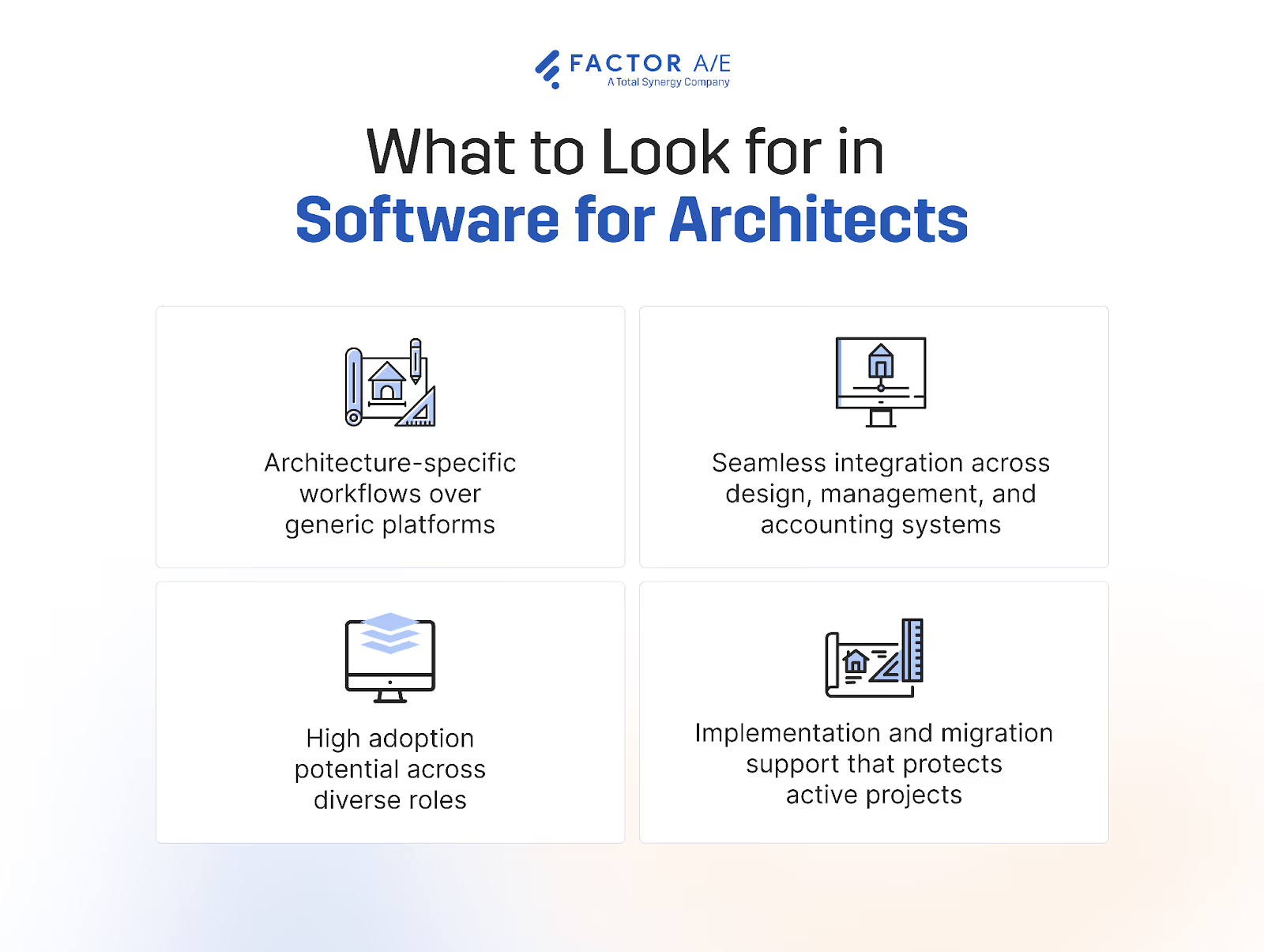
The Types of Software Architects Use (and What Each One Actually Solves)
Most firms assume they need only BIM or only PM software. In reality, they need a combination that supports design, operations, and financial clarity without creating duplicate work.
Successful architecture firms use specialized, architecture-specific tools across four key categories:
- Building Information Modeling
- Project and Practice Management
- Accounting Systems
- Collaboration and Documentation
Building Information Modeling
Tools like Revit and Archicad support modeling, documentation, clash coordination, and collaboration with consultants.
They solve design and documentation problems, so they’re a must-have as part of an architecture tech stack. What they don’t do is touch project or financial management (these keep the actual firm running smoothly).
Project and Practice Management
Tools like Factor and Monograph manage phases, tasks, budgets, time entry, staffing, invoicing, and reporting.
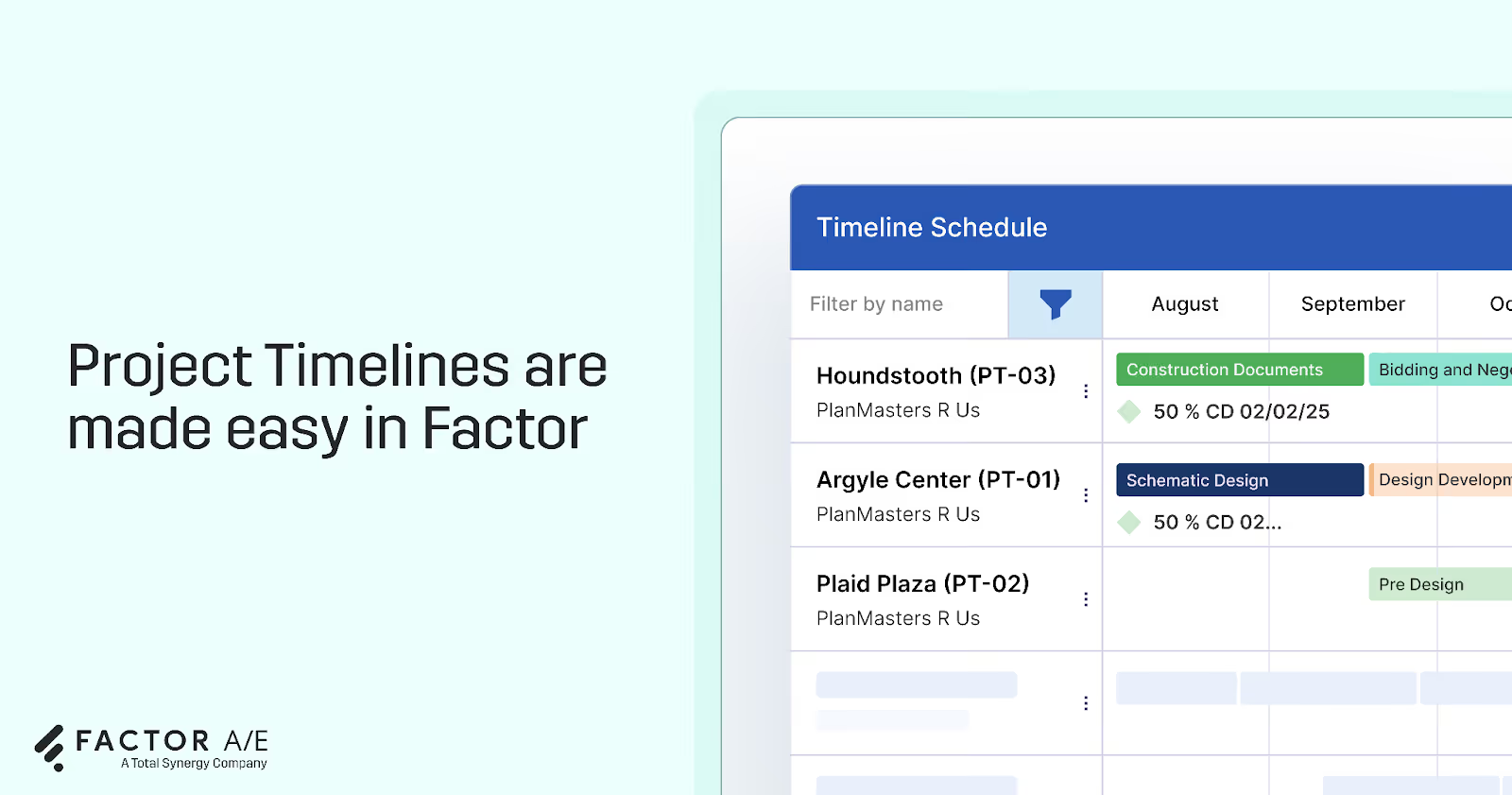
They solve the practical operational problems that architecture firms face daily, like:
- Scope clarity
- Fee tracking
- Forecasting
- Utilization visibility
- Phase progress and burn rate
Accounting Systems
Tools like QuickBooks and Sage manage invoicing, expenses, payments, and firm financials.
They address compliance and cash flow needs, but they're usually not built specifically for the architecture use case. Many lack support for architecture-specific needs, such as phases, percent-complete billing, or team time entry.
Collaboration and Documentation
Tools like Bluebeam manage markups, drawing reviews, and document coordination.
They solve communication and revision control problems, but they don’t replace practice management or accounting systems.
What Architecture Firms Should Look For (Evaluation Criteria)
Most firms will need one of each of the four types of tools discussed above.
But just because a given tool fits into one of these categories doesn’t automatically make it a great fit for your firm.
For instance, generic project management software is rarely a good fit for architecture firms.
Architecture projects rely on phase-based scopes, earned value and percent-complete tracking, and complex fee structures, all of which standard PM tools almost never support. And that’s how you end up still managing projects in spreadsheets, even though you’re paying for a PM platform.
Here’s what to look out for as you assess different options.
Support for Architectural Phases and Fees
The system must reflect how architects actually scope work. It should structure projects around phases, subphases, tasks, fee categories, and subconsultants.
Questions to ask during a product demo include:
- Does the tool support schematic design through construction administration without custom workarounds?
- Can you assign budgets for services, subconsultants, and reimbursables?
- Does percent-complete tracking align with phases?
- Does time entry map directly to phases, tasks, and fee categories?
Invoicing and Billing Accuracy
Invoicing should match the contract without manual formatting. The system must convert time, expenses, retainers, and progress into clear, accurate invoices.
Here’s what you’ll want to confirm before locking into a contract:
- Does phase-based invoicing work natively?
- Can retainers be drawn down automatically?
- How does it handle reimbursables and pass-through subconsultant costs?
- Does progress or percent-complete data feed directly into invoices?
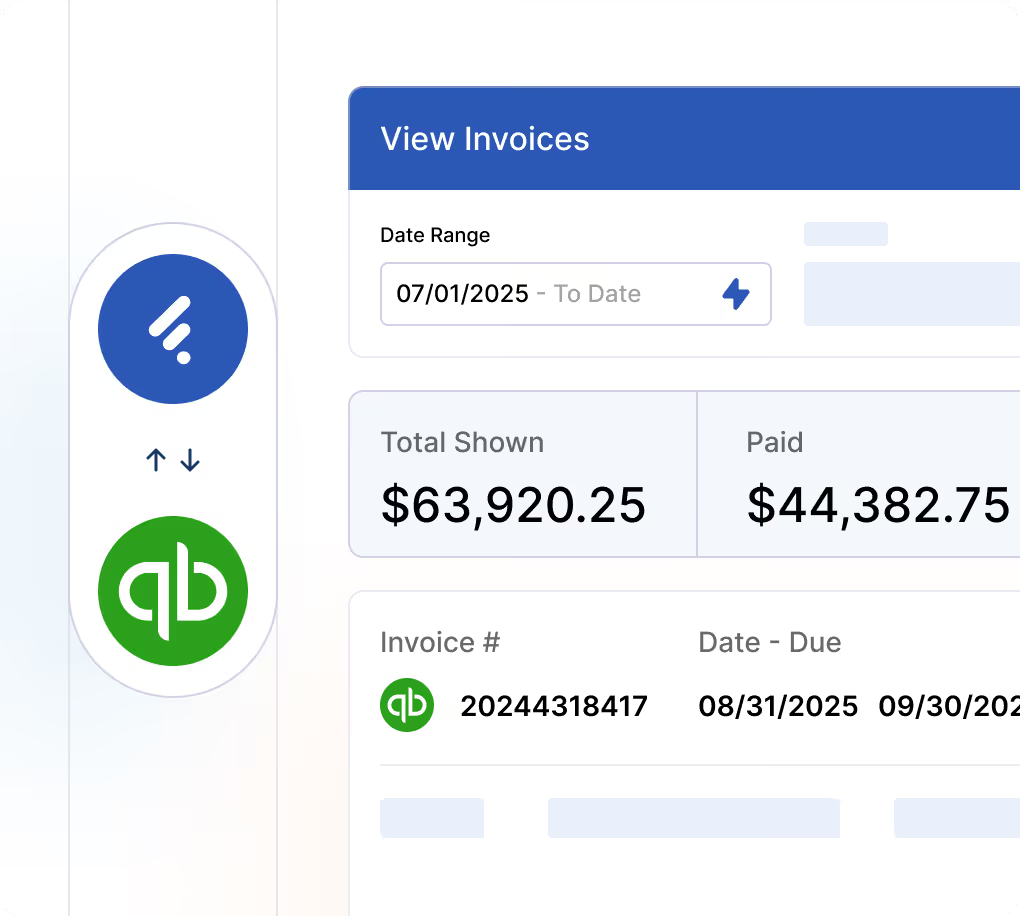
You’ll also want to look for a two-way sync with your accounting platform. Factor, for instance, has a deep two-way integration with QuickBooks Online.
Time Tracking Compliance
Reliable reporting depends on designers consistently entering time. The tool must reduce friction and give PMs oversight.
Ask:
- Is time entry simple, fast, and mobile-friendly?
- Does the system prompt for missing or incomplete time?
- Can PMs see time compliance by person, day, or project?
- Does time automatically flow to the correct phase and task for billing?
Real-Time Financial Visibility
PMs and firm leaders need immediate insights without exporting to spreadsheets.
These are the questions they’ll want answers to:
- Does the tool show burn rate, budget vs actual, and projected overruns?
- Can PMs forecast staffing needs and see phase-level progress?
- Does it provide real-time profitability and utilization insights?
- Can percent-complete be compared reliably with the budget and fee structure?
Adoption Across Roles
Firms fail when only one group uses the system. The tool must support designers, PMs, principals, and finance equally well.
Assess this by asking:
- Is the UI modern, intuitive, and aligned with how architects think?
- Are workflows simple enough for designers to use daily?
- Do PMs get purpose-built dashboards for phases, progress, and burn rate?
- Do principals get immediate visibility into performance and profitability?
Pricing Transparency, Implementation, and Switching Confidence
Firms must avoid costly surprises, long implementations, and consultant-heavy onboarding.
Here’s what to check during sales conversations:
- Is pricing clear and predictable?
- Is onboarding measured in weeks rather than quarters?
- Will the vendor migrate active and historical projects for you?
- Does training cover PMs, designers, principals, and finance roles?
- What will switching mean for active projects over the next 30 to 60 days?
Best Software for Architecture Management (The Most Important Category for Small A&E Firms)
Among the four categories of software tools that architecture firms rely on, practice management systems have the greatest impact on project predictability and firm profitability.
BIM tools handle design. Accounting systems manage compliance. Both are necessary to execute architecture projects. But only practice management platforms connect phases, fees, time entry, forecasting, staffing, subconsultants, invoicing, and reporting into a unified operational workflow.
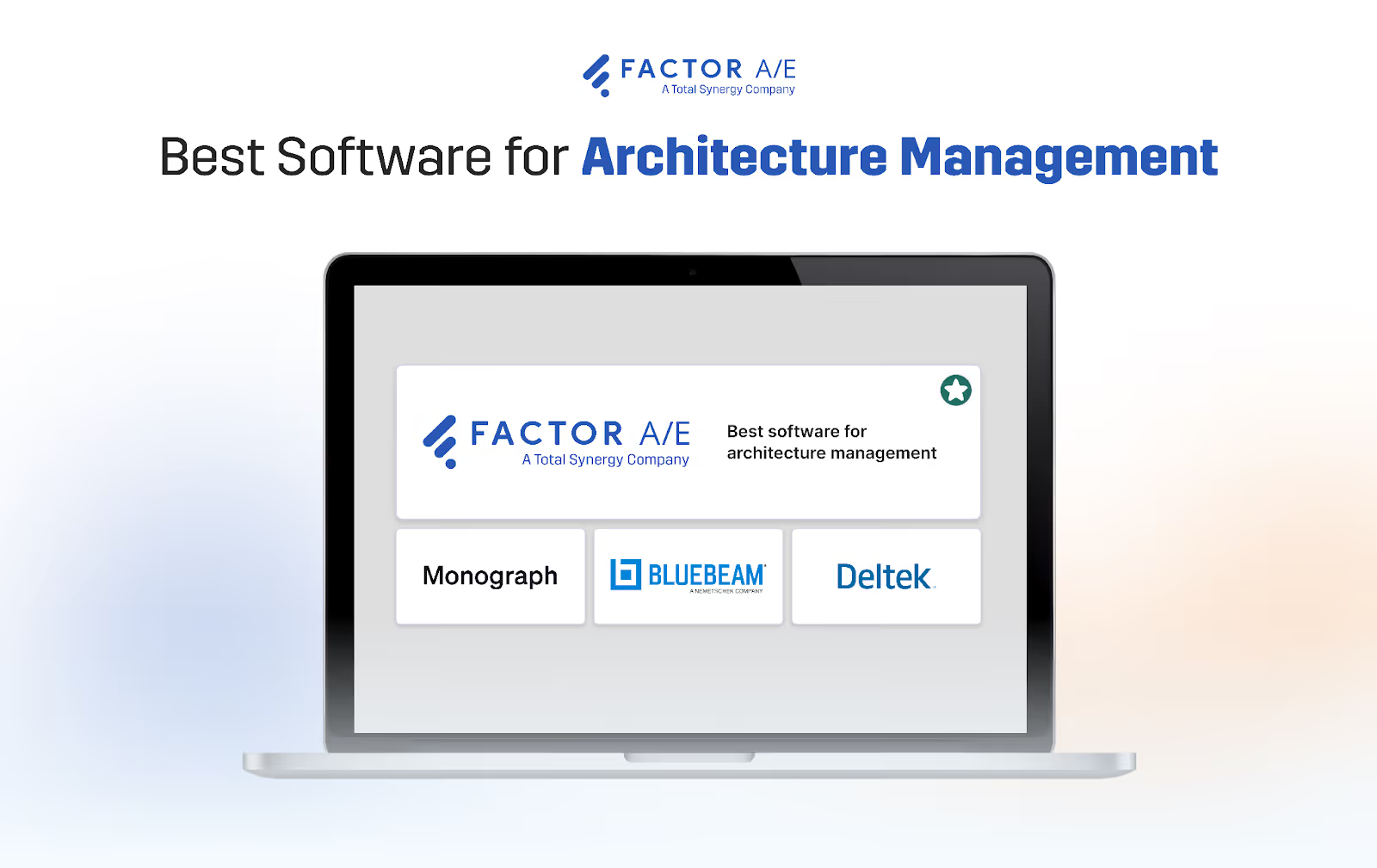
This is where most inefficiencies, margin loss, and administrative burden originate, and where the right tool delivers the most meaningful improvement.
Factor: Purpose Built Practice Management for Architecture and Engineering Firms
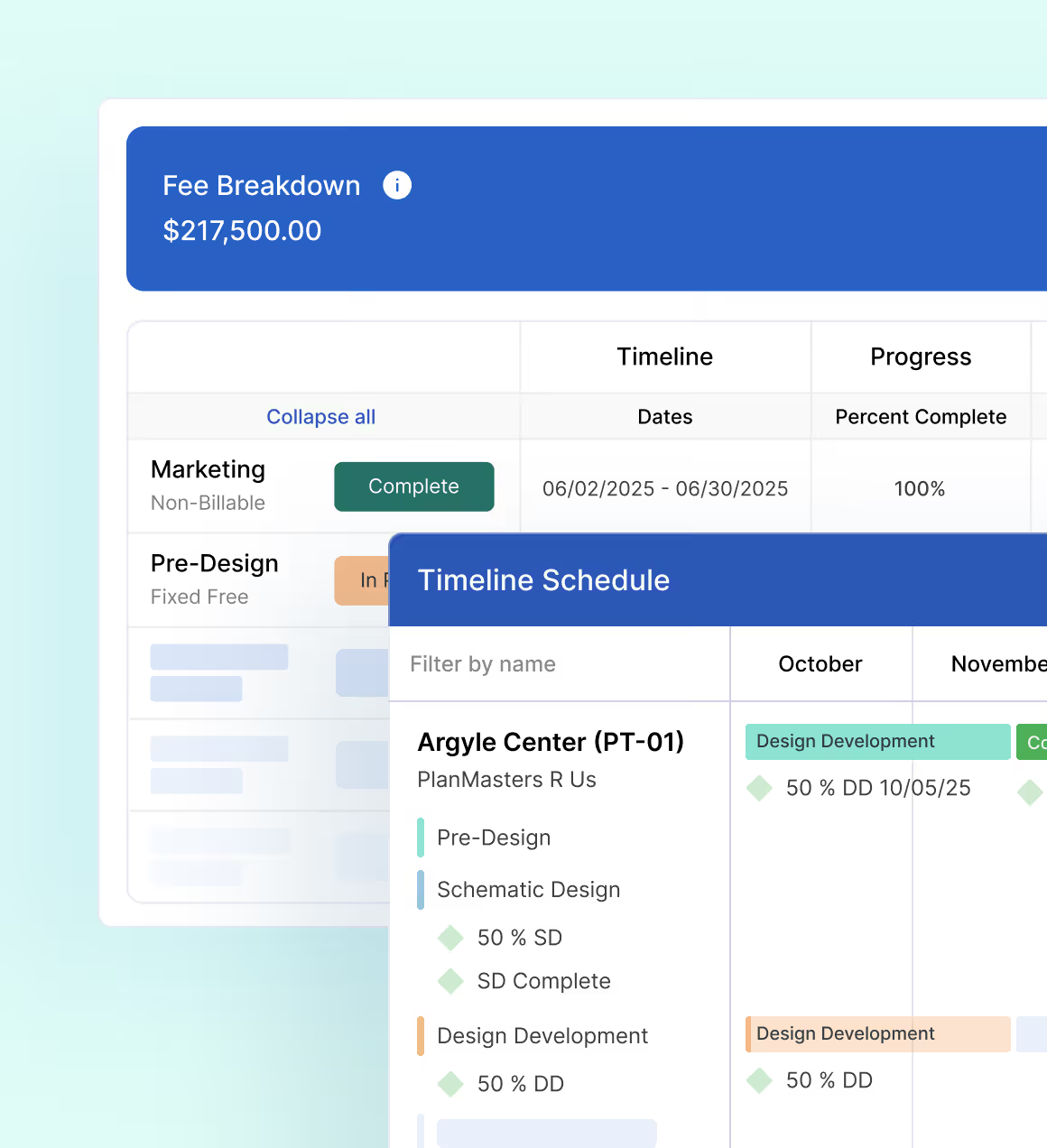
Factor is an A&E practice and project management software platform.
It's designed around architectural phases, fees, and workflows. Instead of forcing A&E firms to find workarounds to make generic PM tools work for them, Factors fits how real architecture projects progress from day one.
The Pulse, Factor’s command center, gives every role (owners, PMs, designers, and finance) accurate, real-time visibility into firm and project performance without spreadsheets, supporting time entry, forecasting, invoicing, and financial reporting in a single system.
This helps reduce the operational friction firms often face from disconnected tools, manual processes, and rigid templates.
Deep Control of Phases, Fees, and Forecasting
Factor supports complete SD → DD → CD → CA structures right out of the box, with full subphase detail and profitability reporting.
It's designed to handle mixed fee structures, reimbursables, subconsultants, and category-based budgeting, allowing PMs to manage work without spreadsheets and workarounds.
Time entry is not a disconnected tracking tool; it's aligned directly to phases, tasks, and fee categories for accuracy.
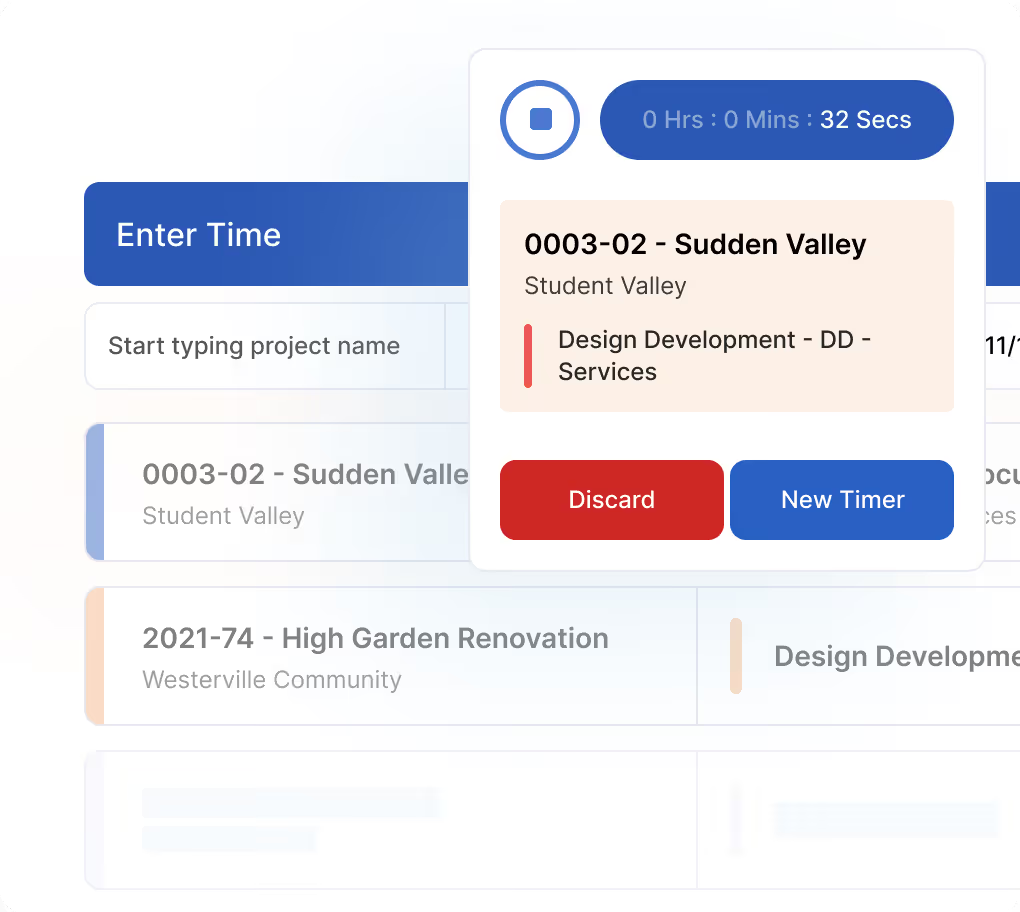
Factor’s real-time dashboard helps principals and PMs gain at-a-glance views of percent complete, earned value, burn rate, and projected overruns, while automatic workload and revenue forecasting help firms anticipate staffing needs and avoid overcommitting.
Invoicing Accuracy and Real-Time QuickBooks Online Sync
Factor’s invoicing system is designed with AIA standards built in, supporting fixed-fee, hourly, milestone, or percent-completed billing.

A two-way QuickBooks Online sync helps preserve architectural contract structure inside the accounting ledger and eliminates reconciliation gaps that occur when PM tools cannot mirror phase-based billing.
This A&E-focused financial management functionality helps admin workload, shortens billing cycles, and keeps cash flow in the green.
Subconsultant, Contract, and Pass-Through Management
Factor supports PMs working with multi-disciplinary teams, giving them;
- Accurate tracking of consultant contracts at the project, phase, or firm level
- Pay-when-paid visibility so firms know when consultant invoices can be released
- The ability to manage internal fees, consultant fees, and reimbursables with clarity
- A single operational source of truth for consultant financials and commitments
Aids Firmwide Adoption Across Principals, PMs, Designers, and Finance
Factor is designed with a simple, intuitive user interface that matches how A&E firms think and work:
- Designers get fast, low-friction time entry
- PMs get purpose-built dashboards for phases, burn rate, and progress
- Principals get real-time profitability, utilization, and project performance
- Finance teams get structured data for clean invoicing and fewer corrections
This supports multi-generational teams, reduces training needs, shortens the adoption curve, and reduces change management burden.
Switching Confidence, Migration Support, and Data Accuracy From Day One
Switching architecture software can be daunting, especially when sensitive data is at stake.
Factor mitigates this operational risk with vendor-led migration for active projects, historical data, and QBO mapping.
We’ll help you build a setup aligned with your existing phase structures, fee types, and billing rules, and provide role-specific training.
Best For
Factor is ideal for A&E firms that need:
- A platform built explicitly for A&E workflows, rather than adapted from generic professional services or overly complex enterprise systems
- Complete clarity around phases, fees, subphases, and forecasting
- Real-time project performance dashboards instead of spreadsheets
It’s ideal for firms that value simplicity in day-to-day use but require depth in financial visibility, forecasting, and operational control.
Monograph
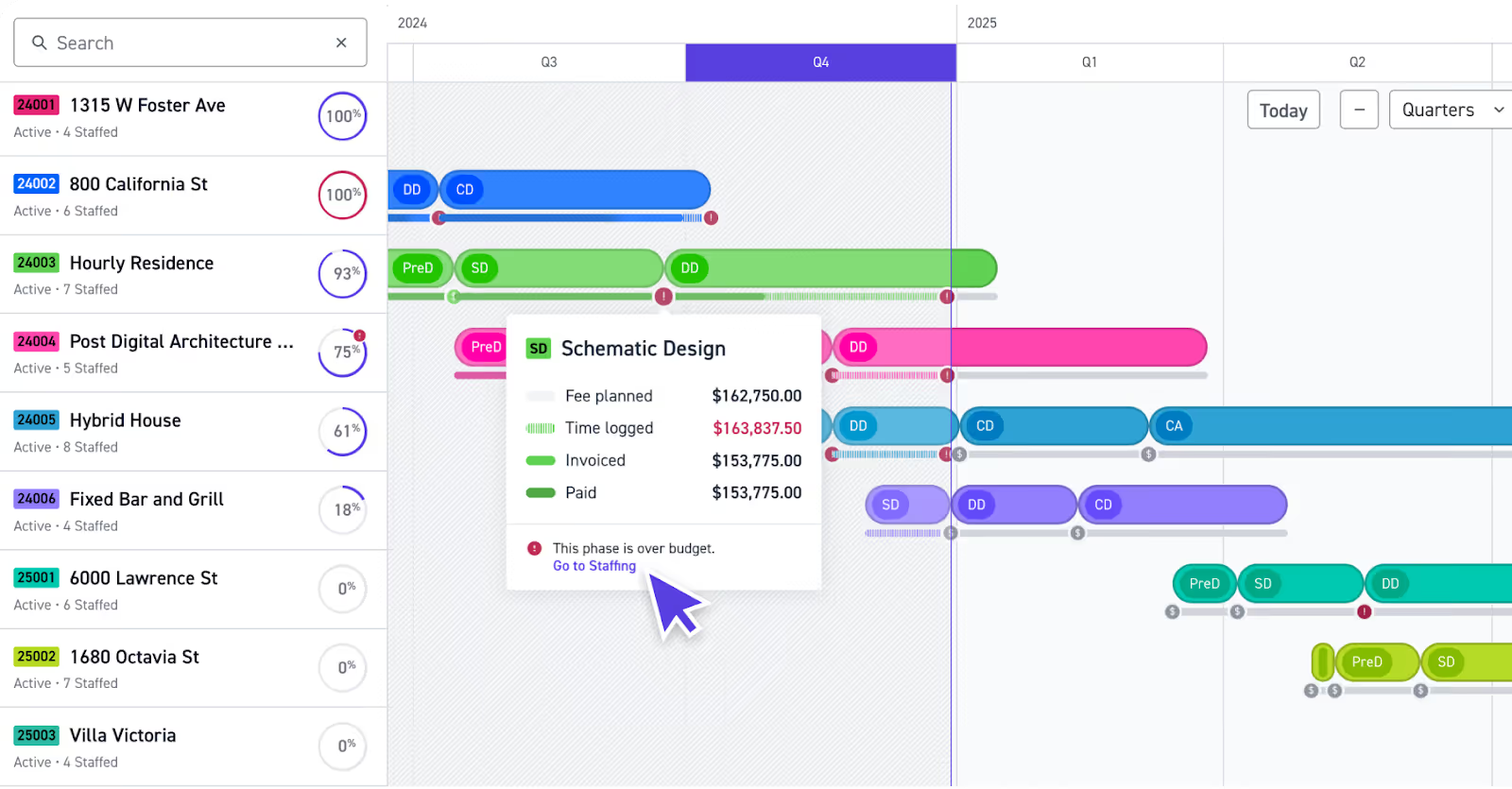
Monograph is built for ease of use, prioritizing simplicity over depth. Its visual timelines and pre-built templates work well for firms with straightforward project structures.
That can make it a good fit for very small firms prioritizing UI, but its lack of flexibility becomes a limitation as architectural complexity increases.
How Monograph Supports Architectural Workflows
Monograph uses fixed phase templates that provide basic clarity for SD → CA workflows.
However, PMs cannot easily adjust subphases or customize fee structures, making forecasting and advanced phase management difficult for firms with unique scopes or consultant-heavy projects.
Time entry flows into budgets cleanly, but the one-way QuickBooks sync creates reconciliation risk as firms scale.
How Monograph Performs Against Core Evaluation Criteria
- Phases and fees: Good for simple projects; rigid for anything complex
- Invoicing: Limited customization, basic handling of reimbursables
- Time tracking compliance: Clean UI supports designer adoption
- Forecasting: High-level only; PMs often export to spreadsheets
- Adoption: Excellent for designers due to simplicity
- QuickBooks: One-way sync, prone to discrepancies
- Switching risk: Easy onboarding; limited long-term scalability
Who it’s for
Monograph is best for small A&E firms with straightforward, repeatable project types.
For example, firms transitioning away from spreadsheets or adopting their first PM tool might find value in Monograph, especially if they prioritize clean design and simple interfaces over granular control.
Limitations to consider
The biggest drawback here is that Monograph’s rigid project structure means firms must adapt to the platform’s workflow rather than tailor it to their own.
There are a couple of other limitations to consider:
- Limited support for complex phases, subconsultants, or cross-project resource scheduling
- Insufficient customization for firms with specialized contracts or multi-team operations
- Reporting depth is basic and may not support advanced forecasting or profitability analysis
All of this means that Monograph may not scale well for firms with multiple offices or higher operational complexity.
Deltek Ajera
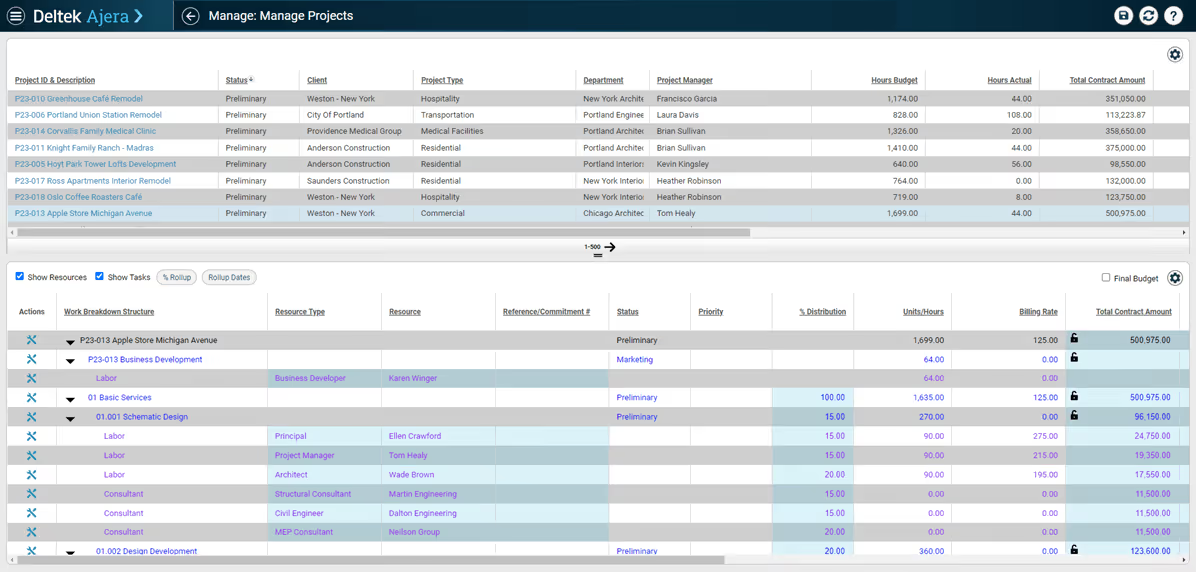
Deltek Ajera is a combined practice management and accounting platform for architecture and engineering firms.
Its focus is more on finance than project management. It places a strong emphasis on financial control, job costing, and reporting, but is less focused on lightweight, day-to-day PM and designer workflows
How Deltek Ajera Supports Architectural Workflows
Deltek centralizes time tracking, expense management, billing, and accounting in one system.
It supports phase-based budgets and billing with detailed configuration options.
How Deltek Ajera Performs Against Core Evaluation Criteria
- Phases and fees: Supported, but configuration-heavy and less intuitive
- Invoicing: Strong controls for complex contracts
- Time tracking compliance: Accurate, but higher friction for designers
- Forecasting: Finance-led, report-based rather than real-time
- Adoption: Strong for finance, mixed for PMs, lower for designers
- QuickBooks: Not required; built-in accounting
- Switching risk: Higher due to setup, migration, and training effort
Who it’s for
Deltek Ajera is best for mid-sized A&E firms with dedicated finance teams that prioritize financial governance over simplicity.
Limitations to consider
Deltek Ajera isn’t for everyone:
- Finance-first workflows can feel heavy for PMs and designers
- Interface and navigation are less intuitive than newer practice management tools
- Slower day-to-day workflows for time entry and project review
- Overkill for small firms without dedicated finance or operations staff
Bluebeam
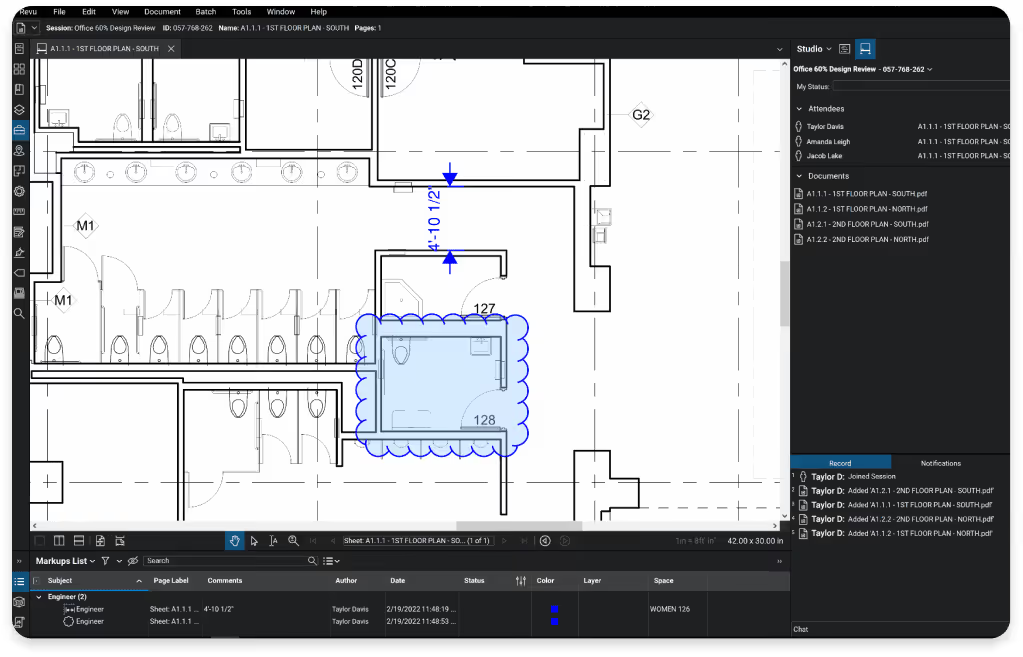
Bluebeam is less of a project management platform and more of a collaboration tool.
It supports drawing review, markup, and document coordination, rather than managing work at the project or firm level.
How Bluebeam Supports Architectural Workflows
Bluebeam streamlines markup, revision comparison, and cross-disciplinary collaboration.
Its Studio Sessions feature enables real-time review workflows that speed up drawing production and reduce errors.
It's important to note, though, that Bluebeam does not manage phases, time entry, billing, staffing, forecasting, or financial reporting. Firms still need PM software alongside Bluebeam.
How Bluebeam Performs Against Core Evaluation Criteria
- Phases and fees: Not supported
- Invoicing: Not supported
- Time tracking compliance: Not applicable
- Forecasting: Not applicable
- Adoption: Requires some training but becomes indispensable for document-heavy teams
- QuickBooks: No integration
- Switching risk: Minimal; onboarding is simple
Who it’s for
Bluebeam works best for architecture teams that manage large volumes of drawings and need fast, accurate review cycles.
For example, firms that collaborate closely with consultants during design, but currently rely heavily on PDFs, may find value in Bluebeam’s standardized markup environment.
Limitations to consider
The biggest limitation to consider is that Bluebeam is not a complete PM system. It lacks scheduling, budgeting, resource planning, and fee tracking.
Integrations with broader A&E tech stacks vary and may require additional setup, and larger file sets or multi-GB drawings can create performance issues depending on hardware.
Best Software for Architecture Design
Design tools shape modeling, documentation, and consultant collaboration, but they do not manage phases, budgets, staffing, invoicing, or financial visibility.
The complement, rather than replace, a practice management system.
Revit
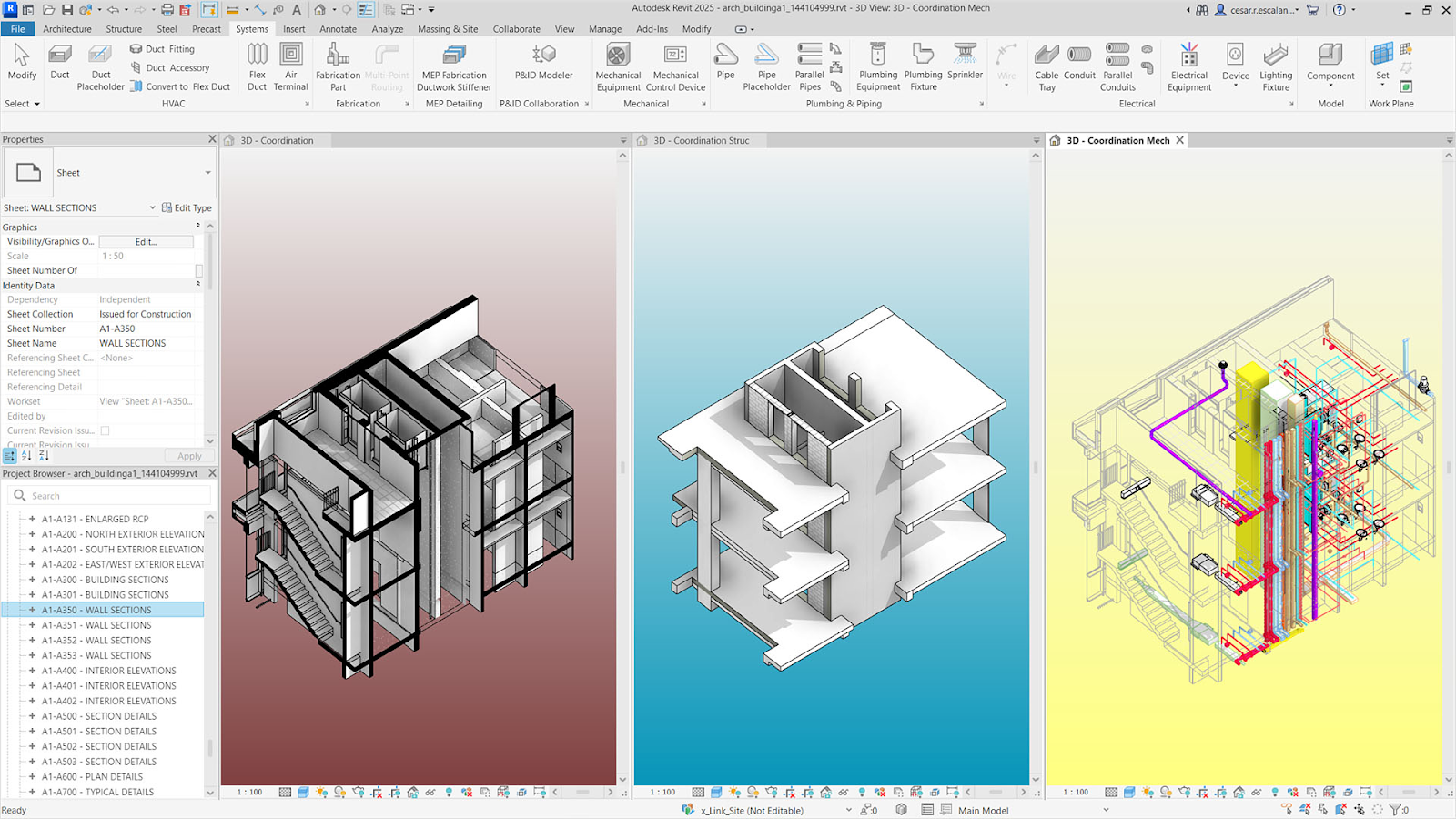
Revit is the industry standard BIM tool. It excels in documentation, modeling, and collaboration, but plays no role in time tracking, forecasting, or billing.
Workflow Fit
Revit is great for teams that need integrated BIM environments and work closely with engineers.
Strengths
The platform’s main strengths include:
- Coordinated documentation
- Linking data across sheets and schedules
- Support for multidisciplinary files
Limitations for A&E Operations
Revit doesn’t cover all bases, however.
It doesn’t manage phases, fees, invoicing, time entry, or forecasting, and needs to be paired with PM software for operational workflows.
The learning curve can be steep, too, if you’ve not used Revit before.
Best For
Revit is a good fit for medium to large firms with dedicated BIM staff.
Archicad
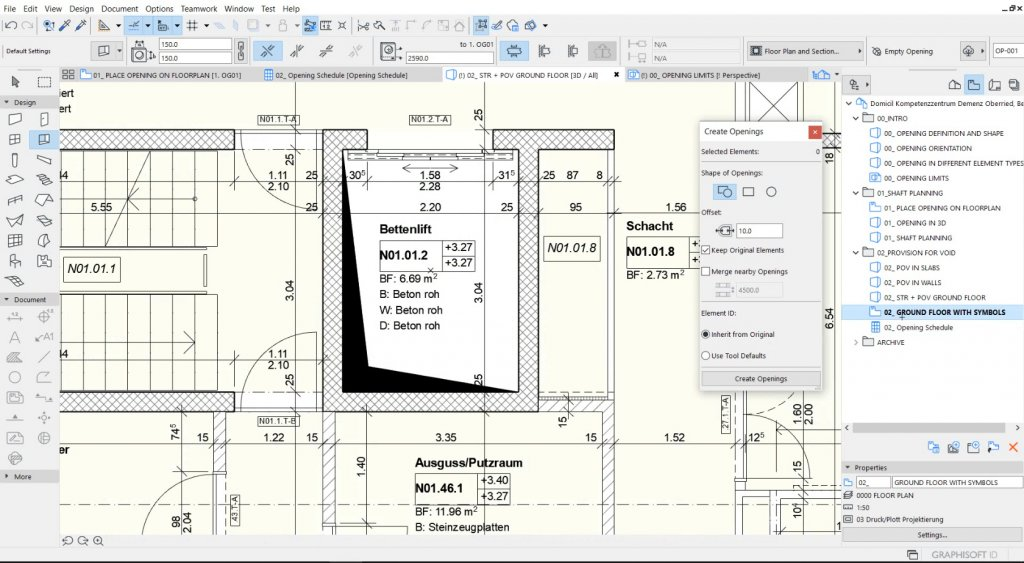
Archicad offers a more fluid modeling experience than Revit and includes strong visualization tools.
Workflow Fit
Archicad is good for design-forward firms that want BIM without heavy overhead.
Strengths
Compared to alternatives like Revit, Archicad offers:
- Smooth modeling
- Built-in visualization
- Simpler collaboration
Limitations for A&E Operations
Archicad’s drawbacks include:
- Less integrated into engineering ecosystems
- No PM or accounting capabilities
- Requires PM software to manage operations
Best For
Archicad is best for small to mid-size architecture-focused firms that want intuitive BIM without heavy setup or engineering-driven coordination requirements.
Rhino Grasshopper
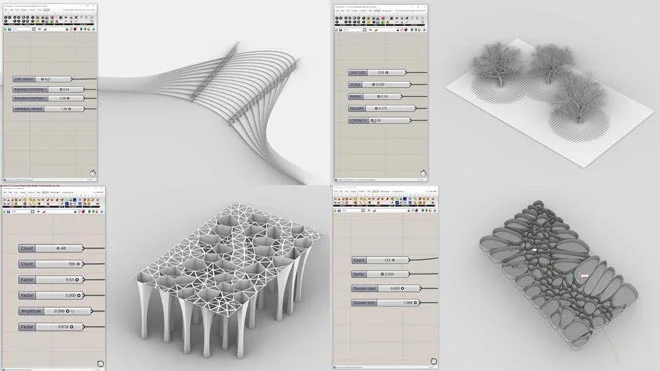
Rhino Grasshopper supports complex geometry and parametric workflows beyond what standard BIM tools handle. They are powerful design engines, but they don’t provide documentation, operational structure, or financial visibility.
Workflow Fit
Rhino Grasshopper is best for firms specializing in parametric or highly custom geometry.
Strengths
Rhino Grasshopper offers unmatched control for freeform and parametric modeling. It is excellent for conceptual exploration and iterative design and integrates well as an upstream tool before Revit or Archicad.
Limitations for A&E Operations
As powerful as it is, there are a couple of limitations to Rhino Grasshopper:
- No documentation or operational management features
- Heavy learning curve for computational design
- Must be paired with BIM and PM tools
Best For
Rhino Grasshopper is best for design studios and specialized teams working with advanced geometry, computational design, or experimental architectural forms.
Best Software for Architecture Accounting
Accounting platforms manage cash flow, payments, expenses, and compliance.
In most cases, though, they don’t manage phases, forecasting, time entry, or architectural fee structures.
The power of standalone architecture software depends entirely on how well it integrates with your practice management platform.
QuickBooks
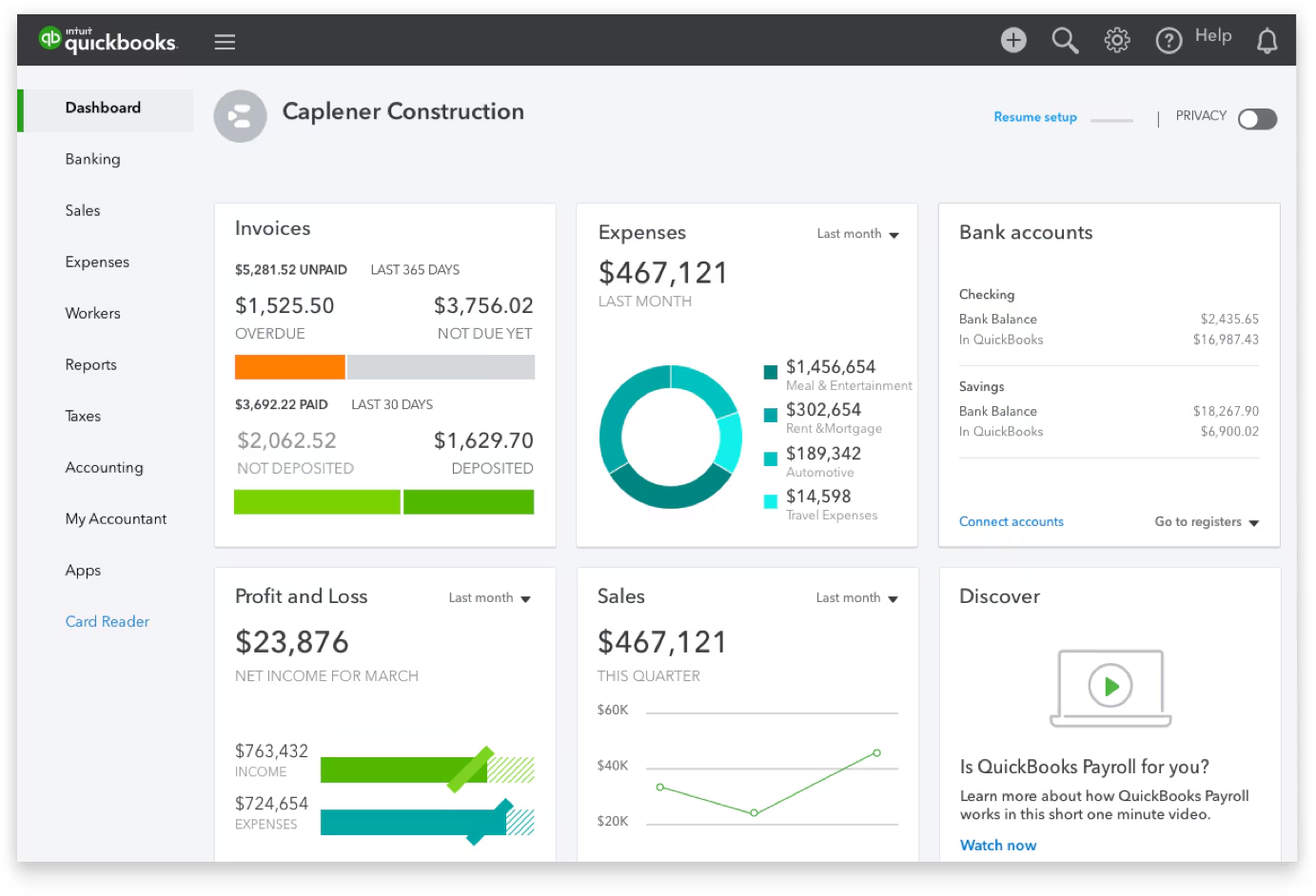
QuickBooks is the most common accounting system used by small architecture firms.
It centralizes billing, payments, and financial reporting, but it doesn’t understand architectural phases, fee structures, or progress-based billing without a dedicated PM system.
Workflow Fit
QuickBooks works best as the financial ledger that receives structured invoices and payments from a connected project management tool.
Strengths
QuickBooks is familiar, accessible, and easy for admin teams to maintain.
It offers a large ecosystem of integrations and accountants who support it.
Limitations for Architecture Operations
For architecture teams, QuickBooks does have a few drawbacks:
- No native support for phase-based invoices, retainers, or subconsultants
- Cannot manage project budgets, forecasting, or profitability
- Manual reconciliation issues arise with weak or one-way integrations
- Lacks built-in support for phase-based billing, retainers, subconsultant pass-throughs, and WIP tracking unless paired with a compatible PM tool
That last point is important, since firms that move to structured phase-based billing with earned value oversight often see stronger financial performance: One firm 30% increase in profits after switching from hourly to lump-sum billing.
Best For
QuickBooks is best for small A&E firms that want a reliable, easy-to-manage accounting system and plan to pair it with purpose-built practice management software.
Sage
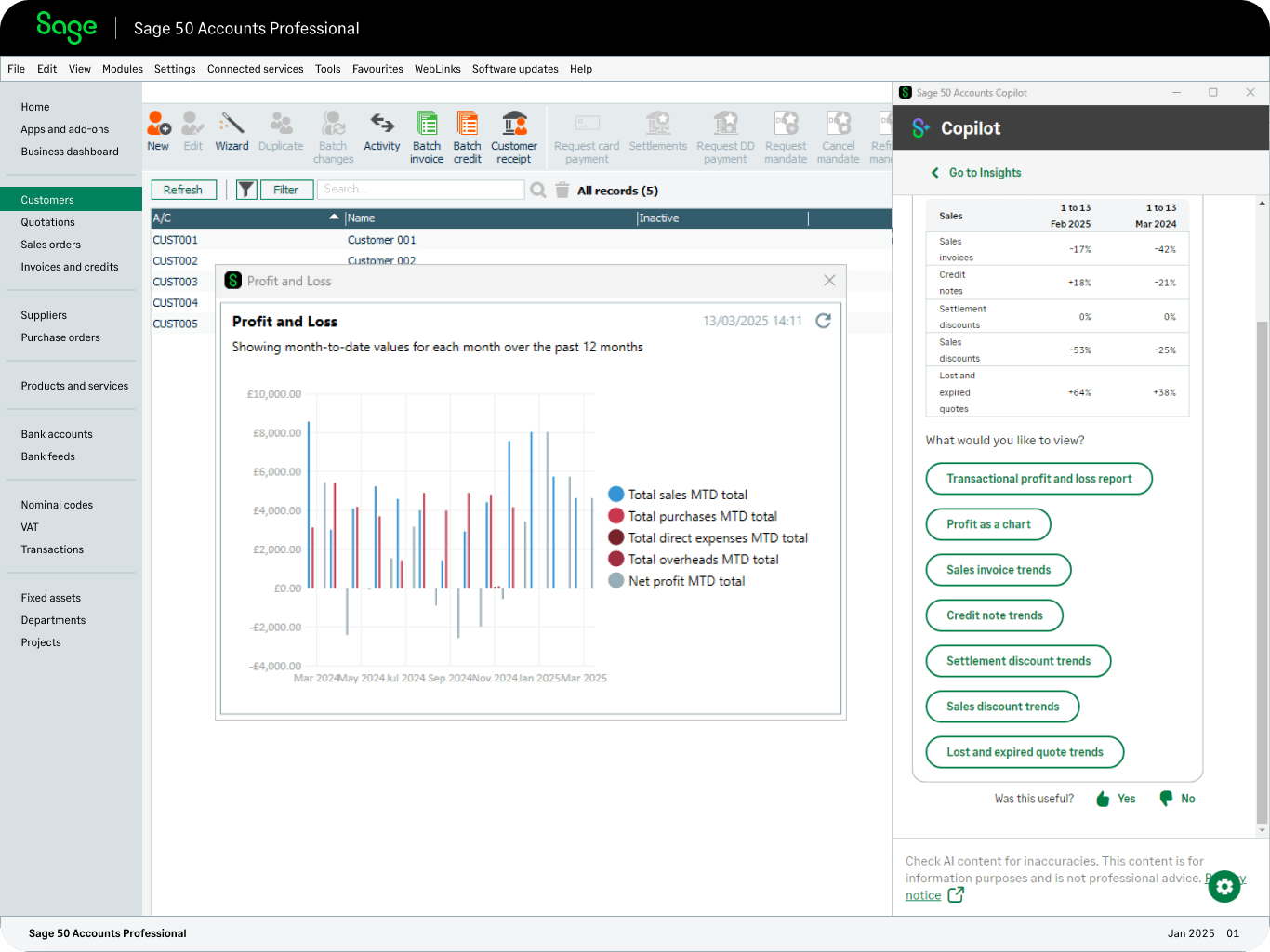
Sage is an advanced accounting platform for firms needing deeper financial controls. While powerful, it still requires a PM system to manage architectural workflows.
Workflow Fit
Sage is best for firms with formal finance teams, multi-office operations, or complex reporting requirements.
Strengths
Sage provides stronger financial governance than QuickBooks and supports detailed job costing, approvals, and multi-entity management.
It offers strong multi-entity support for larger firms.
Limitations for A&E Operations
Drawbacks of Sage include:
- No native support for phases, percent-complete billing, or team time entry
- Complex setup requiring financial expertise
- Too heavy for small firms without a dedicated finance role
Best For
Sage is generally best for mid-size or larger A&E firms requiring strict financial oversight, deeper cost control, and multi-entity accounting capabilities.
BQE Core
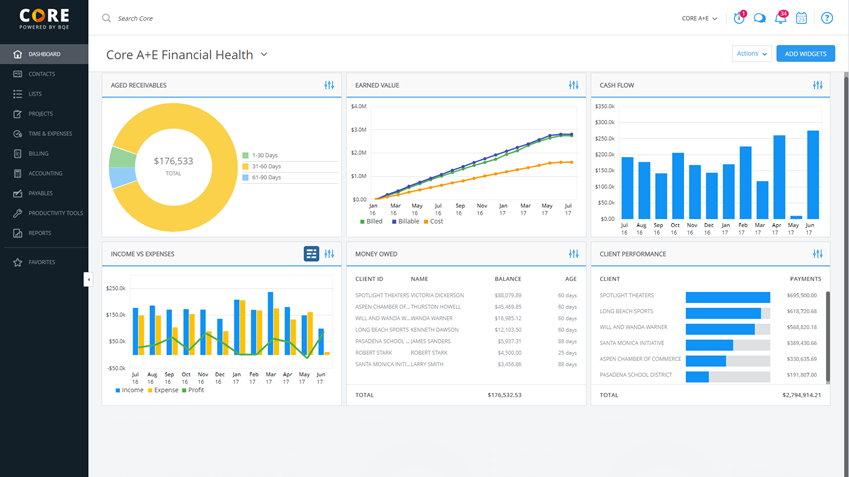
BQE Core combines PM, billing, time tracking, and accounting features. Its depth in financial workflows makes it appealing to firms with dedicated operations staff, but its complexity and structure can overwhelm small teams.
Workflow Fit
This software is best for firms that prioritize financial reporting and job-costing detail over lightweight workflows.
Strengths
BQE Core offers:
- Very strong reporting and analytics
- Detailed cost codes and financial segmentation
- Built-in accounting and billing automation
Limitations for A&E Operations
Since BQE Core treats each phase as a separate project, it can create setup and usability friction.
The platform also requires significant configuration and ongoing administration, often coming at an additional cost.
Best For
BQE Core is best for firms with dedicated finance and operations roles that want extensive reporting and job-costing capabilities and can maintain a more complex system in the long term.
Factor: The Best Software for Architecture Firms Who Want Clarity, Control, and Predictable Projects
Choosing the right combination of design, practice management, and accounting tools turns complexity into control for small- to mid-size A&E firms.
Factor brings planning, time tracking, invoicing, forecasting, and reporting together in one purpose-built platform that matches how architecture actually operates.
Explore Factor to see how it supports clearer projects, stronger margins, and more predictable outcomes. Get a demo.
FAQs
What software integrates best with QuickBooks for architecture firms?
Factor provides a powerful built-in two-way sync deeply with QuickBooks, preserving phase-based billing and reducing reconciliation work, unlike generic PM or one-way sync systems.
Is there an all-in-one software platform for small architecture firms?
Yes. Factor combines project management, time tracking, billing, forecasting, and QuickBooks sync into one purpose-built platform, eliminating the need for multiple disconnected tools.
It's the perfect partner for your BIM or design solution.
What are the risks of switching architecture software?
Common risks of switching architecture software include:
- Data migration errors
- Workflow disruptions
- Staff adoption delays
- Billing gaps
- Temporary productivity loss
These risks can be mitigated if onboarding and training are well supported.
How much does architecture practice management software cost?
Pricing varies widely by features and firm size, typically subscription-based per user, with mid-range tools costing hundreds per month and enterprise options more.
For example, Factor AE is $30 per user per month.

Recommended articles



See Factor in action
In one quick call, we’ll show you a simpler way to run projects and get paid faster.
.png)
“I recommend Factor to other firms. The team is great, it’s easy to use, and it has streamlined my project management. It can do the same for yours.”
Adam Mayberry
Architect / Managing Principal


