


Running multiple projects with subconsultants creates predictable document friction.
RFIs stall between reviewers with no clear owner. Consultant invoices sit in approval limbo because billed hours do not match what the project manager tracked. Submittals lose version control after multiple rounds of markups.
The natural response is to automate the workflow. Approval chains replace email threads, and documents move automatically between reviewers.
That improves the way documents move, but someone has to reconcile the numbers.
Invoices still require manual checks against project hours. Project forecasts still pull outdated budget numbers. Project reports still require the project manager to verify the numbers before sharing them with a client.
The issue sits upstream of the workflow.
Project managers track hours, scope changes, and consultant coordination in one system. Accounting tracks billing and revenue in another. Every document becomes a reconciliation between those two sources.
Automating the approval chain moves the document through the chain faster, but its accuracy still depends on reconciled data.
This guide explains how A&E firms implement document workflow automation, why those implementations break down, and how to determine whether the real issue lies in document routing or in the systems that produce the documents.
What is Document Workflow Automation?
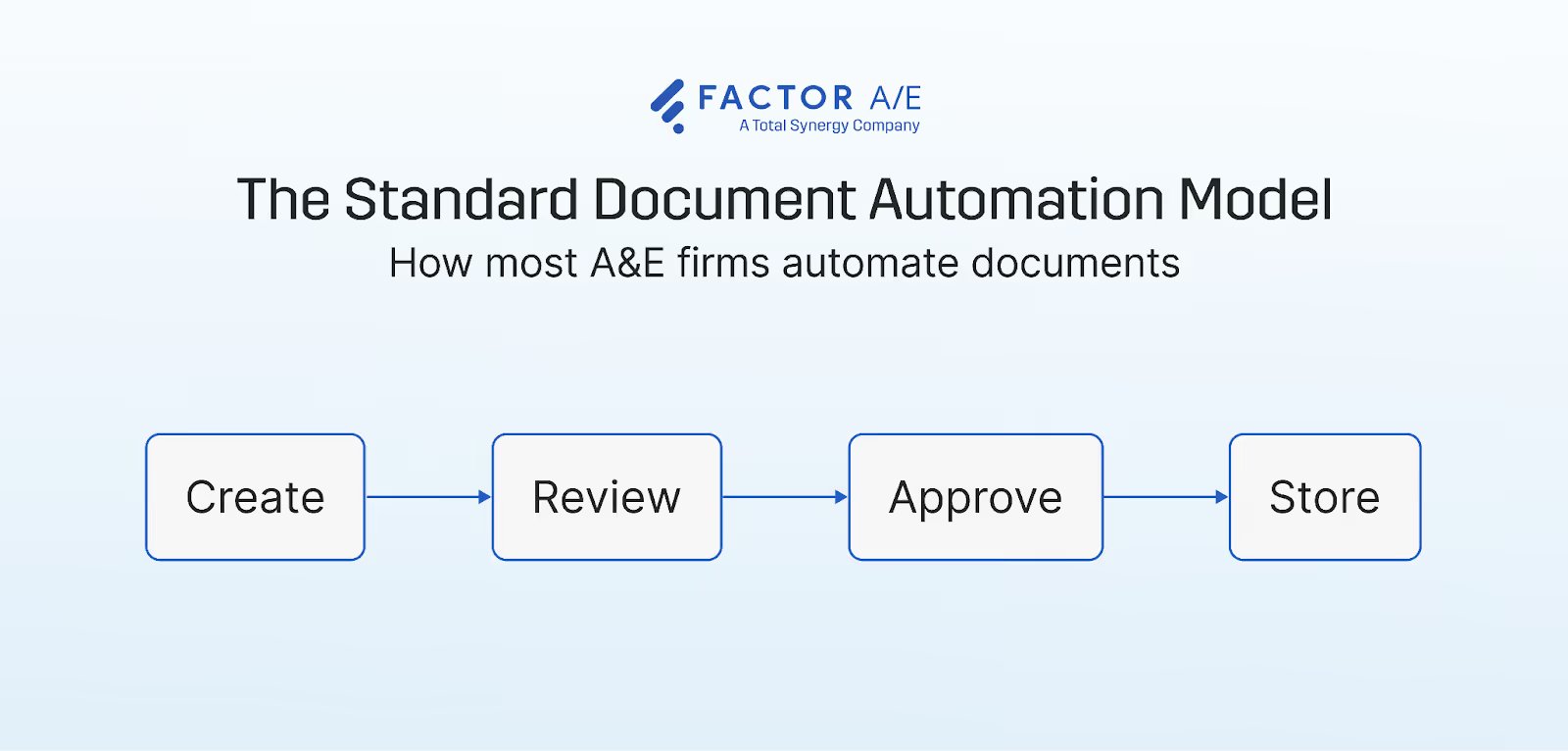
Document workflow automation is technology that controls how you create, route, review, approve, and store project documents. It replaces manual handoffs with defined, triggered processes.
In A&E firms, that means drawings, RFIs, submittals, consultant invoices, and contracts moving through the firm without someone manually forwarding an email, chasing a reviewer, or searching a shared drive for the current version.
The document enters a workflow and moves through the required review and approval steps.
Without automation, A&E teams rely on email threads without a single source of truth, use shared folders with version names ending in "_FINAL_v3_USE_THIS," and manually updated spreadsheets to track who reviewed what and when.
For A&E firms running multiple concurrent projects with subconsultants, this is more than an administrative inconvenience.
When documents stall between reviewers, contain outdated information, or lose version control, the impact shows up in project delivery, cash flow, and the hours technical staff spend reconciling information instead of doing billable work.
How A&E Firms Automate Document Workflows
Document workflow automation often begins when a specific document process becomes difficult to manage manually.
Firms typically address the problem in stages, starting with a single document type and expanding the workflow once the process stabilizes.
The standard implementation path
Teams usually begin by mapping how documents move through the firm to identify where approvals stall and where manual steps slow the process. The goal is to answer a few basic questions:
- Which approvals generate long email threads?
- Where do documents stall between reviewers?
- How many steps does an invoice require before payment?
From there, teams prioritize workflows by volume and operational impact. Once a firm selects a process, it builds a workflow that moves the document between reviewers and automatically stores the approved version.
A pilot team tests the process, identifies friction, and refines the workflow before expanding it to the next document type.
The sequence that follows usually includes RFIs, submittals, and contracts, each added as a separate workflow.
Common document workflows in A&E firms
The document types A&E firms automate most often share one characteristic: defined reviewers, compliance requirements, or direct financial consequences.
Consultant invoice approvals usually come first. They occur frequently, align directly with billing cycles, and the approval chain is defined clearly enough that automation can be configured straightforwardly.
When an invoice is submitted, the system automatically routes it to the appropriate reviewer, logs the approval, and files the document, without anyone managing the handoff.
RFI routing works similarly but across a wider set of parties. Architects, engineers, consultants, and contractors all touch the same document, often with response deadlines tied to project milestones.
Automation assigns ownership at each step and creates a timestamped record of every response. This matters in regulated project types where the approval history is a contractual requirement.
Submittal tracking adds a version control layer. Multiple reviewers mark up the same document across successive rounds, and the approved version needs to be unambiguous at every stage.
Automated workflows enforce that sequence and maintain the audit trail that manual processes typically reconstruct after the fact.
Drawing set coordination introduces a different problem. Version control matters, but the more significant issue is whether the drawing set reflects the current project data governing it.
Document management tools store files, and the project management system ensures that the correct drawing reaches the correct team at the correct time.
Contract review workflows introduce conditional routing based on contract value thresholds and signature requirements, along with audit logging, which most firms manage manually for longer than they should.
Firms that implement these workflows typically reduce approval delays and manual coordination. The workflows improve how documents move through the organization. They do not address whether the information inside those documents is correct.
Not sure where your workflow is breaking down? Use the Factor A&E Process Mapper to identify the gaps in your workflow.
Why Document Workflow Automation Still Breaks Down
Document workflow automation usually focuses on how a document moves through the approval process.
You define who reviews an invoice, RFI, or submittal, and set up a process that automatically sends the file to the next person. What that process does not address is how the document was produced in the first place.
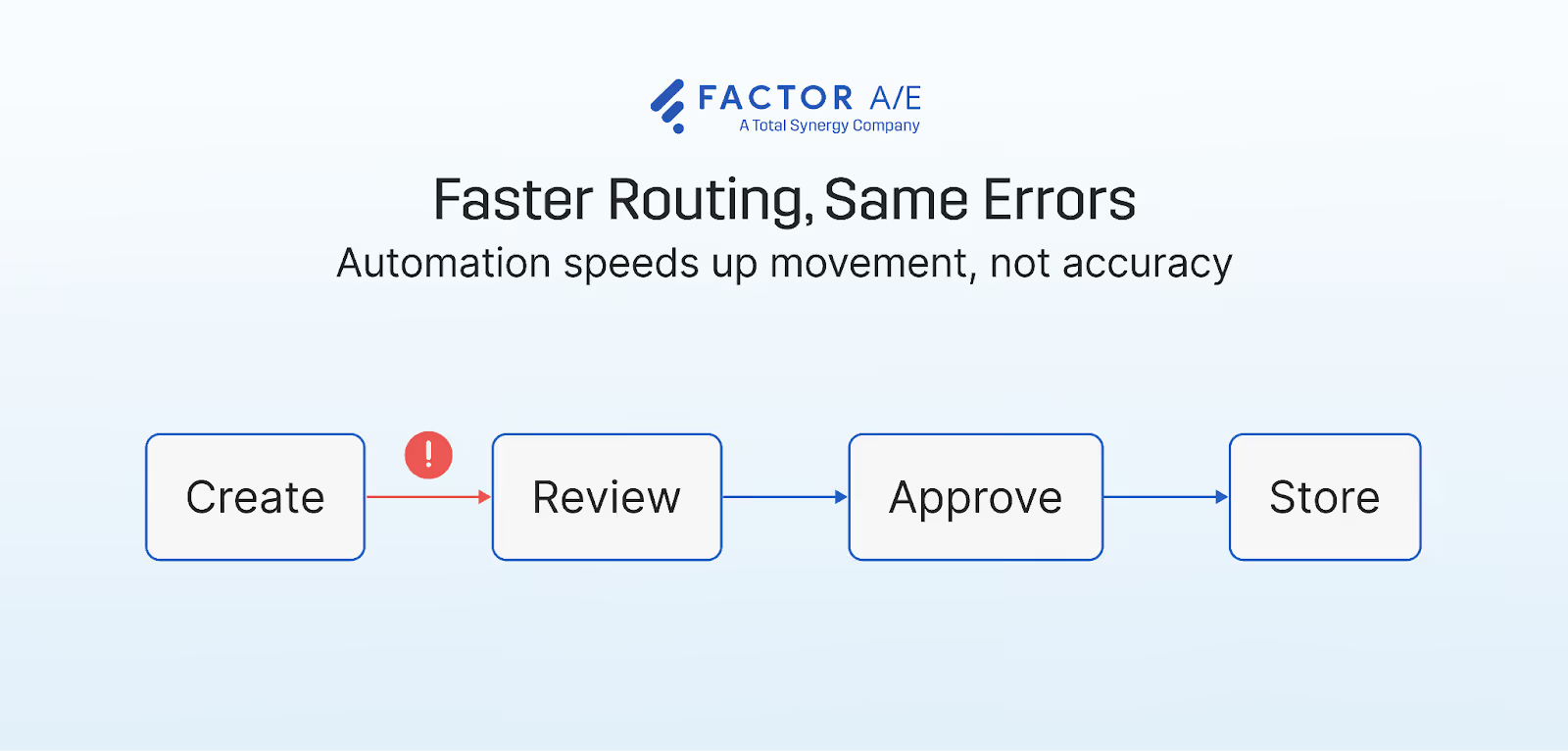
That gap is where automated document workflows break down.
Faster routing, same errors
Automation removes the manual step of forwarding documents between reviewers.
Invoices, RFIs, and submittals move to the next reviewer automatically instead of waiting in someone's inbox.
The improvement affects how the document moves, not how it was created.
Consultant invoices still fail to match the hours recorded by the project manager.
Project forecasts still rely on budget figures copied from an earlier project. Project reports still require the project manager to verify the numbers before sharing them with a client.
The system performs the task it was built for: sending the document to the next reviewer.
The breakdown happens earlier. The document enters the approval process assembled from project and financial data that never came from the same source.
Documents are outputs, not objects
The issue becomes clearer when you look at where a document comes from. A document is not an independent file moving between reviewers. It is produced from project and financial data.
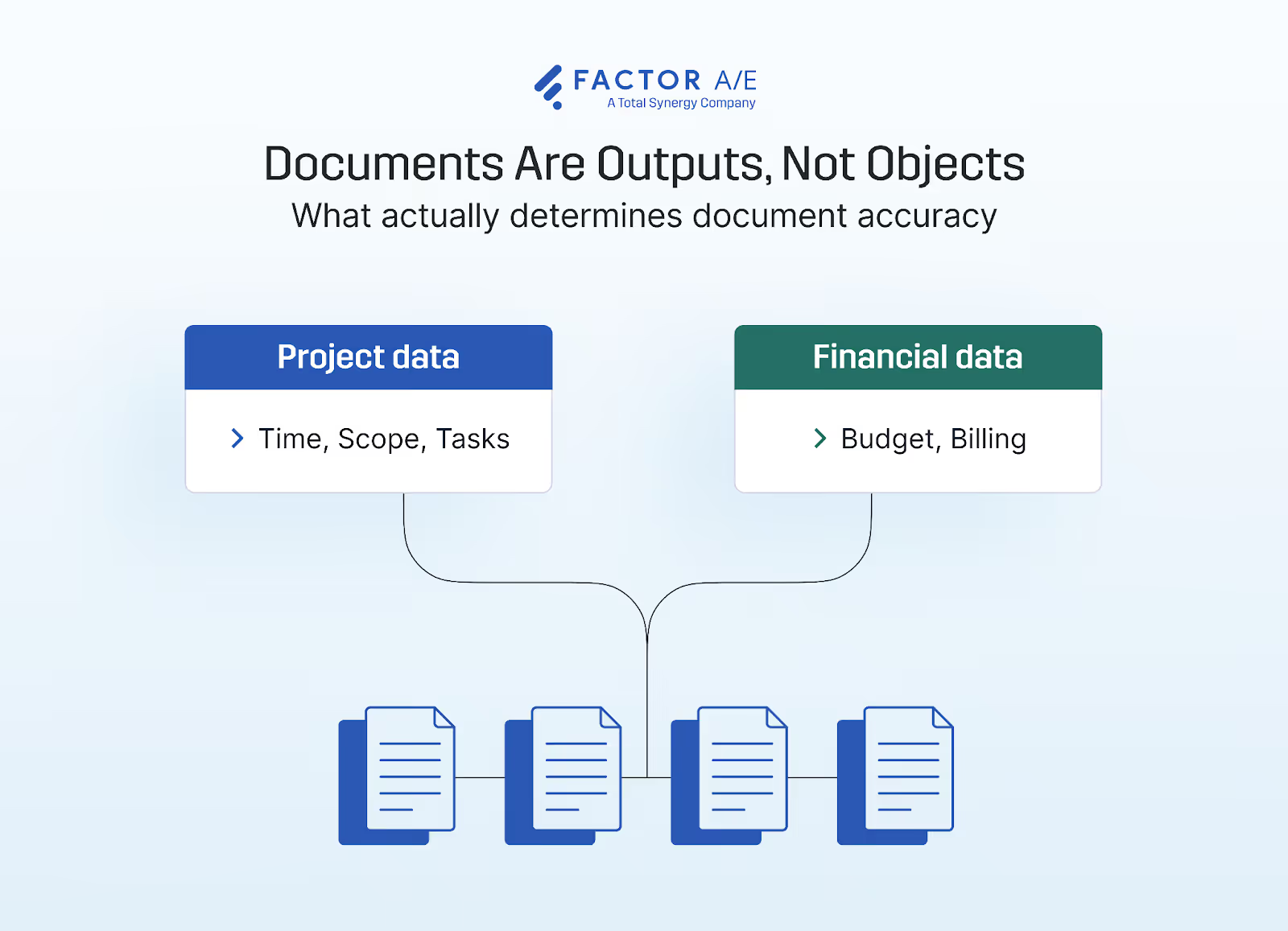
An invoice comes from tracked hours, billing rates, and project scope. A project forecast is based on current scope, tracked spend, and the remaining budget across active phases.
A budget report is based on actual project spend and forecasts for the remaining phases.
When those inputs reside in different systems, someone must manually reconcile the numbers before the document can move forward.
Where the disconnect between project work and financial data shows up
The gap usually lies between the project management process and accounting.
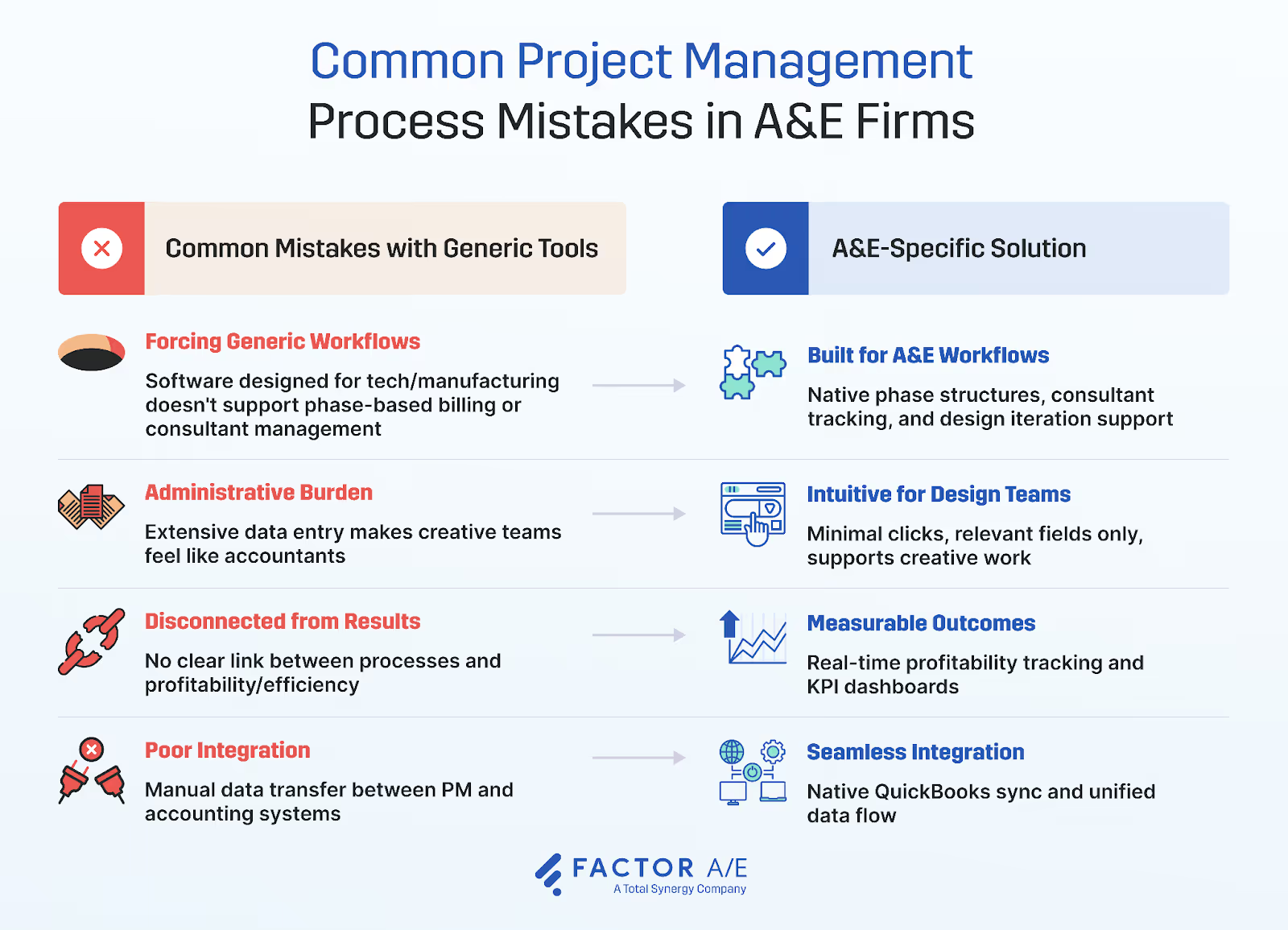
Project managers track hours, scope changes, and staffing decisions in one system. Accounting generates invoices and financial reports in another system, without visibility into those project updates.
Any document that relies on both data sets requires manual reconciliation before it can be produced.
Consider a consultant invoice. The consultant submits the invoice, but the billed hours do not match the project manager's recording. The project manager resolves the discrepancy before approval, and the invoice waits until that reconciliation is complete.
The delay is due to a data mismatch, not the approval step. Faster approvals do not remove the work required to verify the numbers.
The Data Problem Document Automation Has to Solve First
Before automating document workflows, the systems that produce the document must share the same data.
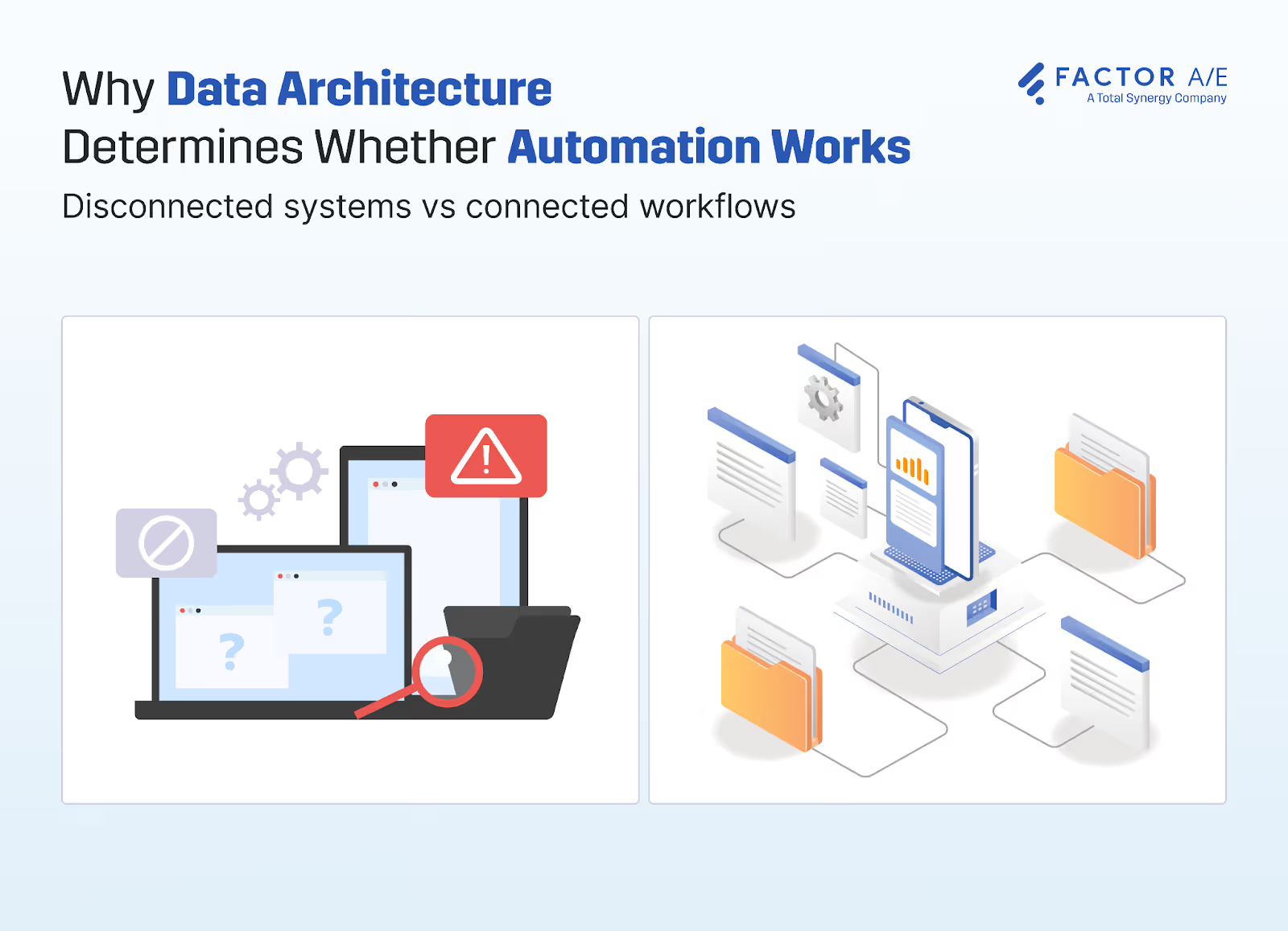
Project operations and financials need to draw from the same source, so the document starts accurately before it enters any approval process.
Connect project data to financial data first
Documents that depend on both project work and billing remain accurate only when those two data sources are connected.
In many firms, they are not. Project managers track hours, scope changes, and staffing in one system. Accounting tracks billing and revenue in another. Before sending an invoice or report, someone has to compare the numbers in both systems to ensure they match.
When project and financial data are drawn from the same source, that reconciliation step disappears.
Invoices pull directly from tracked hours. Project forecasts update when budgets change. Budget reports automatically reflect the current scope and spend.
Instead of checking numbers before sending a document, teams can focus on reviewing and approving it.
Resource Consulting Engineers, a 12-person mechanical engineering firm, was running a limited QuickBooks setup with no real visibility into project performance.
Project forecasts were built from guesswork rather than historical data, and timesheet entry alone consumed about an hour per employee each week.
After moving to Factor, time entry dropped to roughly 20 minutes, and the firm recovered more than eight hours of administrative work each week across timesheets, project preparation, and resource scheduling. Those hours returned to billable work.
The all-in-one trap
Some firms try to solve the disconnect between project work and financial data by moving everything into a single system. The assumption is simple: if project management and accounting live on the same platform, reconciliation should disappear.
In practice, this approach often creates a different version of the same problem.
Kaas Wilson Architects, a 120-person firm, ran its practice on BQE to manage both project operations and financials in one place. Instead of eliminating reconciliation, the system introduced new inconsistencies. The QuickBooks integration proved unreliable, reports changed from one day to the next, and the firm still spent hours each month reconciling data before invoices could be trusted.
The system was supposed to eliminate reconciliation. It simply moved the work somewhere else.
The alternative is a purpose-built project platform that integrates deeply with specialized accounting tools like QuickBooks rather than replacing them.
In this structure, the project system manages operational data, including hours, budgets, scope, and schedules. The accounting system owns financial records. A real-time, two-way integration keeps both systems aligned without manual reconciliation sitting in the middle.
Once that data architecture is in place, the question shifts from fixing documents to choosing the tool that moves them. That is where tool evaluation begins.
How to Evaluate Document Workflow Automation Tools
Once the project and financial data share the same source, the routing problem becomes easier to solve. The next step is choosing a tool built to handle it.
Most evaluation processes start with the outputs a tool promises: dashboards, approval tracking, and reporting capabilities. That is the wrong starting point. The first question is whether the tool connects directly to the systems that produce the documents.
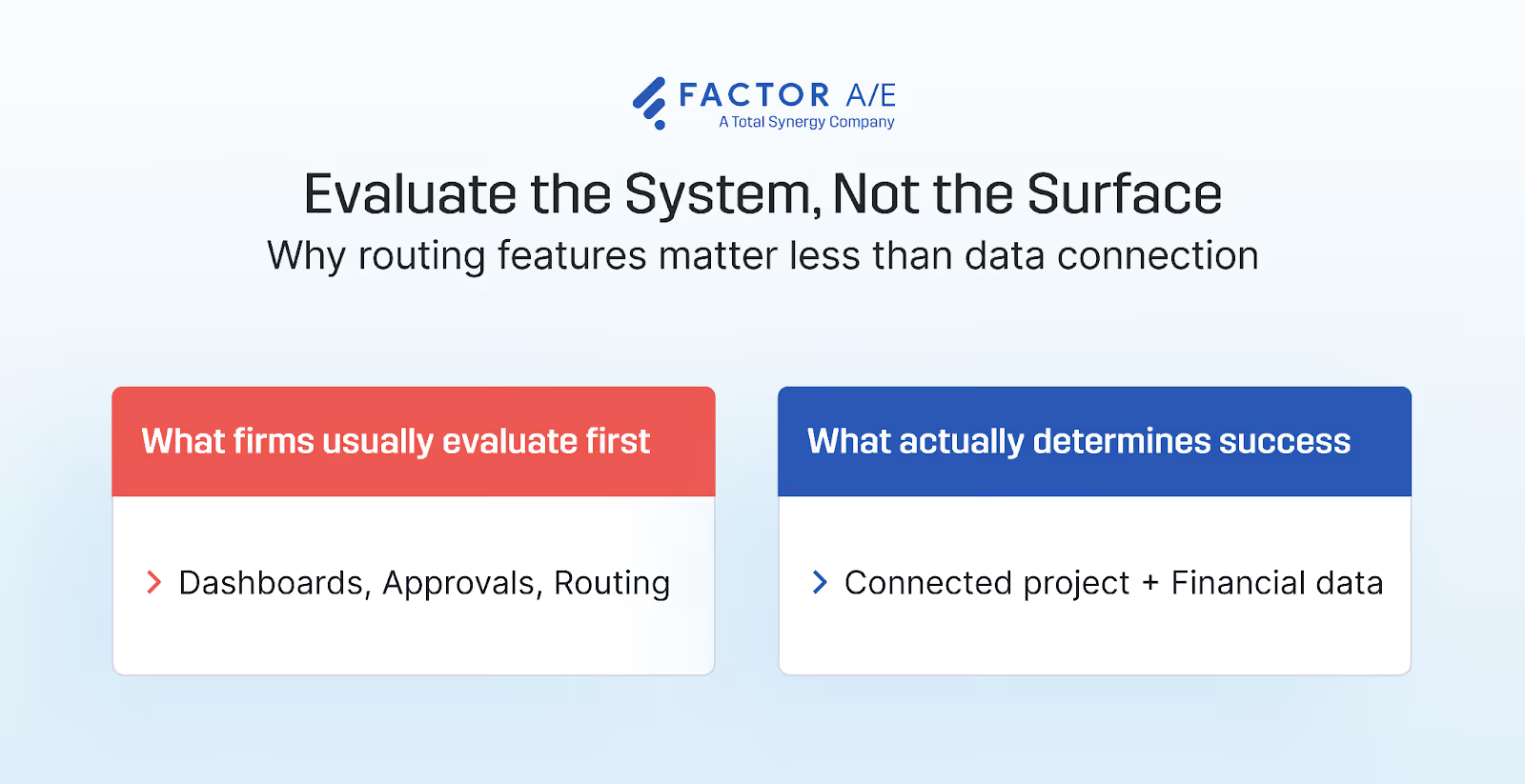
A platform that generates clean reports from manually reconciled data has not solved the problem. It has only organized the reconciliation.
Integration depth with financial systems
Start with the connection to accounting. Most tools claim integration with platforms such as QuickBooks. The important detail is how that connection works. Some integrations exchange data immediately and in both directions. Others depend on exports or scheduled imports during the billing cycle.
A system that routes invoices efficiently but relies on exported billing data still requires reconciliation at the start of every invoice cycle. The reconciliation simply happens earlier in the process.
During evaluation, ask what happens when a project manager logs hours today. Does accounting see that change today? If the answer involves a manual refresh, export, or delayed sync, the data architecture problem remains.
Project data connectivity
Approving a document in A&E practice requires context about the project. An approver reviewing an invoice needs to verify that the billed hours match the tracked time, that the relevant project phase still has budget remaining, and that the subconsultant's charges match the original agreement.
A system that moves the document without that context does not support a decision. It only records that someone approved it.
Without project information, approvals become procedural. The document clears the workflow even if the numbers are wrong. The error appears later when a client disputes the invoice or when reconciliation shows the project exceeded its budget.
Native review and approval workflows
Approval workflows built from external automation tools introduce additional failure points.
A common setup connects multiple platforms through triggers and integrations: one system stores the document, another assigns reviewers, and an automation layer passes the file between them.
This structure works until one link changes. An API update, a broken webhook, or a permissions change can interrupt the routing without immediate visibility. Documents remain unassigned while the workflow appears intact.
Systems with native approval workflows avoid this problem because the routing logic runs inside the same platform that manages the document.
Audit trails and compliance controls
In A&E practices, approval history often satisfies contractual or regulatory requirements.
Projects must record who approved a document, when the approval occurred, and which version was approved. A system that requires staff to reconstruct that history later does not meet those requirements.
When compliance tracking is outside the workflow platform, firms usually maintain a separate manual record. The automated workflow handles routing while a separate log maintains the compliance record.
Platforms designed for regulated project work record these details automatically during the approval process.
Generalist vs. specialist tools
Generic automation tools can handle simple routing tasks. Connecting an email inbox to an approval channel for a single document type is easy to test and quick to deploy.
Limitations appear as the work becomes specific to A&E practice. Drawing sets can exceed upload limits. Multi-consultant projects require conditional permissions, and certain document types require structured audit trails.
Generic tools handle these conditions through workarounds such as manual steps or parallel tracking sheets.
Those workarounds accumulate until managing the workflow requires as much effort as the manual process it replaced.
Evaluating whether a platform supports A&E-specific document complexity early prevents that outcome.
The reporting trap
Product demonstrations often focus on reporting dashboards.
Project status, invoice aging, and approval cycle times appear clearly in a single interface. The question that matters rarely appears in that demonstration: where does the data come from?
A dashboard built on manually reconciled inputs shows organized numbers that teams still distrust. The interface reflects the last reconciliation rather than the project's current state.
Evaluate the data architecture first. Identify how the dashboard receives its data, how quickly that data updates, and what steps occur between a project event and the report that reflects it. The dashboard's reliability depends entirely on that connection.
Best Practices for Document Workflow Automation in A&E
Firms that succeed with document workflow automation do not start by automating everything. They establish the conditions for reliable automation, then build workflows on that foundation.
Fix the data architecture before automating the routing
Document workflows should sit on top of connected projects and financial systems.
When those systems remain separate, automation does not eliminate the need for reconciliation. It only shifts where the reconciliation happens. Instead of verifying the numbers before the document enters the workflow, someone verifies them after an inaccurate document returns from approval.
Connecting project operations and financial data first removes that step. Once the underlying data is shared, the workflow can move documents without requiring manual verification.
Start with documents that expose the disconnection
Some documents reveal data problems immediately. Invoices, project forecasts, and budget reports depend on both project operations and financial information.
Because they draw from both domains, they quickly expose whether the underlying systems actually share data.
If an automated workflow still requires someone to reconcile a consultant invoice before it can be submitted, the systems generating the document remain disconnected.
Standardize before you automate
Automation depends on a consistent structure. A document-naming system that relies on versions, such as “FINAL_USE_THIS_ONE,” becomes harder to manage once automation begins routing documents based on those labels.
Naming conventions, project codes, and version numbering need to be consistent across the firm before any workflow is built on top of them.
Without that discipline, automated routing will send incorrect versions to reviewers and create additional correction work.
Build compliance in from the start
For A&E practices, approval records often satisfy contractual and regulatory requirements.
Workflows must record who approved a document, when the approval occurred, and which version was reviewed. Systems that require staff to reconstruct this history later create risk during audits or project disputes.
When compliance tracking sits outside the workflow platform, firms typically maintain a second manual record. The automated workflow manages routing while a separate log maintains the compliance history.
Platforms designed for regulated project work record these details automatically as part of the approval process.
Measure the right outcomes
Approval speed alone does not indicate whether automation is working.
A faster approval cycle confirms that routing functions correctly. It does not reveal whether documents are accurate, whether rework has decreased, or whether administrative coordination has been reduced.
More meaningful indicators include document accuracy, reconciliation frequency, time required to prepare invoices, and the share of staff time spent on billable work rather than on administrative coordination.
If those indicators remain unchanged after automation, the bottleneck was never the approval process.
Simplify Document Workflows With Factor AE
Firms that get document workflow automation right start with the question the routing problem raises: why are these documents inaccurate before they enter the workflow?
Factor AE is built around that answer. Budgets, timesheets, schedules, expenses, subconsultant bills, and invoices live in a single system, connected to a single data source that updates in real time as work progresses.
When hours are logged, invoices reflect it. When a phase budget shifts, forecasts update.
The document is accurate before it enters any workflow because the systems producing it were never separate enough to require reconciliation in the first place.
That's what document automation looks like when it starts in the right place. To see how it works for your firm, book a demo today.

Recommended articles


See Factor in action
In one quick call, we’ll show you a simpler way to run projects and get paid faster.
.png)
“I recommend Factor to other firms. The team is great, it’s easy to use, and it has streamlined my project management. It can do the same for yours.”
Adam Mayberry
Architect / Managing Principal


