
Time Tracking Software for Architects: How Firms Track Time Without Losing Profitability
Learn why most time tracking software fails architects, how firms actually use time data, and understand the 5 key features that they should look for to find the right solution for them.
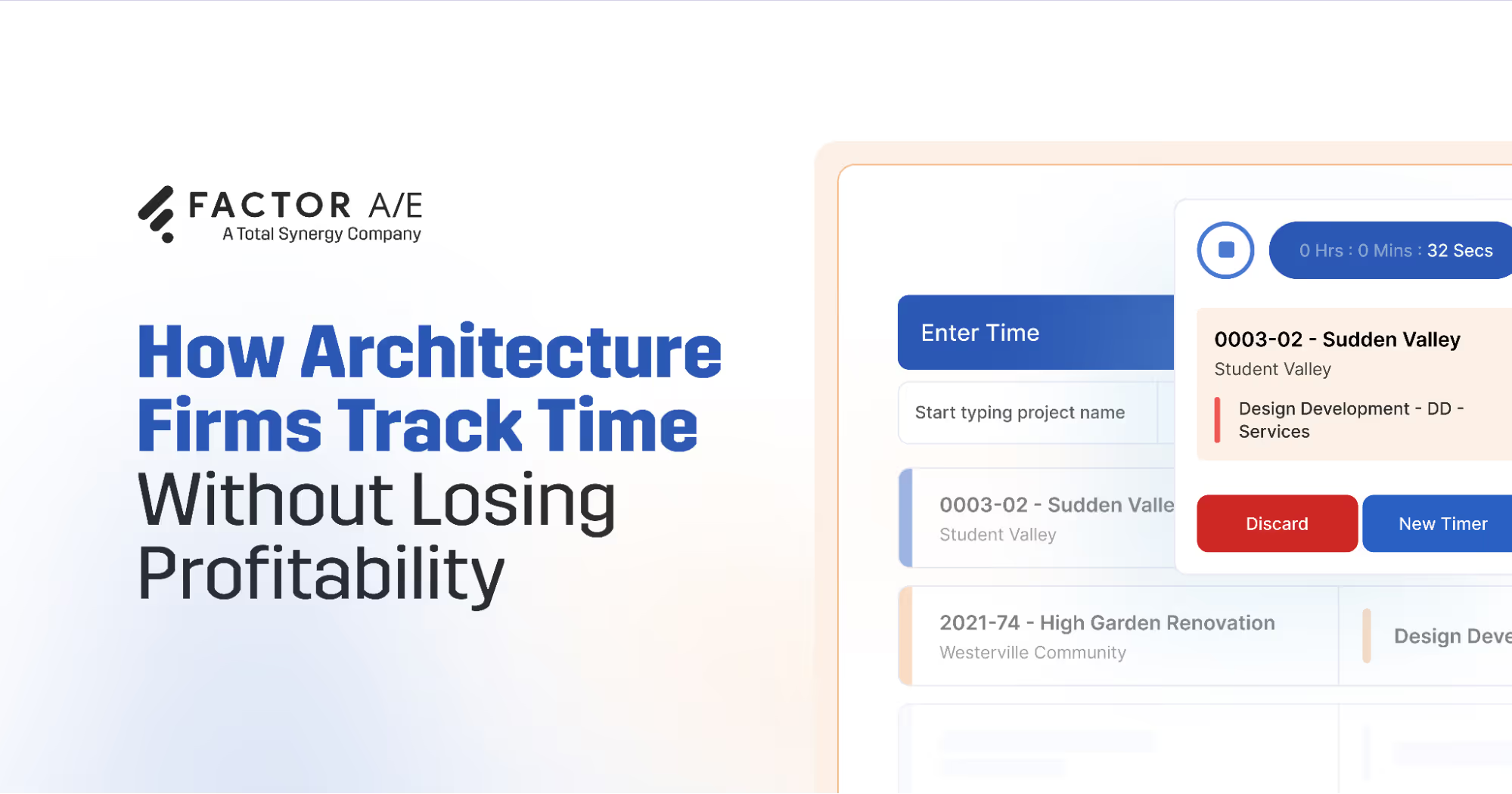


Most time tracking software wasn’t built for how architectural work actually happens. While these tools can capture hours, they don’t show you how design effort affects project and financial outcomes.
This leaves firms dealing with overrun phases, faster-than-expected fee consumption, and write-offs that erode profitability.
To work around these gaps, firms either juggle separate tools for time, projects, resources, and budgets or force generic software to fit their workflows. Both approaches add friction, increase manual work, and often lead right back to spreadsheets and guesswork.
This guide explains why most generic tools fall short, what time tracking software for architects should really do, and how firms can use purpose-built software to connect time, projects, and profitability.
Why Most Time Tracking Tools Fail Architecture Firms
Architecture workflows don’t operate like generic professional services. Most time tracking tools are built for linear tasks, straightforward hourly billing, and minimal scope changes once work begins. That model fails to match the operational and financial complexity of architectural project delivery.
Firms manage phase-based projects, flexible fee structures, subconsultants, and iterative design driven by client feedback. Time data needs to connect to resourcing, professional services vs. subconsultant services, and billing systems.
It must also reflect shifting scopes, such as client revisions or unexpected site issues, that directly affect phase budgets, staffing allocations, billing structures, and overall project profitability.
Generic time tracking tools lack the features to create this connected yet frequently changing project and billing ecosystem. Here’s where most of them fall short:
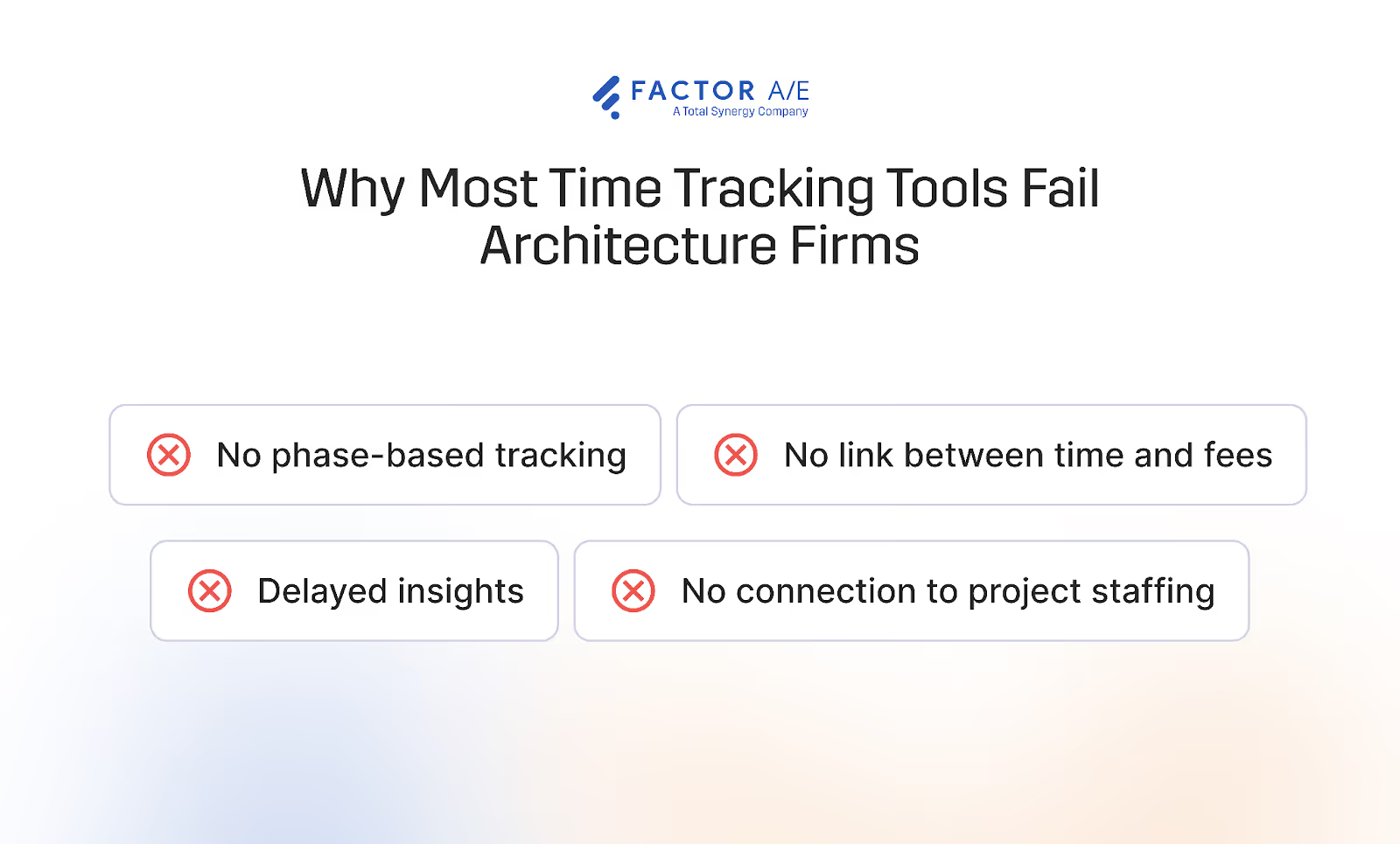
No phase-based tracking:
Architecture projects unfold across defined phases, including schematic design (SD), design development (DD), construction documents (CD), and construction administration(CA).
When time isn’t tracked at the phase level, project managers can’t identify early errors and rebalance staffing, adjust scope, or reset client expectations. So, downstream phases end up operating with reduced budgets, rushed timelines, and stressed teams.
This slide from initial issues to major problems later in the project is caused by a lack of phase-level insight, a critical failure point when managing project timelines. Especially with on-time project delivery falling to 73.4% for professional services organizations, including architecture firms, in 2025. Consistently missing deadlines reduces client satisfaction and eats into profitability.
No link between time and fees
Architecture projects include client revisions, internal design adjustments, and added services that constantly shift effort levels. If time isn’t tied directly to fees, PMs and principals can’t see how quickly budgets are being consumed.
Monitoring effort against fees allows leaders to:
- Identify scope creep early
- Reallocate resources strategically
- Initiate conversations about additional services
- Adjust expectations before projects go over budget
Many generic tools also struggle to handle mixed billing structures, like hourly additional services within a fixed-fee project. Without that flexibility, firms lose visibility into financial performance when they need it most.
Delayed insights
Firms need real-time data on burn rates, staffing, and fee consumption. Many time tracking tools can’t provide these instant insights, so project managers or firm owners can't make proactive decisions or course-correct to protect project deliveries and margins.
For instance, with a generic time tracking tool or a platform that’s not really built for architecture projects, you likely won’t get functions such as resource scheduling or a way to compare capacity and utilization in a way that makes sense for how your firm operates.
Even when some form of these is available, it might not be connected in a way that is useful to architecture firms.
With platforms built specifically for architects, all these insights will be connected, giving you real-time visibility into resource scheduling, fee burn, and utilization.
No connection to project staffing
When time tracking lives in one tool and resource scheduling lives in another, staffing decisions rely on outdated or incomplete information. A PM checking availability in a separate system has no way to see, in real time, how much effort each team member is actually logging against active projects.
This can lead to predictable problems: overbooking for senior architects, underutilization for junior staff. It can also lead to project assignments being based on assumptions rather than data.
The disconnect also makes it harder to respond when things shift. If a team member is burning through hours faster than planned on a project, that should immediately inform who gets assigned to the next phase or project. But when staffing and time data don't share a system, that signal gets lost until someone manually reconciles the two.
For firms that most often balance multiple concurrent projects in different phases, this gap compounds quickly.
Resource scheduling should draw directly from the same time data that tracks effort, so staffing decisions reflect what's actually happening across the firm, not what a spreadsheet said last week.
How Different Roles Actually Use Time Tracking in Architecture Firms
Unlike other industries where time tracking may serve purely administrative or compliance purposes, in architecture, every hour has a direct impact on fees, staffing, and project outcomes. Time influences whether a phase stays on track, whether a project remains profitable, and whether the firm can confidently take on new work.
Each role in a firm also interacts with time data differently, and software needs to cater to these perspectives to be truly useful.
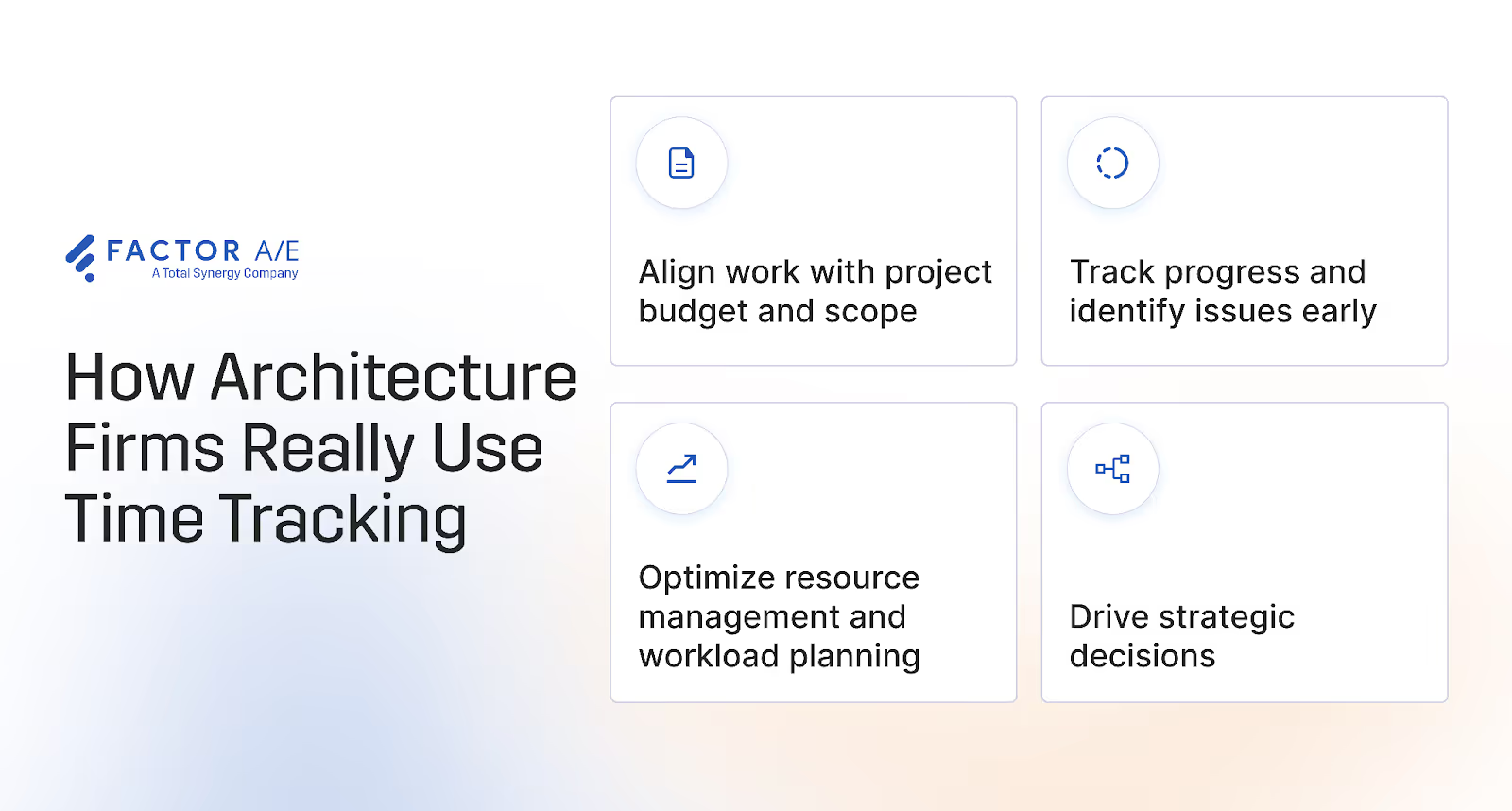
- Architects, designers, employees, and consultants track time to see how many hours they’ve worked, understand work patterns, and get paid accurately. They primarily need time entry to be quick and easy so they can focus on their work rather than admin tasks.
Ease of use is a critical factor in adoption when choosing a time-tracking tool. If logging hours is tedious, adoption drops, and data quality suffers because consistent time entry affects utilization reporting and staffing decisions.
Staff time entries must also connect to each person’s billing rates so hours flow correctly into invoicing. Architecture firms also need the flexibility to adjust rates by role or project, especially when scope or staffing changes.
- Project managers and operations managers use time data to monitor performance, allocate resources, balance workloads, and identify scope drift. For them, accuracy and project-level context matter most. Instant updates help them prevent phase overruns from impacting downstream work.
- Firm owners and principals use time to evaluate profitability by project and client, monitor utilization rates, and assess overall firm performance. These insights inform strategic decisions around pricing, hiring, and growth.
What architects need is a time tracking solution that aligns with how their practices actually use time, while also driving operational and financial clarity across the entire firm.
What to Look For in Time Tracking Software for Architects
The right time-tracking software fits how your firm actually works. From design phases to billing structures and project workflows, it should give project managers, principals, and architects the insights they need to keep projects on schedule, control budgets, and protect margins. These are the key features every architecture firm needs to turn time tracking from a tedious task into a strategic tool.
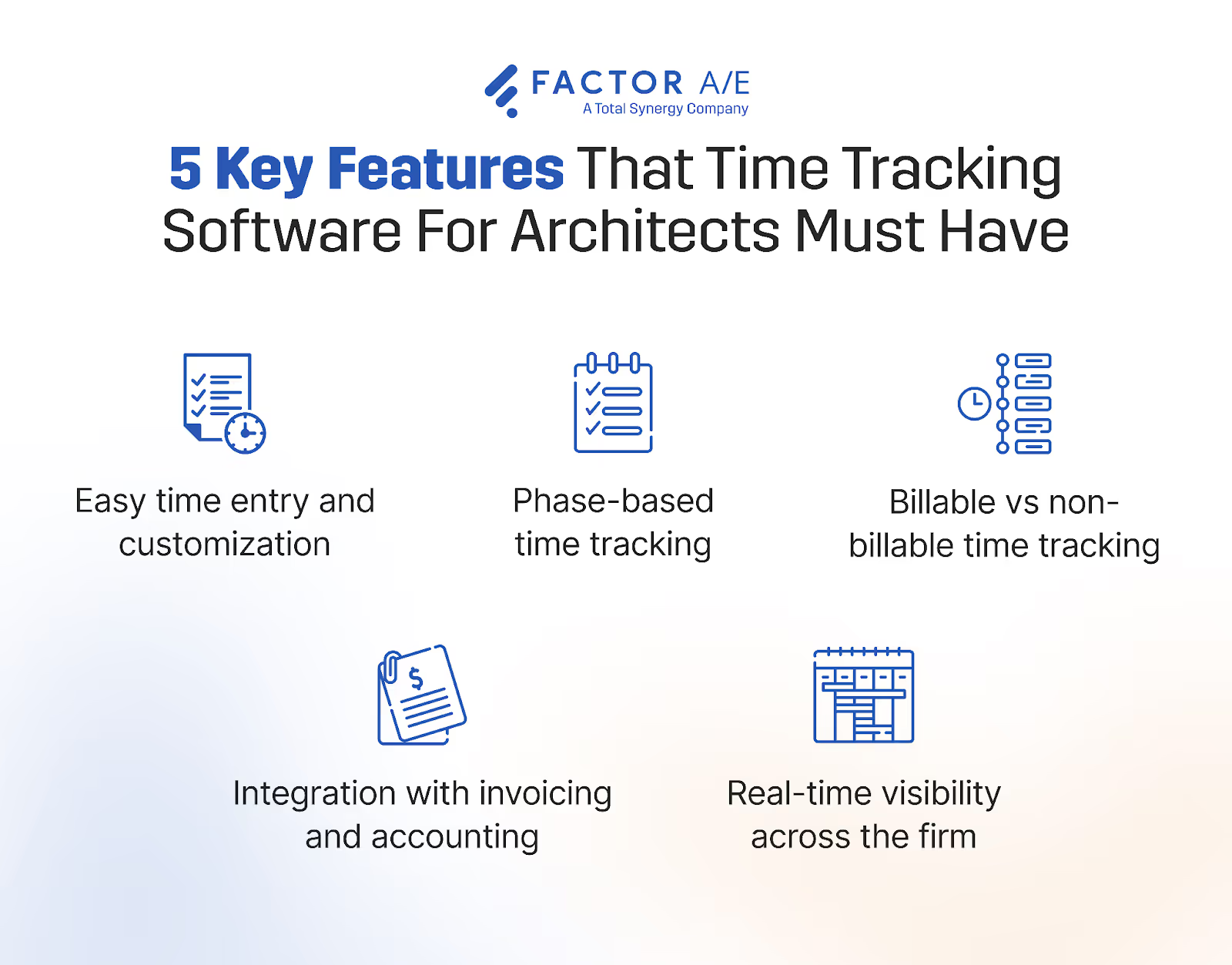
1. Easy time entry and customization
Time tracking only works if your architects and designers actually use it. That’s why you must choose a tool that makes it easy and convenient to log time.
Factor simplifies time tracking for every user across the firm. For designers and architects, this means scheduled time is automatically added to their timesheets, and they can quickly log hours using built-in timers or manual entries, whichever best fits their workflow.
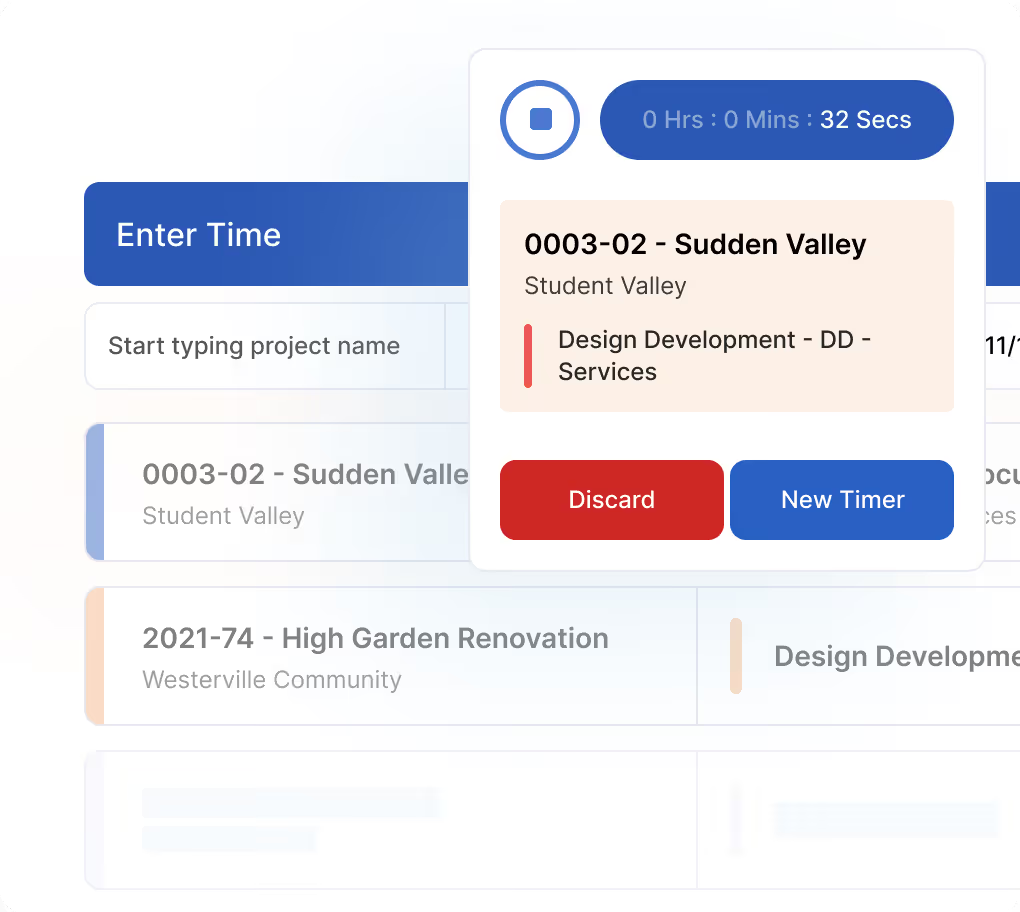
Easy time entry beats out manual tracking through spreadsheets and improves consistency, since it doesn’t disrupt their workflow or add to their admin work. Expenses are just as easy to add, so reimbursables and project costs are always up to date.
Since every firm has its own processes, Factor lets you customize time categories, billing rates, and approval workflows to match how your firm operates. You can also adjust rates by employee role or project, giving you the flexibility that you need.
With customized approval processes, firms can ensure accountability without creating unnecessary bottlenecks.
To add to this, architects, project managers, and principals can see how logged hours align with project timelines and budgets in real time through Factor’s The Pulse dashboards. That transparency reinforces the importance of accurate time entry for employees, while giving PMs and principals more control over their projects.
2. Phase-based time tracking
Your time tracking software must match the common phase structure of architectural projects.
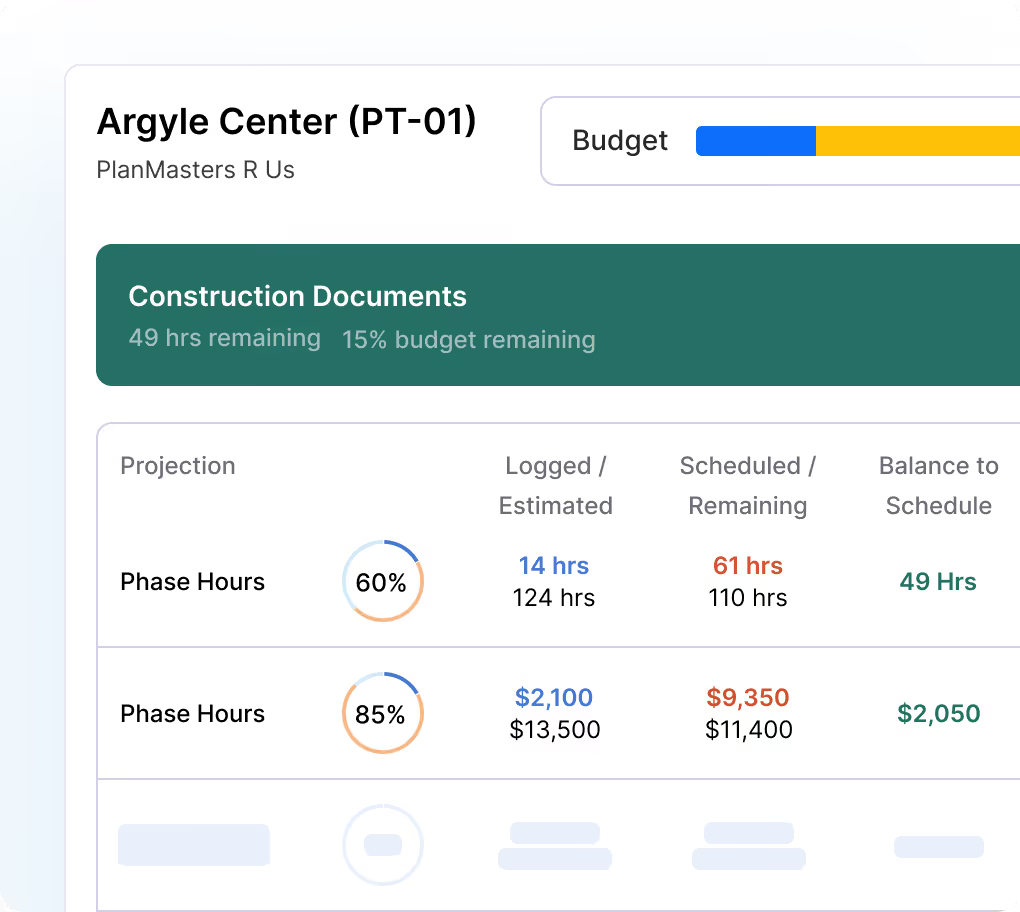
With Factor, project managers can track time by phase and compare planned versus actual hours using multiple real-time dashboards. This phase-level granularity can help:
- Improve forecasting
- Prevent overinvesting in early phases
- Enable course correction to fix mistakes
- Strengthen resource allocation and planning
So, you can keep your projects on track, keep clients happy, and protect your margins. Factor also supports flexible time tracking and billing structures, including hourly or hybrid billing, so firms can manage evolving scopes and additional services without creating financial complexity.
3. Billable vs non-billable time tracking
Architect teams spend significant time on internal work, including business development, proposals, training, and administrative tasks. When that effort and labor cost go untracked, it disrupts resource allocation and project planning.
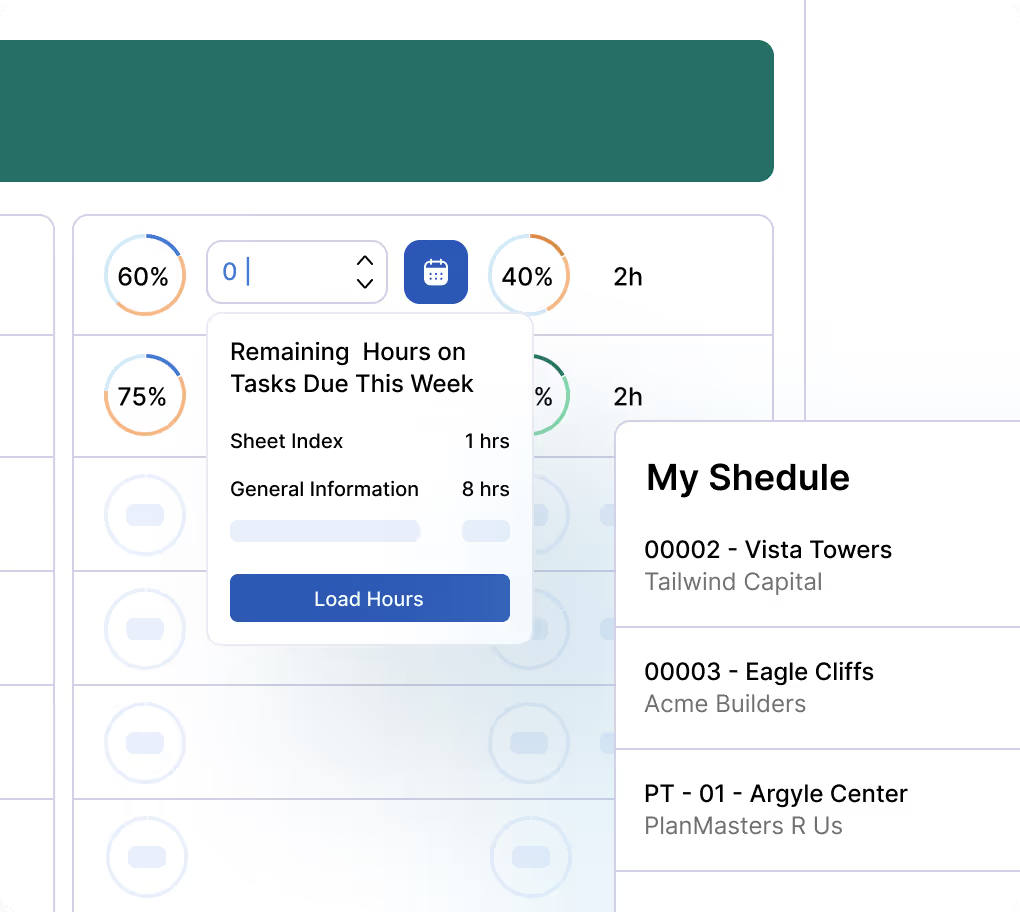
Your time tracker should let you track billable hours vs non-billable hours. Factor lets firms track billable, non-billable, and overhead time as separate categories. So, your utilization reporting is accurate, and you better understand how your teams spend their time.
Categorizing hours by type shows you the true cost of pursuits and proposals, offers better insights into firm-wide productivity, and helps you precisely price future projects.
4. Integration with invoicing and accounting
Time tracking data must flow seamlessly into financial management to support error-free invoicing and margin tracking. This doesn’t happen with timesheet software or disconnected systems, leading to delayed invoices, billing errors, and blind spots like missed hours or expenses.
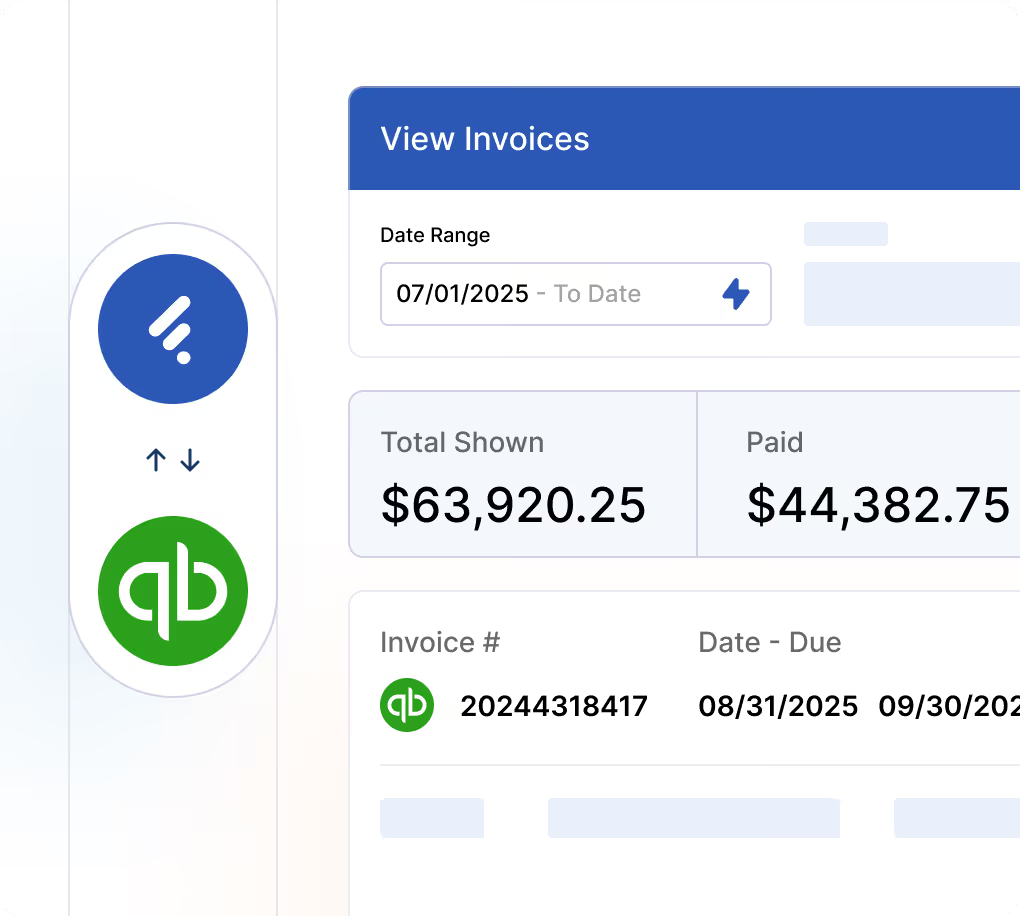
Factor automatically updates invoices using live project information, including time, expenses, subconsultant bills, and more, to simplify billing and increase accuracy. You can review each invoice and select the amounts to include before approval.
It also has customizable invoice templates that you can edit with a few clicks to create invoices that match firm branding, client requirements, and project structures.
Factor also simplifies accounting with the real-time, two-way QuickBooks Online integration. Your invoices are automatically synced to QuickBooks, while updates on QuickBooks are synced to Factor. All your projects and finances stay updated with no room for manual errors, messy reconciliations, or delays.
Factor handles complex project-related work, while QuickBooks handles firm-level accounting, creating an affordable, intuitive alternative to ERP software for small- and mid-sized architecture firms.
MA+KE Architects reaped the benefits of this integration, saving 8 hours every invoicing cycle, along with faster and more accurate time entry corrections.
5. Real-time visibility across the firm
The value of time tracking lies in the actionable insights it provides from hours, tasks, phases, and financial data. Firms need visibility into hours as work is happening, which generic tools can’t provide.
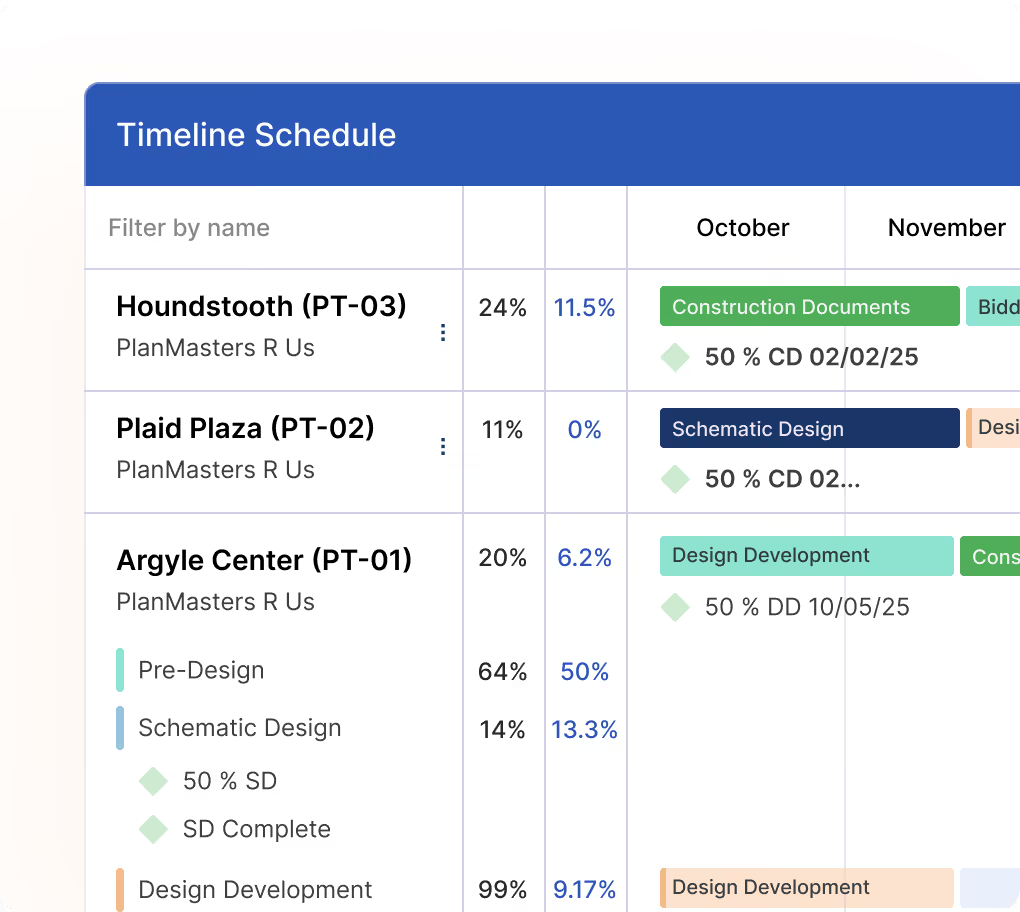
With Factor’s The Pulse, you can get instant insights into every task, phase, and project. If a PM adjusts timelines or reallocates work mid-phase, changes are updated across the entire project immediately. With a connected and updated system like this, firms can:
- Detect issues and bottlenecks.
- Make data-driven staffing, budgeting, and planning decisions.
- Improve utilization and margin forecasting across the firm.
- Reinforce shared accountability with architects, designers, PMs, and principals.
Ultimately, the right time-tracking software for architecture firms should provide clear visibility into how time is spent, enabling firms to make informed decisions that keep projects on track and allocate resources accurately.
Turn Time Data Into Actionable Insights with Factor
For many architecture firms, time data is scattered across spreadsheets and disconnected tools, making it difficult to see how hours impact projects, budgets, and staffing. Time tracking becomes another admin task rather than useful information you can proactively use to manage projects.
Factor makes time data actionable. It collects and connects time data with project and financial data in real time on a single central platform. This visibility offers cohesive, up-to-date insights that project managers and firm owners can actually use to proactively keep projects on track, well-staffed, and profitable.
Schedule a free demo today to see how Factor can centralize your time data and give your firm clarity over project outcomes and profitability.
FAQs
Why is time tracking important for architectural firms?
Time tracking directly impacts fees, utilization, and project profitability for architectural firms. Because architectural projects are phase-based and the scope often evolves, firms need accurate time data to monitor burn rates, prevent budget overruns, and protect profit margins.
Which is the best time tracking software?
The best time tracking software for architects is one built specifically for architect workflows. It should support phase-based tracking, flexible billing structures, real-time reporting, and integration with invoicing and accounting systems like QuickBooks.
What software do most architects use?
Architects use different types of software for varying functions. But many firms use purpose-built architecture platforms or combine project management, accounting, and time tracking tools. Increasingly, firms prefer integrated systems designed specifically for architecture practices rather than a stack of standalone, disconnected tools for each area.

Recommended articles

.avif)
See Factor in action
In one quick call, we’ll show you a simpler way to run projects and get paid faster.
.png)
“I recommend Factor to other firms. The team is great, it’s easy to use, and it has streamlined my project management. It can do the same for yours.”
Adam Mayberry
Architect / Managing Principal


