



The first sign that an A&E firm has outgrown BQE Core often appears in the billing process. The PMs review their projects, but finance still needs to run the QuickBooks sync, check what has changed since the last review, and resolve anything that was applied to the wrong client or project.
After several billing cycles like this, those extra checks become part of the cost of staying with BQE Core. The firm then has to weigh that recurring work against the disruption of migrating active projects and training the team on another system.
This guide compares six BQE Core alternatives based on what happens after implementation.
We’ll look at how each handles A&E projects and phases, how it connects with QuickBooks, and what your team must still manage. We also separate the tools that work with QuickBooks from the full ERPs that replace it.

What Makes Firms Outgrow BQE Core?
BQE Core combines project management, time and expenses, billing, reporting, CRM, HR, and accounting. It also supports parent projects and multiple phase levels, giving A&E firms the structure needed to organize and bill complex scopes.
When those workflows remain within BQE Core, the firm has a single project history and a single established route from time entry to invoicing. Staff know where to enter information, PMs know where to review it, and finance knows what reaches billing.
Switching forces the firm to migrate active projects, rebuild invoice templates, verify historical balances, and train employees before the next billing cycle. If Core already gives the team reliable project and financial information, the firm has little reason to take on that work.
Even so, firms do leave. The reasons usually appear in the work that continues outside Core.
1. Spreadsheets leave leadership piecing together project and staffing data
The calculation changes when different parts of the firm move outside Core.
Staff may enter time in Core while operations manages staffing and forecasting in spreadsheets. Finance keeps the books in QuickBooks. PMs use separate schedules to track deadlines and remaining work.
Leadership must pull those sources together before deciding whether the firm has room for another project or needs to move hours between teams.
Urban Practice reached that point after several years with BQE Core. Core handled time tracking and reporting, but the 40-person architecture firm still relied on spreadsheets for staffing projections, forecasting, and operational planning.
The information existed, but leadership could not open a single system to see how project schedules, budgets, and future staffing needs affected one another.
After switching to Factor, Urban Practice replaced its staffing spreadsheets with live project and resource dashboards. Leadership can now review schedules, budgets, workloads, and future staffing needs in one place. Most of the 40-person team adopted the platform within two months.
2. QuickBooks records fall behind until someone runs another sync
BQE Core can transfer clients, projects, phases, time, expenses, invoices, and payments between Core and QuickBooks.
However, changes made after the initial transfer are not automatically updated. Someone must run the sync again or make the corresponding change manually. Core projects and phases also enter QuickBooks through its customer and subcustomer hierarchy rather than as native QuickBooks Projects.
Finance therefore needs to know when records were last updated, which system contains the latest changes, and how each project or phase should appear in QuickBooks.
The extra step may be manageable when project records rarely change. It becomes a billing problem when finance must rerun the sync, investigate mappings, and compare records before every invoice batch.
Late and incomplete time entries make project reports unreliable
Time entry sits at the beginning of the firm’s financial workflow. PMs use those hours to judge whether a phase is consuming fees faster than the work is progressing.
Finance uses approved time to prepare invoices. Principals rely on the same data to understand project and firm performance.
When staff delay submitting their timesheets or reconstruct the week from memory, every downstream decision starts with weaker information. A project can appear to have a remaining fee simply because Friday’s hours have not yet reached it.
You can measure timesheet adoption by looking at when hours are entered for the project. If staff wait until Friday or the following Monday to submit time, PMs spend most of the week reviewing phase budgets with old labor data.
A workable time-entry process makes the right projects and phases easy to find, so those hours reach the budget while the PM can still act on them.
The reports may still calculate correctly, but they will be calculating from late or incomplete data.
How To Evaluate A BQE Core Alternative
Bring the people who run projects, billing, and accounting into the evaluation. Each person should test the part of the workflow they currently own. That makes it easier to see what the new platform removes and what work simply moves to someone else.
Decide whether QuickBooks should stay
The principal and finance lead should make this decision first.
If QuickBooks still works as the firm’s ledger, replacing it adds an accounting migration to what may only be a project-management problem. Factor, Monograph, BigTime, and Productive keep QuickBooks in place.
Deltek Vantagepoint and Unanet replace it with a full ERP. The firm must then migrate its accounts, reports, approvals, and historical financial data.
Settle this before comparing features or interfaces.
Run an actual project through the demo
The PM should choose a project that includes:
- Fixed-fee and hourly phases
- A non-billable phase
- A structural or MEP subconsultant
- Reimbursable expenses
- A progress invoice
- A partial payment
Have the vendor build that project and take it through billing.
The PM should review the phase budgets and approve the invoice. Finance should follow the invoice into QuickBooks, enter the consultant bill, and apply the client payment. A technical employee should enter time against the correct phase.
Record every step your team must initiate, check, or repeat. Those steps will remain after the demo.
Check whether the PM can protect the fee
The PM and finance lead should review this together.
Suppose a $100,000 contract includes $30,000 for structural and MEP consultants. The project view should separate that commitment from the $70,000 available for the firm’s work.
The PM should be able to see:
- Budget spent by phase
- Work completed by phase
- Internal labor remaining
- Subconsultant commitments and bills
- Scheduled hours against the remaining budget
- Fixed-fee and hourly work on the same invoice
If consultant costs arrive late or fall outside the project view, the PM may approve work or billing based on an overstated fee balance.
Plan for the first billing cycle
The person leading implementation should confirm:
- Which active projects will the vendor migrate
- How phases and historical data will be transferred
- Who will rebuild and approve the invoice templates
- Who will map the QuickBooks records
- When will each role complete training
- Who will resolve problems during billing
- What data can the firm export if it leaves
The first completed billing cycle provides the real test. Staff should enter time against the correct phases, PMs should approve invoices using current project data, and finance should send those invoices to QuickBooks without returning to BQE Core.
The 6 best BQE Core alternatives
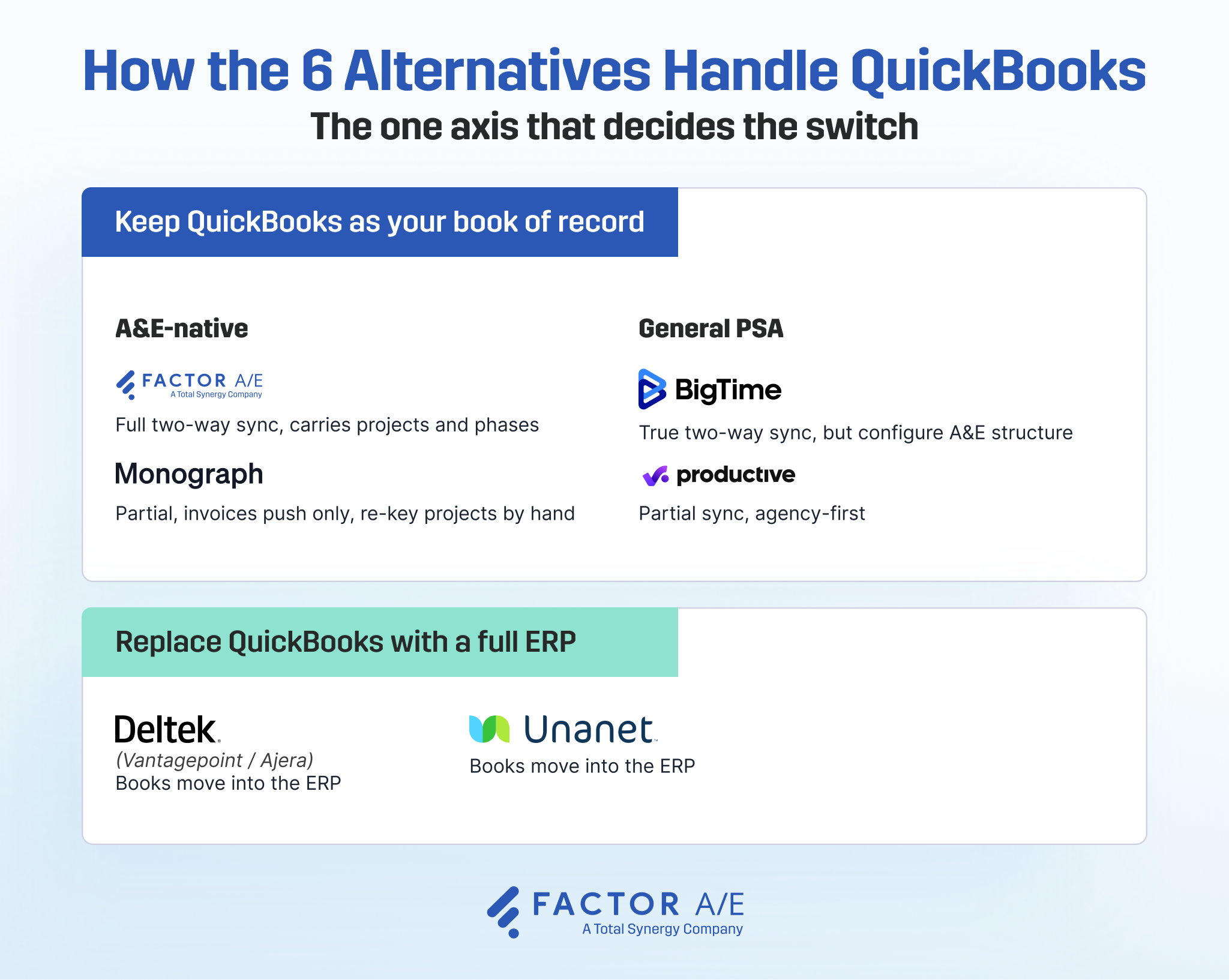
Each option below solves a different version of the problem, so the best fit depends on which parts of your current setup you want to keep and which workarounds you need to remove.
1. Factor A/E
Best for: A&E firms that want to keep QuickBooks Online while reducing the effort required to keep project financials up to date.
Factor handles project budgets, phases, time, staffing, subconsultants, and invoicing while QuickBooks remains the accounting system.
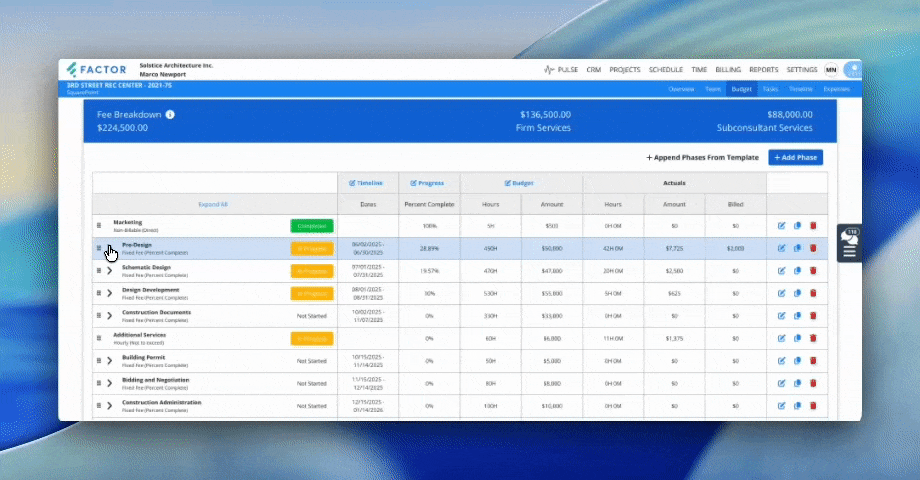
During onboarding, Factor connects the firm’s billing categories to the corresponding accounts in QuickBooks. New projects can then be sent from Factor to QuickBooks, so finance does not have to create them twice.
Payments made through FactorPay or recorded in QuickBooks update the invoice status in both systems. Vendor bills and other project costs entered in QuickBooks flow back into Factor.
This gives PMs a more current view of the fee. When finance records the structural engineer’s bill, the cost appears against the project before the PM reviews the remaining budget or approves the next invoice.
Finance keeps accounting in QuickBooks, while the delivery team sees the financial activity that affects the work.
Key features
- Fixed-fee, hourly, and non-billable phases within one project
- Firm fees separated from subconsultant budgets
- Finalized invoices sent to QuickBooks Online
- Payment and invoice-status updates between Factor and QuickBooks
- Vendor bills and project expenses pulled from QuickBooks into Factor
- Resource scheduling and capacity planning
- FactorPay for ACH and card payments
- Project, staffing, and profitability dashboards
Pros
- Keeps QuickBooks as the accounting system
- Reduces repeated syncing around invoices, payments, and vendor costs
- Gives PMs access to project costs recorded by finance
- Organizes project fees, phases, and subconsultant budgets around common A&E billing structures
- Gives PMs, operations, and finance separate views of the same project and financial data
Cons
- Each project requires an initial push into QuickBooks
- QuickBooks receives the invoice line items, but not Factor’s full phase structure. Finance must return to Factor for phase-level project detail
Pricing
Factor costs $30 per user per month, with all features included. A one-time implementation fee covers setup, data import, and training, with the amount based on the firm’s requirements. A free trial and live demo are available.
For a closer comparison, see how Factor AE compares with BQE Core across project setup, billing, QuickBooks, reporting, and implementation.
Join a live group demo to see project setup, invoicing, QuickBooks sync, and subconsultant billing in action.

2. Monograph
Best for: Small A&E firms that want straightforward project planning, resource scheduling, time tracking, and invoicing in one system.
Monograph is a project management and billing software built for architecture and engineering firms. It brings project planning, phase budgets, staffing, time tracking, and invoicing into a single platform, while QuickBooks handles the accounting.
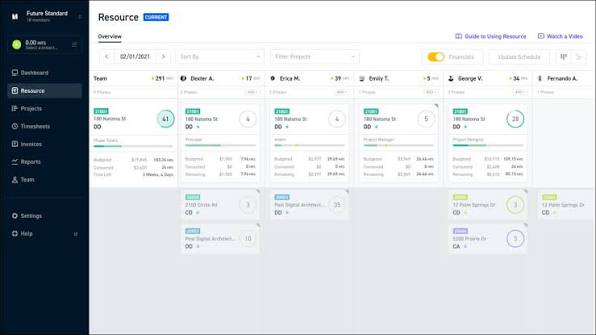
Its clean, A&E-specific interface makes it a strong option for firms leaving BQE Core due to usability concerns. PMs can see where the fee is going, who is scheduled, and how each phase is progressing without having to rebuild the same view in a spreadsheet.
Monograph synchronizes clients and payment status with QuickBooks in both directions and sends invoices, bills, and expenses across the board. Project names and numbers do not transfer, however, so finance must enter them in QuickBooks.
Key features
- A&E projects, phases, fees, and staffing
- Project planning and resource allocation
- Time and budget tracking
- Project financial and profitability views
- Invoice, bill, and expense transfer to QuickBooks
- Two-way client and payment-status updates
Pros
- Gives PMs an interface organized around A&E projects
- Requires less A&E workflow configuration than a general PSA
- Keeps QuickBooks as the accounting system
- Updates the payment status in either direction
- Strong fit when staff adoption is the main reason for leaving BQE Core
Cons
- Finance must create each project separately in QuickBooks because Monograph does not transfer project names or numbers.
- Payments recorded in QuickBooks while the integration is disconnected must be marked as paid manually in Monograph after reconnection.
- Projects do not sync to QuickBooks, so their names and numbers must be entered there separately.
Pricing
Monograph’s pricing calculator quotes $450–$600 per month, billed annually, for a 10-person firm. The final price varies by firm size and plan.
3. BigTime
Best for: Mixed professional-services firms that want broad QuickBooks connectivity and can configure the system around their A&E workflows.
BigTime is professional services automation software for project-based firms. It combines time and expense tracking, budgets, invoicing, resource planning, and utilization reporting across industries such as engineering, consulting, IT, and accounting.
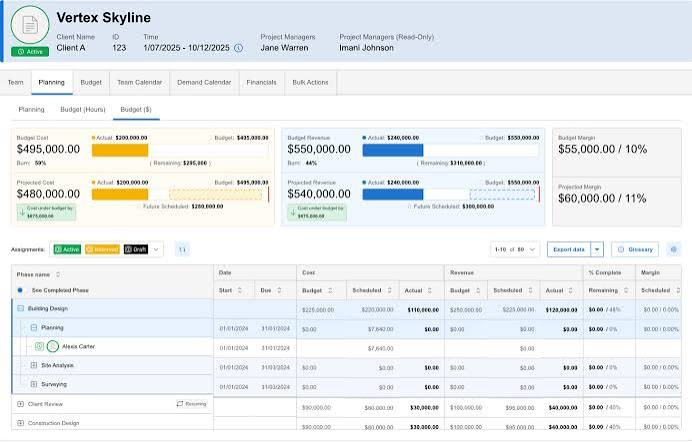
Its QuickBooks integration can export projects, invoices, time, and expenses, then bring payment information back. In QuickBooks Online, BigTime projects appear as subcustomers under the relevant client.
After the initial connection, someone must initiate later QuickBooks Online syncs from BigTime. The firm must also configure its A&E phases, fee structures, and subconsultant workflows. BigTime therefore fits mixed professional services firms better than A&E practices, whose main goal is to eliminate recurring sync work.
Key features
- Project, time, expense, and invoice management
- Project export into QuickBooks
- Invoice, payment, time, and expense integration
- Budgeting and project financial reporting
- Resource planning and utilization tracking
- Configurable professional-services workflows
Pros
- Moves projects into QuickBooks rather than leaving finance to create them separately
- Connects time, expenses, invoices, and payments
- Supports firms operating across several professional-services disciplines
- Offers more workflow flexibility than a narrowly industry-specific platform
Cons
- Users must initiate QuickBooks Online updates after the initial connection
- A&E phases, fees, and subconsultant workflows require configuration
- Its flexibility places more responsibility on the firm to maintain a consistent project structure
- The broader platform may be more than a small A&E firm needs
Pricing
BigTime uses tiered, per-user pricing. Request a quote based on the required features, integrations, and users.
4. Productive
Best for: A&E firms whose work resembles an agency or consultancy more than a traditional phased practice.
Productive is professional services management software built primarily for agencies and consultancies. It combines projects, resources, time, budgets, profitability reporting, and invoicing on a single platform.
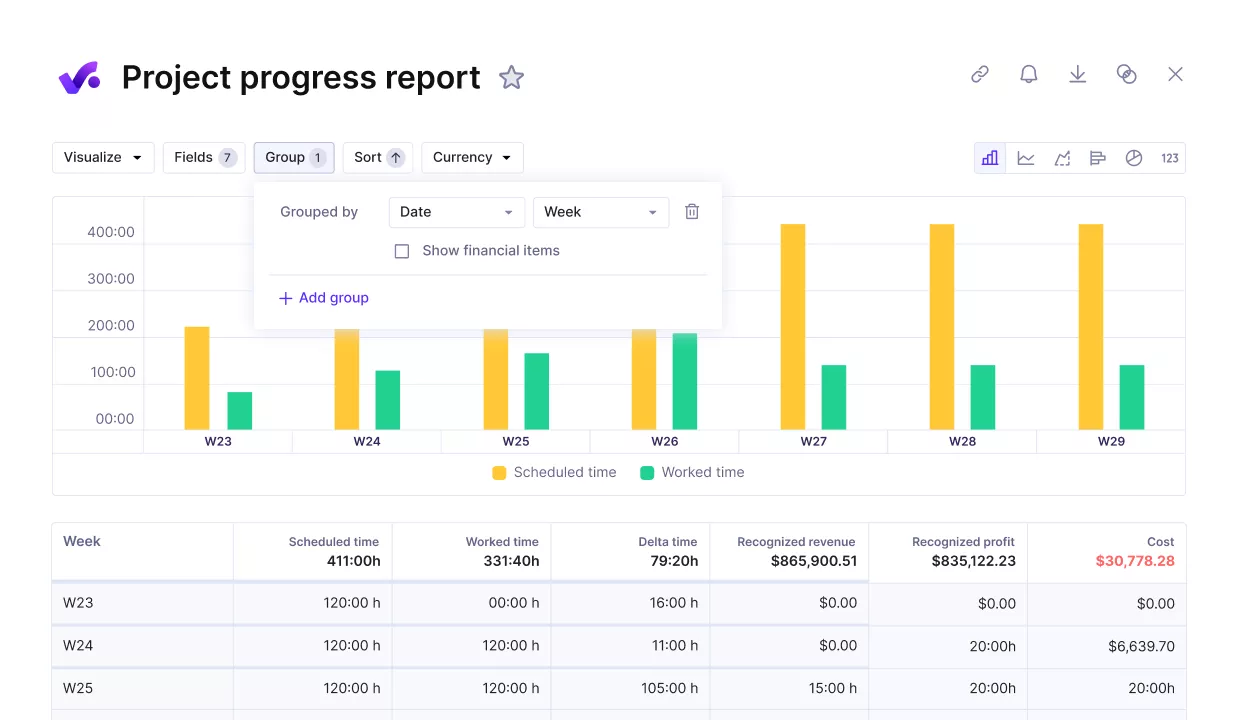
Its QuickBooks integration sends invoices and expenses into QuickBooks, then returns their payment status to Productive. This gives delivery teams a current view of what clients have paid and which project expenses finance has settled.
Productive can support A&E firms, but its model does not begin with detailed phase hierarchies, separate subconsultant commitments, or specialized A&E invoices. It fits firms managing many shorter engagements better than practices whose contracts depend on phased fees and complex consultant billing.
Key features
- Project and task management
- Resource scheduling and capacity planning
- Time tracking and utilization reporting
- Project budgets and profitability tracking
- Invoice and expense transfer to QuickBooks
- Payment-status updates from QuickBooks
Pros
- Brings project delivery, resourcing, budgeting, and billing into one platform
- Gives delivery teams visibility into payments recorded by finance
- Works well for firms managing many smaller engagements
- Offers published pricing and a low-friction trial
- Keeps QuickBooks as the accounting system
Cons
- Does not begin with an A&E-specific phase and fee structure
- Firms may need workarounds for subconsultant commitments and specialized invoicing
- The QuickBooks integration focuses on financial records rather than A&E project structure
- Its agency orientation may not suit contract-heavy firms
Pricing
Productive publishes per-user plans and offers a 14-day free trial. The Ultimate plan is currently listed at $33 per user per month when billed annually.
5. Deltek Vantagepoint
Best for: A&E firms that have outgrown QuickBooks and need project operations and company financials inside one ERP.
Deltek Vantagepoint is an ERP built for architecture, engineering, and consulting firms. It combines project management, resource planning, CRM, billing, and company financials, including accounts receivable and accounts payable.
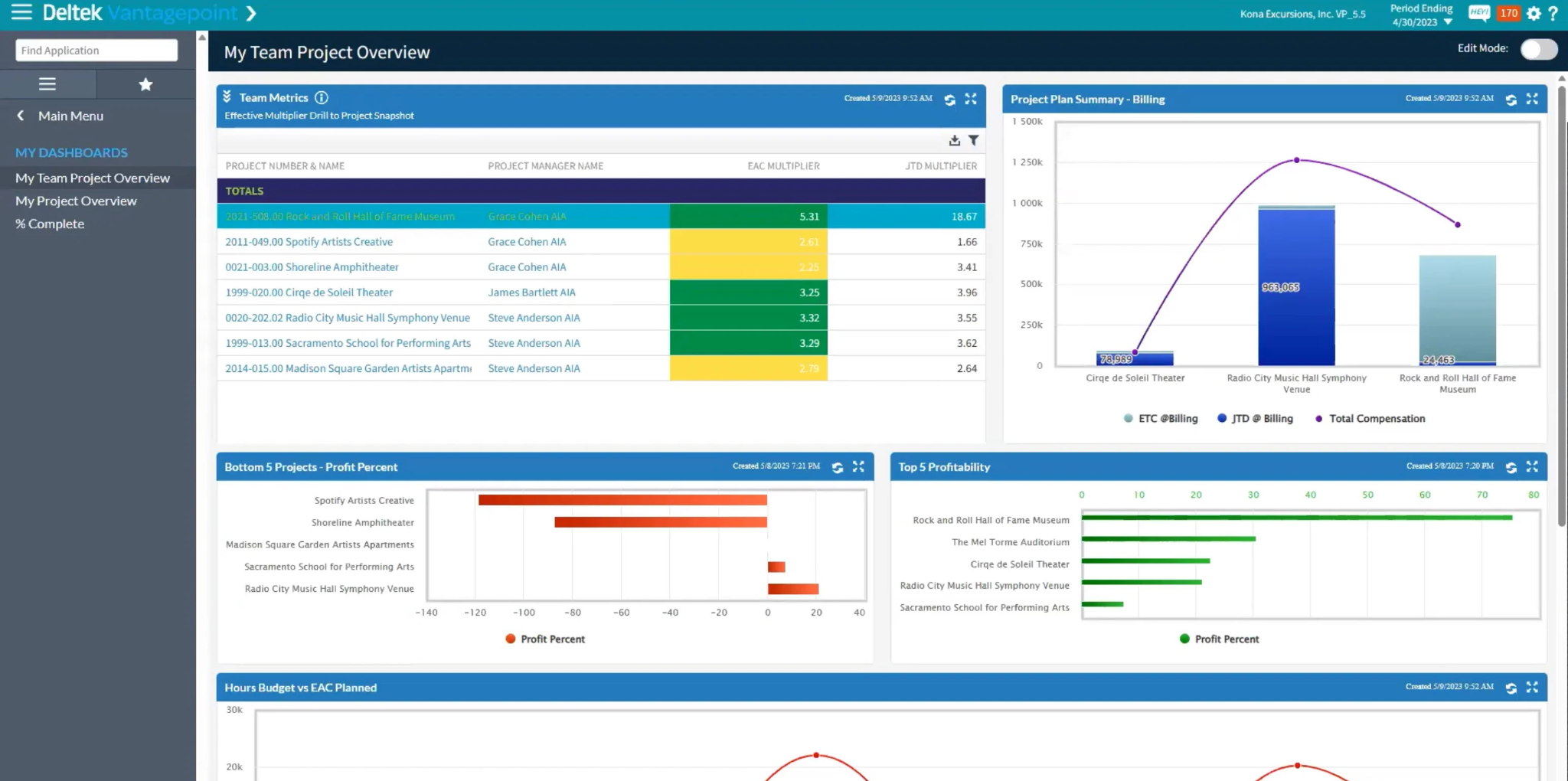
Vantagepoint keeps project operations and accounting in the same system. When finance records a consultant bill, client payment, or project cost, PMs and financial reports use that same record. The firm no longer has to wait for information to pass between a project platform and QuickBooks.
Adopting Vantagepoint also means migrating the ledger, historical records, reports, permissions, and approval workflows. Finance, PMs, and technical staff all need training before the firm can complete its first billing cycle in the new ERP.
Key features
- Built-in project accounting and financial management
- Accounts receivable and accounts payable
- Project planning, budgeting, and forecasting
- Billing and revenue management
- CRM and pipeline management
- Resource planning and time tracking
- Multi-office reporting and workflow controls
Pros
- Updates project and accounting records together without a QuickBooks sync
- Gives larger firms deeper accounting and financial controls
- Connects project, pipeline, resource, and company information
- Supports more complex reporting and approval requirements
- Built specifically for architecture, engineering, and consulting firms
Cons
- Requires the firm to move accounting out of QuickBooks
- Requires the firm to migrate its ledger, financial reports, approval workflows, and historical accounting data
- Carries more administrative weight than many small firms require
- Pricing is not publicly available
- Requires the firm to replace QuickBooks, not just its project-management software
Pricing
Deltek does not publish standard Vantagepoint pricing. You’ll need to request a quote based on the number of users, modules, implementation, and support requirements.
6. Unanet ERP AE
Best for: Mid-sized and larger A&E firms that want project management and accounting inside the same ERP.
Unanet ERP AE is firm-management and accounting software built for architecture and engineering firms. It combines project management, resources, accounts receivable, accounts payable, the general ledger, and firm reporting.
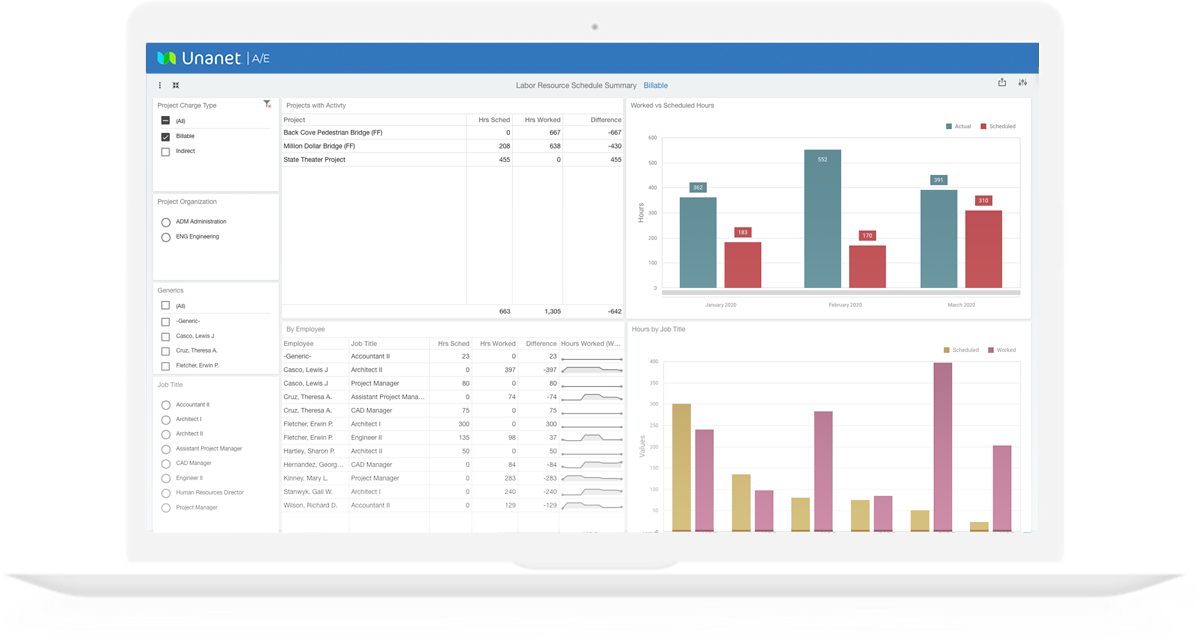
Because the project and accounting records live in one ERP, a consultant bill or client payment immediately becomes part of the project’s financial picture.
This suits growing firms that need tighter control across a larger portfolio and have already decided to move beyond QuickBooks.
Implementing Unanet means migrating the ledger, reports, permissions, approval workflows, and active projects. Compare it with Deltek when replacing QuickBooks is already part of the decision.
Key features
- A&E project and financial management
- Accounts receivable, accounts payable, and general ledger
- Project budgeting and profitability reporting
- Resource and utilization management
- Time and expense management
- Firm-wide dashboards and reporting
- Spend and approval management
Pros
- Updates project costs, invoices, and payments without running a separate accounting sync
- Links revenue, costs, and profitability directly to each project
- Supports larger project volumes and more complex financial requirements
- Provides A&E-specific project and firm reporting
- Gives finance and PMs one underlying financial dataset
Cons
- Replaces QuickBooks rather than integrating with it
- Requires accounting migration and broader implementation work
- Carries more processes and administration than many small firms need
- Pricing is quote-based
- Firms must test usability across both project and finance teams
Pricing
Unanet uses quote-based pricing. Ask for a complete implementation estimate rather than comparing subscription fees alone.
Choose the BQE Core alternative that fits how your firm bills
If QuickBooks still works for accounting, the firm does not need to replace its ledger to improve project control.
It needs an A&E platform that gives PMs a current view of phases, fees, hours, and subconsultant costs and moves approved billing activity into QuickBooks without recreating it there.
That is where Factor fits. Project teams manage delivery and billing in Factor, while finance continues to work in QuickBooks.
Finalized invoices move into the accounting system, while payments and vendor costs return to the project view. Each team maintains the system built for its work without losing sight of the project's finances.
Start a free trial or book a demo with Factor AE and build the phases, add a subconsultant, and follow the invoice into QuickBooks to see what it feels like when your projects and your financials finally stay in sync.

Recommended articles
.png)
See Factor in action
In one quick call, we’ll show you a simpler way to run projects and get paid faster.
.png)
“I recommend Factor to other firms. The team is great, it’s easy to use, and it has streamlined my project management. It can do the same for yours.”
Adam Mayberry
Architect / Managing Principal


