
Best Project Management and Accounting Software for Engineering Firms
Comparing 7 project management and accounting software options for engineering firms by firm size, current setup, and QuickBooks compatibility. Find the right fit based on where you are now.


If you're looking for project management and accounting software for your engineering firm, you've probably already tried to make QuickBooks and spreadsheets work.
They worked for a while, until projects became more complex and more time went into reconciling numbers than running them.
The problem usually isn't basic bookkeeping, but everything between your projects and your ledger: tracking hours by phase, managing subconsultant costs, and knowing whether a project is actually profitable before the invoice goes out.
When that information lives across spreadsheets, emails, and manual handoffs, issues surface after the fact, including missed billable hours, delayed invoices, and eroding margins.
At this point, you usually end up comparing tools that make one of two assumptions: either QuickBooks stays as your system of record, or you replace it entirely. That distinction matters because the wrong assumption leads to overpaying, retraining staff, or rebuilding the same workarounds in a new system.
We compared eight project management and accounting tools based on three criteria: whether they integrate with QuickBooks, whether they support phase-level project accounting, and how quickly your team can be up and running.
For most engineering firms, the right answer isn't a bigger accounting system. It's a project management layer that connects to the accounting system you already use and keeps both sides aligned without manual work.
Here's how eight tools stack up against that filter.
Project Management and Accounting Software for Engineering Firms (At a Glance)
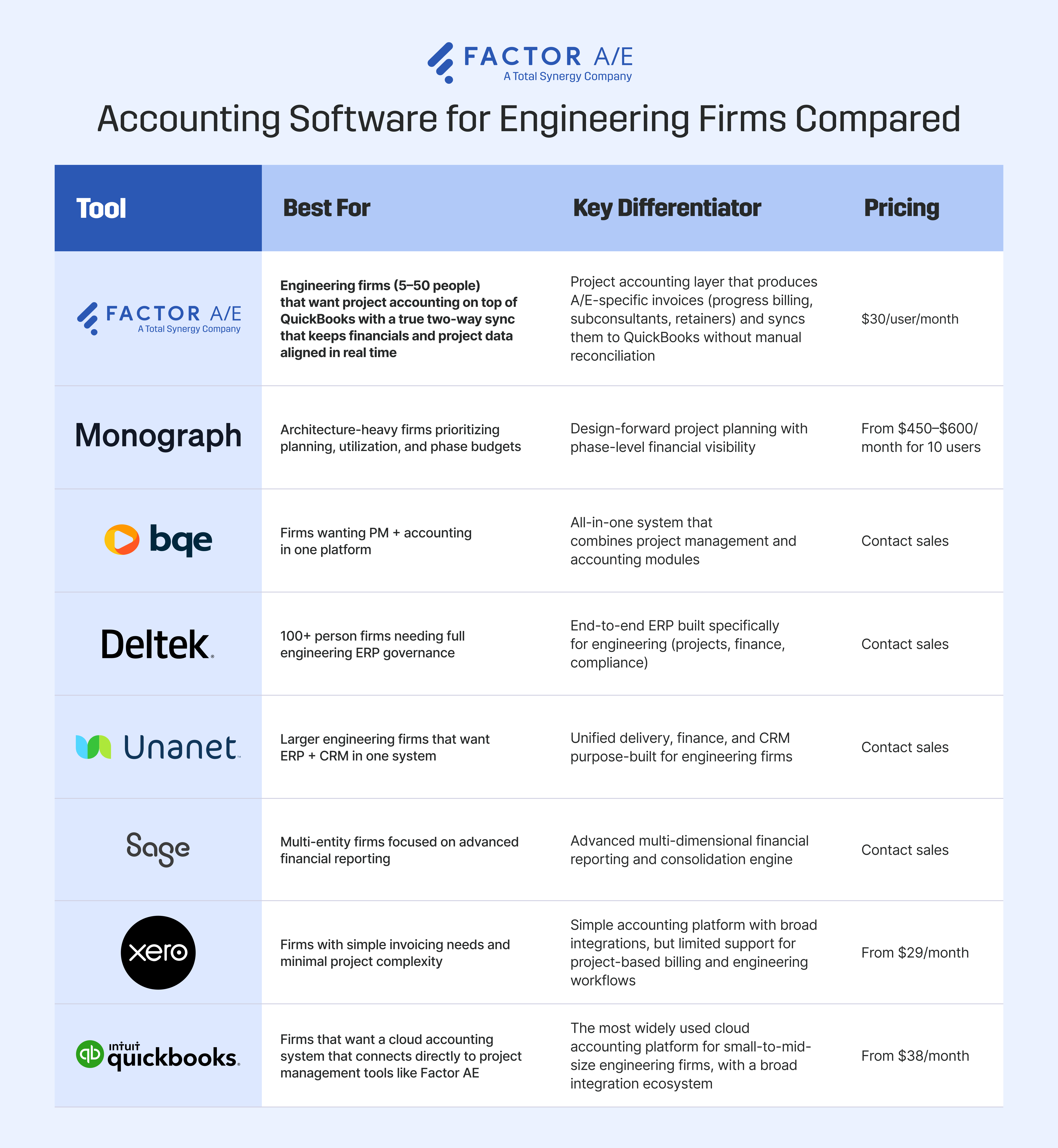
What's the Best Project Management and Accounting Software for Engineering Firms Today? Here are Your Options
Some tools bring project management and accounting into one system. Others keep their accounting on a dedicated platform and connect project data to it via an integration. That difference shows up in how invoices are built, how costs are tracked, and whether numbers need to be checked before they can be trusted.
The tools below reflect those different approaches.
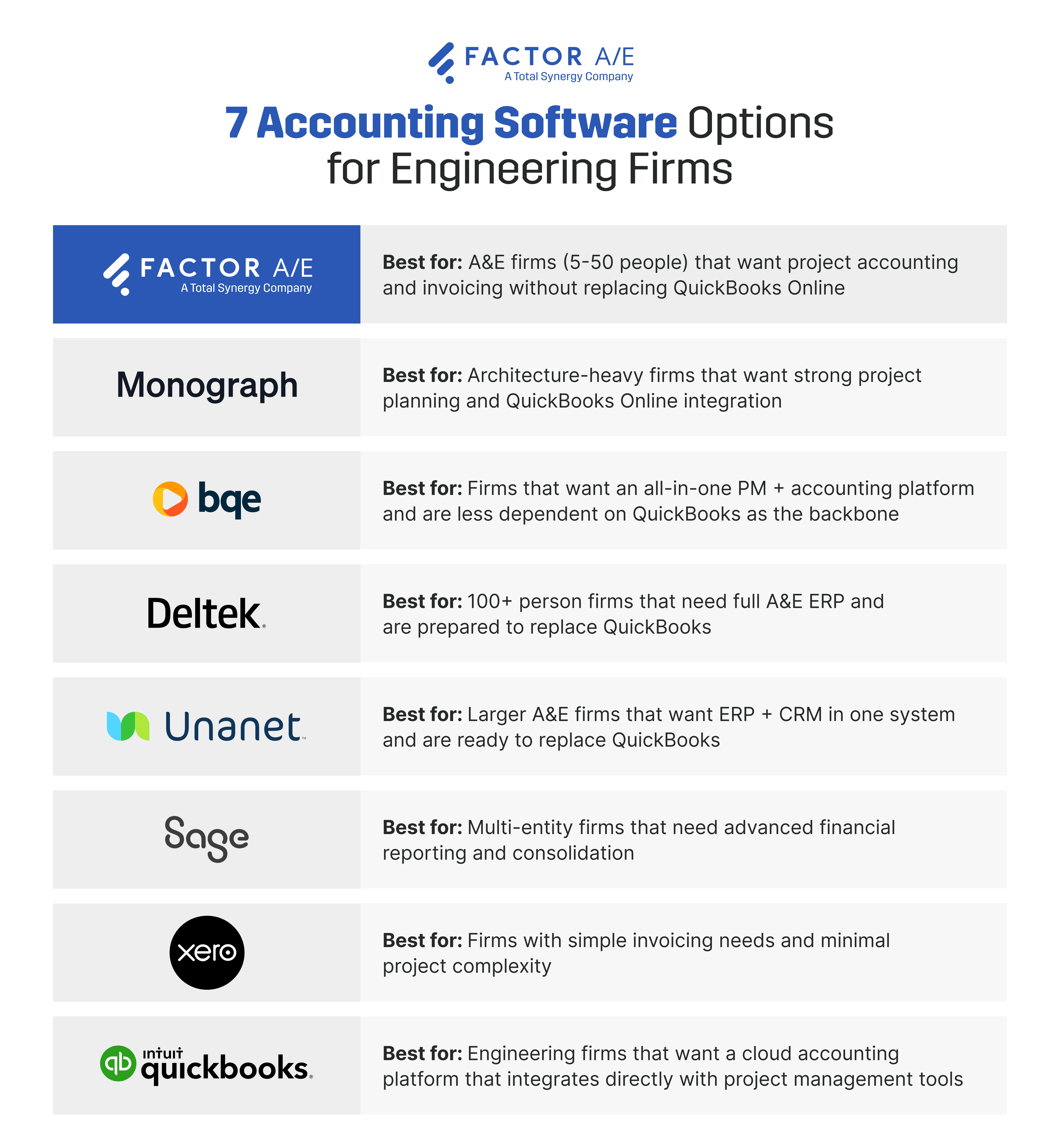
1. Factor A/E
Best for: Engineering firms (5–50) that want a project accounting layer with real-time, two-way QuickBooks integration that keeps financials and project data aligned
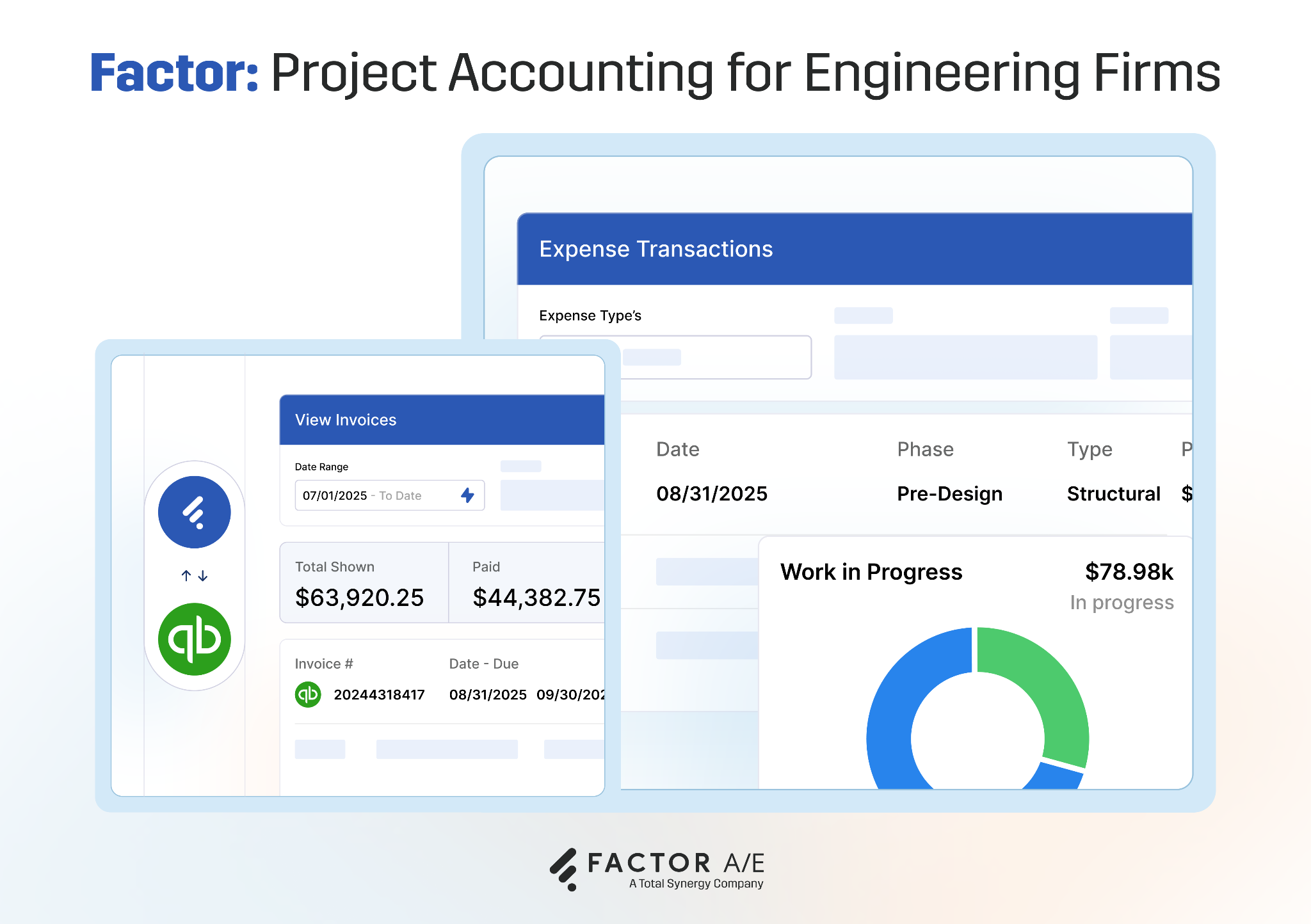
Factor AE is a project management platform that connects directly to QuickBooks. It handles project tracking, phase-based billing, and subconsultant costs on the project side and syncs that data to QuickBooks as the accounting system of record.
This eliminates the reconciliation step that breaks most engineering workflows, while keeping time tracking within the project system rather than pushing time entries into QuickBooks.
Instead of rebuilding project data across spreadsheets and disconnected tools, everything feeds directly into your ledger without manual steps.
Project managers track time and costs against phases in Factor. Invoices are built from that project data and appear instantly in QuickBooks as receivables. Payments recorded in QuickBooks automatically update project financials.
That means no rebuilding numbers before sending invoices, and no checking whether project data matches what's in QuickBooks.
Firms like Kaas Wilson (120 employees) eliminated hours of manual reconciliation after moving away from tools where QuickBooks sync broke under real-world usage. Similarly, Fusion Design reduced billing cycles from 15–20 days to four hours after switching from Deltek Ajera.
Key features
- Two-way QuickBooks sync for invoices and payments: Finalize an invoice in Factor, and it appears in QuickBooks instantly; record a payment in QuickBooks, and it updates project financials without reconciliation
- Phase-based budgeting with nested project structure: Track fees, hours, and costs at the phase or task level instead of rolling everything into a single project total
- Subconsultant cost tracking tied to projects: See committed vs actual subconsultant costs alongside internal hours before invoicing
- Project profitability dashboards: View budget, burn, and margin in real time without rebuilding reports manually
- Invoice creation from project data: Generate invoices directly from tracked time and costs instead of assembling them in spreadsheets
Pros
- Keeps QuickBooks as the accounting system of record, so there's no need to retrain your bookkeeper or migrate financial data
- Removes manual reconciliation between project data and accounting, so your numbers stay aligned without cross-checking
- Handles phase-based billing, subconsultants, and project tracking without requiring workarounds
- Delivers fast time to value, with teams moving from spreadsheets or broken integrations to live invoicing in weeks, not months
Cons
- Requires QuickBooks Online for general ledger, payroll, and compliance
- Restrictive for firms operating across multiple currencies
- Built for engineering workflows only, not construction-specific operations
Pricing
Plans start at $30/user/month
2. Deltek VantagePoint
Best for: Large engineering firms requiring a full ERP system across project management and accounting operations
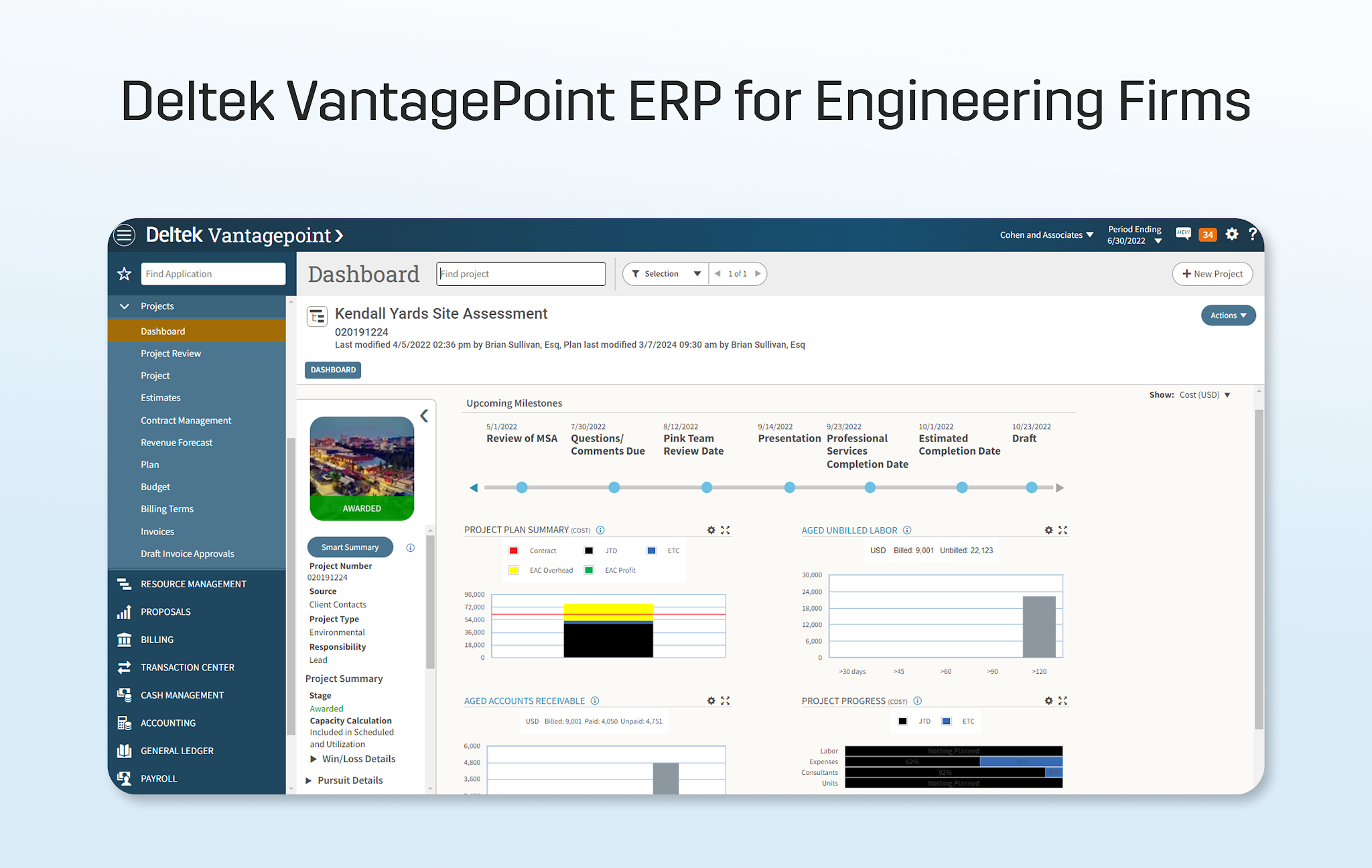
Deltek VantagePoint is a full enterprise resource planning system built for engineering firms that want to manage projects, financials, and operations within a single platform.
It includes general ledger, accounts payable and receivable, payroll, project accounting, and reporting in one system. Rather than connecting project data to a separate accounting platform, both project management and financial workflows are handled inside the same environment.
This setup removes the need for external integrations between project tracking and accounting, but requires all financial workflows to be handled within the system.
Implementation typically involves data migration, system configuration, and cross-team training, as existing accounting workflows are replaced rather than extended.
Key features
- Full accounting suite (GL, AP, AR, payroll) in one system, with no need for external software
- Project-based financial tracking for revenue, costs, and budgets
- Multi-entity support with consolidated financials across business units
- Custom reporting and dashboards using configurable data
- Time and expense tracking recorded directly within the system
Pros
- Single system for project management and accounting, so you don't need a separate accounting platform
- Handles multi-entity setups and consolidated reporting
- Configurable reporting across projects and financials
Cons
- Requires full migration away from current financial systems
- Setup involves configuration, data migration, and training, leading to longer implementation timelines and steeper learning curves
- Higher cost compared to standalone project management or accounting tools
- Requires internal process alignment to operate effectively within the system
- Support and customization often come from outside consultants at an additional cost
Pricing
Contact sales for a custom quote.
3. BQE Core
Best for: Engineering firms that want project management and accounting handled within one system
BQE Core combines project management and accounting into a single platform.
Project data, time tracking, invoicing, and financial records are managed within a single system rather than linked to an external accounting tool. Firms can run billing, expense tracking, and financial reporting without relying on a separate accounting platform.
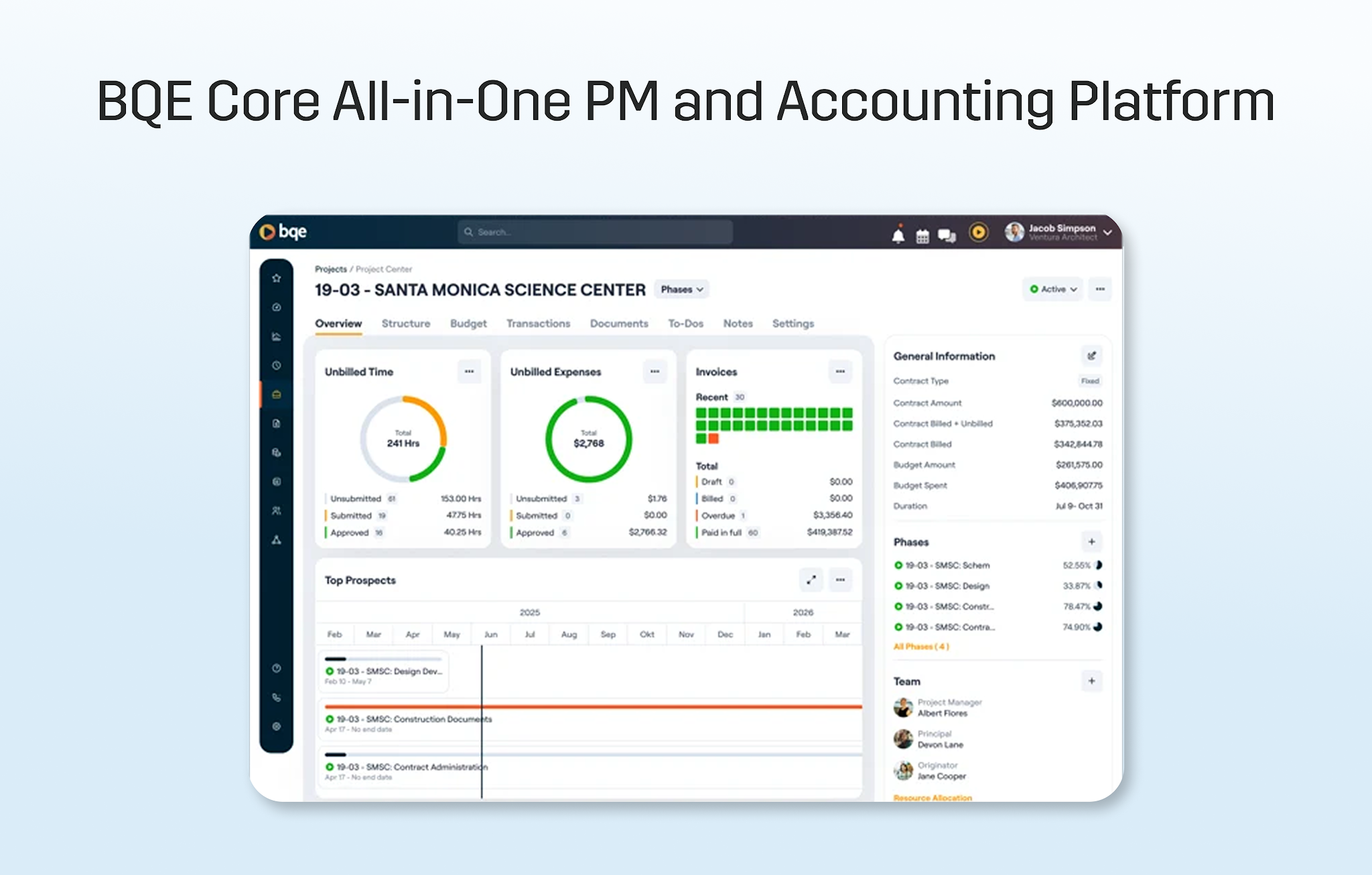
QuickBooks integration is available, but financial workflows can also be handled entirely within BQE, depending on configuration.
This structure removes the need to maintain multiple systems, but requires project and accounting workflows to be managed within the same environment.
Key features
- Project management and accounting in one platform, with time tracking, billing, and reporting handled together
- Time and expense tracking tied to projects, with hours and costs recorded against budgets
- Invoicing and billing are generated directly from tracked time and expenses
- Built-in accounting modules (GL, AP, AR), depending on setup
- Dashboards and reporting with configurable project and financial data
Pros
- Single system for project management and accounting, which reduces reliance on multiple tools
- Flexible configuration across billing and financial workflows
- Can operate without an external accounting platform
Cons
- Reporting structure depends heavily on setup, so it requires configuration to align project and financial data
- QuickBooks integration may require reconciliation, depending on usage
- Time to full adoption can vary based on system configuration
- Managing both project management and accounting workflows within one system increases setup complexity
Pricing
Contact sales for a custom quote.
4. Monograph
Best for: Architecture-focused firms managing project planning alongside QuickBooks
Monograph is a project planning and financial tracking platform designed primarily for architecture firms.
It structures projects around phases, staffing plans, and timelines, with project management handled within the platform and accounting handled separately in QuickBooks Online.
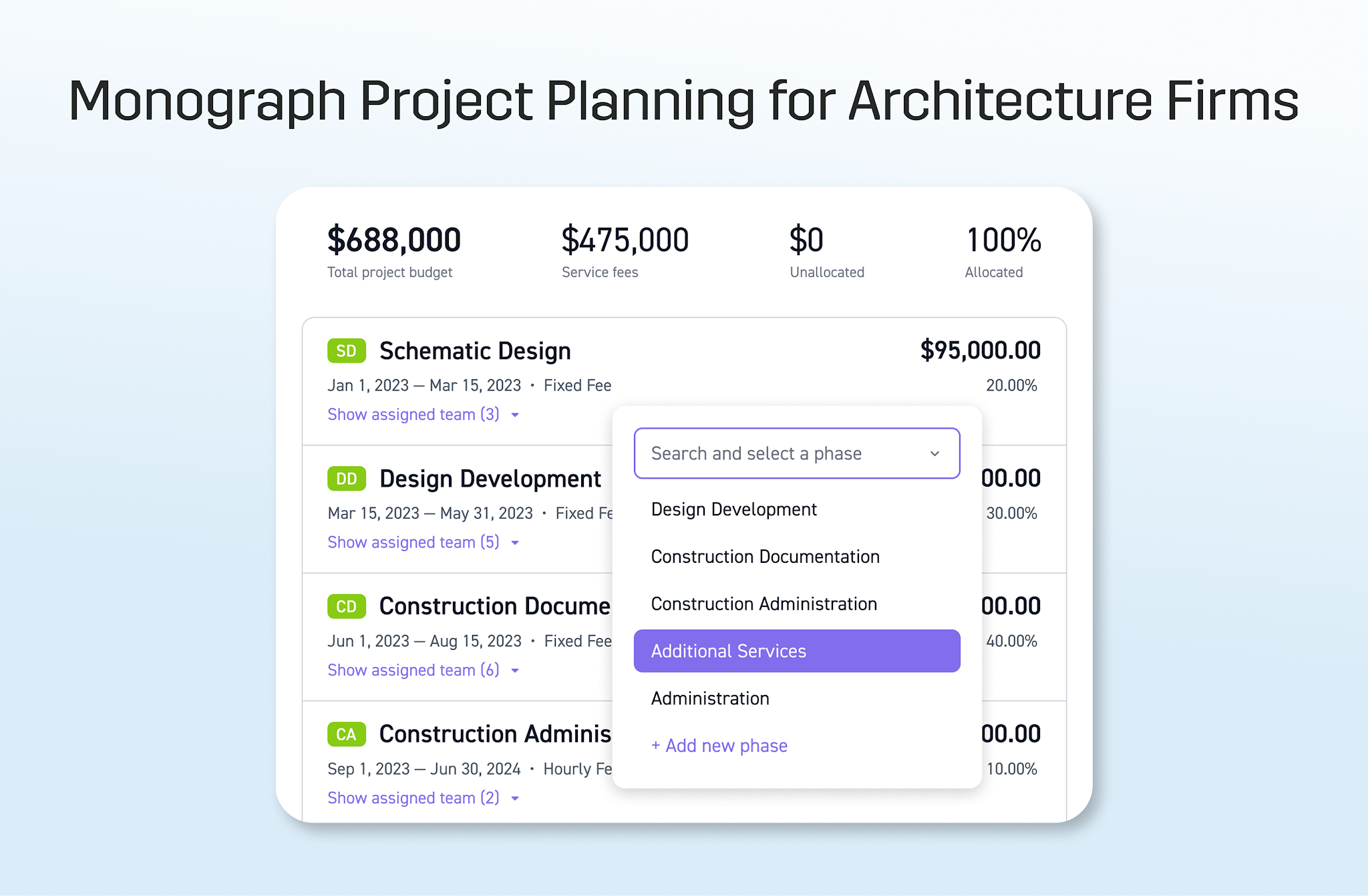
Invoices created in Monograph sync to QuickBooks, while project tracking, planning, and financial views remain within the system.
This setup separates project planning from accounting, requiring coordination between systems to keep project data and financial records aligned.
Key features
- Phase-based project budgeting: Project fees and budgets organized around predefined phases
- Time tracking tied to project plans: Employee hours recorded against phases and staffing allocations
- Resource planning and utilization tracking: Team allocation and workload are managed within the platform
- Invoice sync with QuickBooks: Invoices created in Monograph sync to QuickBooks as accounting records
- Project-level financial tracking: Budget and burn are tracked within project views
Pros
- Interface structured around project phases and staffing
- Maintains QuickBooks as the accounting system
- Focuses on project planning within a defined workflow
Cons
- Accounting workflows are handled outside the platform, so financial records remain dependent on QuickBooks
- Invoice synchronization is one-directional and requires manual checks to keep systems aligned
- Limited flexibility/customization across invoicing and reporting structures
- Subconsultant and engineering-specific workflows are not fully supported
Pricing
From $450–$600/month for 10 users
5. Unanet
Best for: Larger engineering firms managing project delivery, financials, and business development within one system
Unanet is an ERP platform designed for engineering firms that want to manage project delivery, accounting, and CRM within a single system.
Project management, financial records, and business development activities are handled within the platform rather than being split across separate tools.
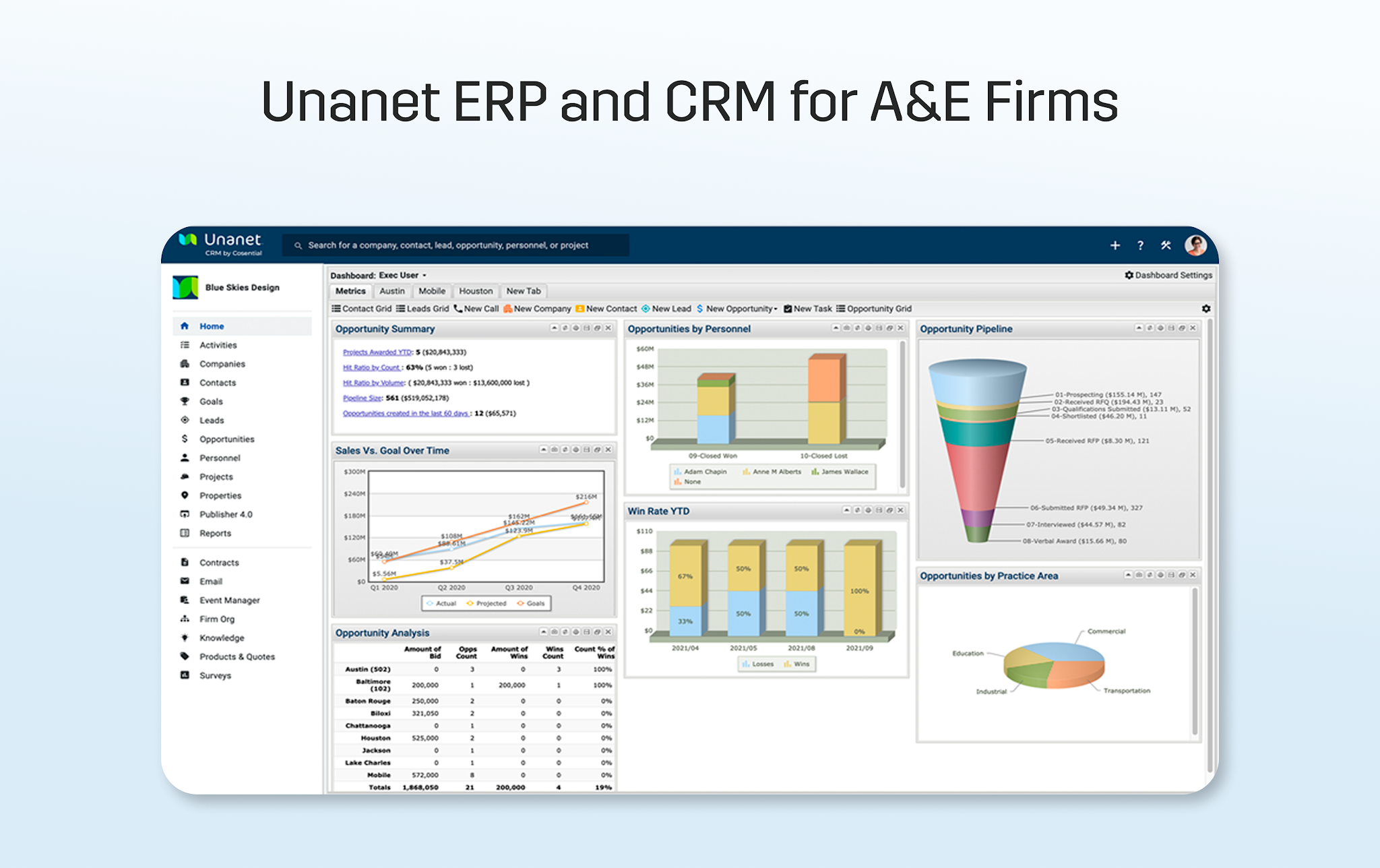
General ledger, accounts payable and receivable, and reporting are included, along with CRM functionality to manage the pipeline and client relationships.
This setup consolidates multiple business functions into a single environment, with financial and project data managed within the same system rather than connected through integrations.
Implementation typically involves migrating existing data and aligning internal workflows to operate within the platform.
Key features
- Integrated CRM and project management: Pipeline, client data, and project delivery tracked within one system
- Full accounting suite (GL, AP, AR): Financial records and reporting managed within the platform
- Project financial tracking: Budgets, costs, and revenue recorded at the project level
- Resource planning and forecasting: Staffing and project allocation are managed within the system
- Multi-entity support: Financial data across multiple entities is handled within one environment
Pros
- Consolidates CRM, project management, and accounting within one system
- Supports firms operating across multiple business functions
- Maintains financial and project data within a single environment
Cons
- Replaces existing accounting systems: Requires migration away from current financial workflows
- Implementation involves configuration and process alignment
- The scope of the system increases onboarding complexity, a steep learning curve and slow adoption by the rest of the firm
- CRM and accounting combined in one platform may require workflow adjustments
Pricing
A custom quote is available on request.
6. Sage Intacct
Best for: Multi-entity firms focused on advanced financial reporting and accounting management
Sage Intacct is a cloud-based accounting platform focused on financial management and reporting.
It provides general ledger, accounts payable and receivable, and multi-entity consolidation within a single system. Financial data is structured using dimensions, allowing transactions to be categorized by project, department, or location.
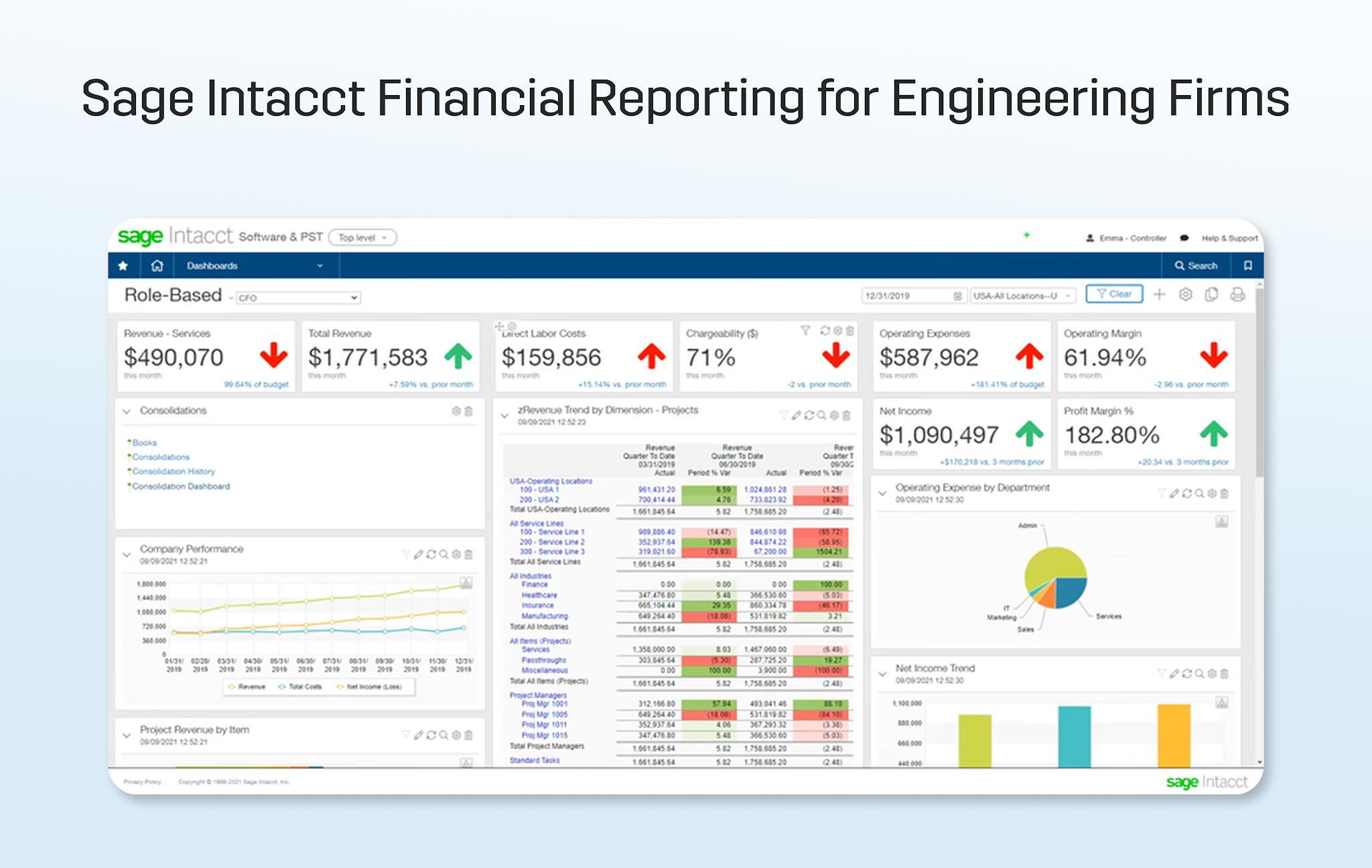
Project management is not native to the platform. Firms typically manage project workflows in a separate system and use Sage Intacct for financial records and reporting.
This setup positions Sage Intacct as the accounting system of record, with project management handled externally and connected through integrations.
Key features
- Multi-dimensional general ledger: Financial data categorized across projects, departments, or entities for reporting
- Accounts payable and receivable: Billing, payments, and vendor management handled within the platform
- Multi-entity consolidation: Financial data across multiple entities managed in a single system
- Financial dashboards and reporting: Configurable reports for tracking financial performance
- Integration ecosystem: Connects with external systems for project management and operations
Pros
- Handles multi-entity financial structures
- Provides structured financial reporting across dimensions
- Maintains accounting workflows within a dedicated system
Cons
- Does not include project management or A&E project accounting workflows
- Requires a separate system for tracking project-level data
- Integration with external tools introduces additional coordination
- Primarily focused on financial management rather than project operations
Pricing
Contact sales to get a custom quote.
7. Xero
Best for: Firms with basic accounting needs and limited project complexity
Xero is a cloud-based accounting platform used to manage financial records, invoicing, and bank reconciliations.
It provides general ledger, accounts payable and receivable, and financial reporting within a single system. Transactions are recorded directly in the platform, with bank feeds and reconciliation handled through automated matching.
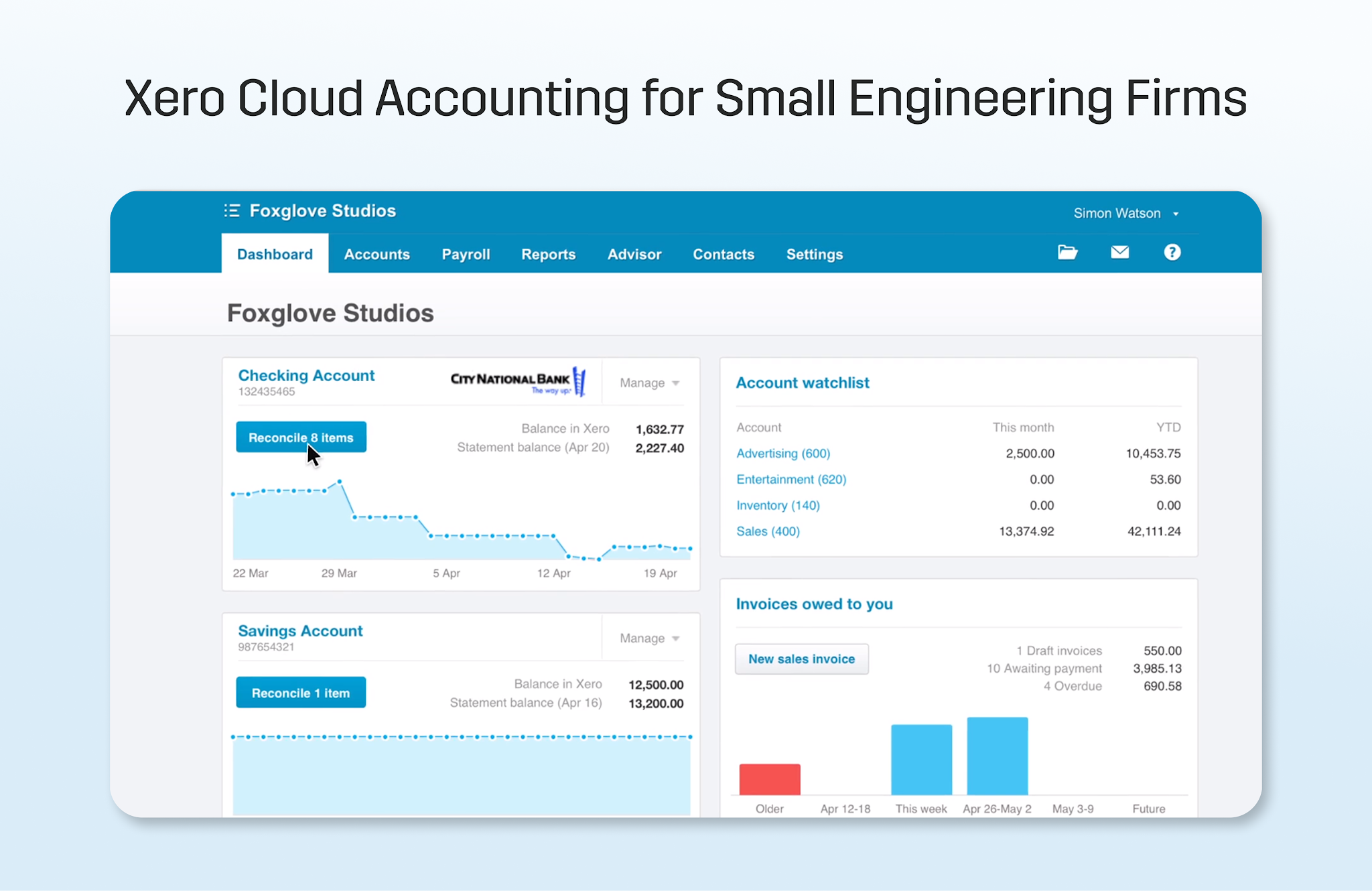
Project management is limited. While basic project features are available, detailed phase-based budgeting, subconsultant tracking, and project-specific financial workflows typically require external tools integrated with them.
This setup keeps accounting contained within a single platform, with project management handled separately as needed.
Key features
- General ledger and financial reporting: Financial records, transactions, and reports managed within the platform
- Accounts payable and receivable: Invoicing, billing, and payments handled within the system
- Bank feeds and reconciliation: Transactions imported and matched automatically
- Basic project tracking: Limited tracking of project-related costs and time
- Integration ecosystem: Connects with external tools for additional functionality
Pros
- Simple interface for managing accounting tasks
- Handles core financial workflows within one system
- Broad integration ecosystem
Cons
- Limited support for phase-based project management and accounting
- No built-in subconsultant tracking
- Project-level financial visibility requires external tools
- Basic project features do not support complex workflows
Pricing
Plans start from $29/month
8. QuickBooks Online
Best for: Engineering firms that want a cloud accounting platform that integrates directly with project management tools.
QuickBooks Online is the most widely used cloud-based accounting platform for small- to mid-sized engineering firms. It handles general ledger, accounts payable and receivable, bank reconciliation, and financial reporting within a single system.
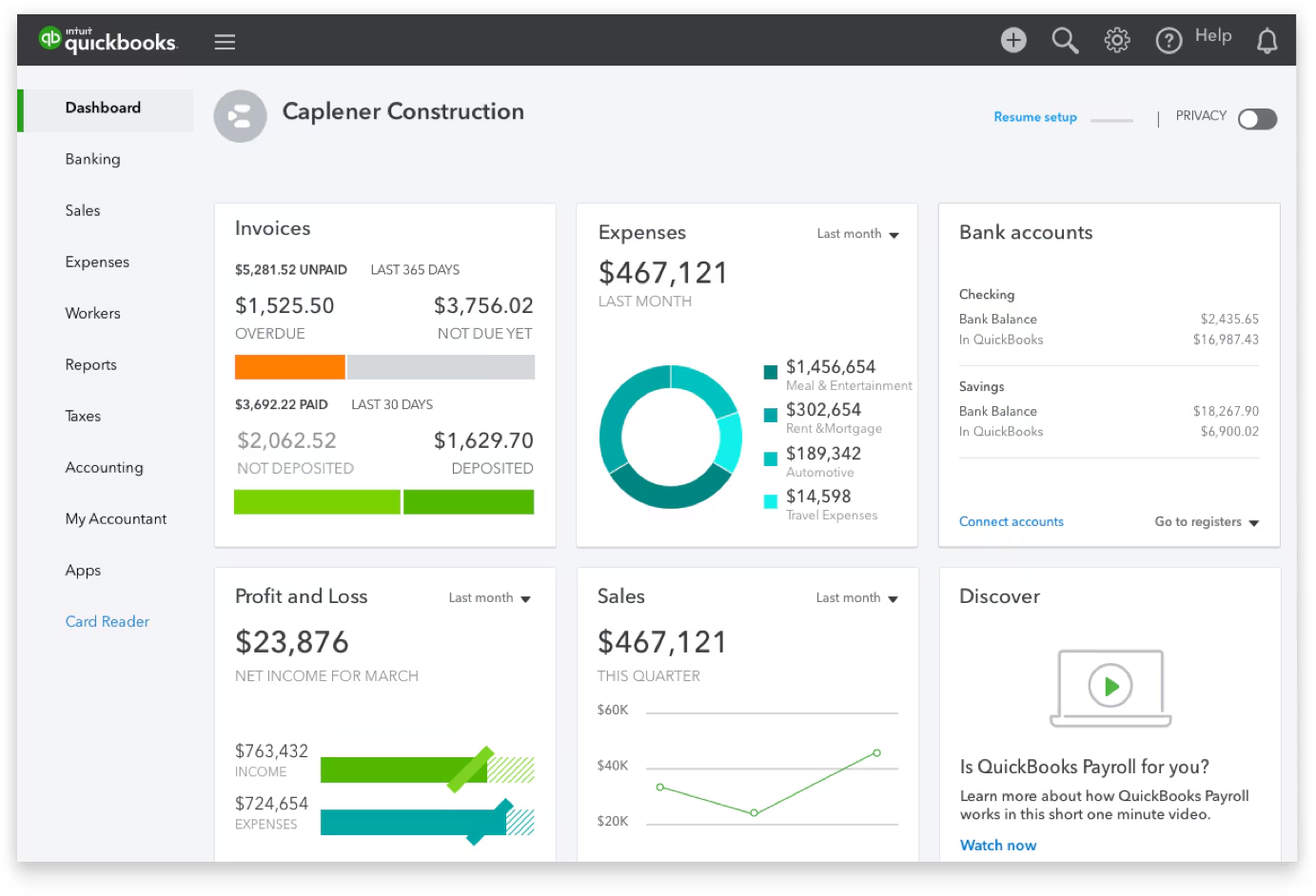
It is not a project management tool. Time tracking, phase-based budgeting, subconsultant costs, and visibility into project profitability require a connected project management platform, which is why many engineering firms pair QuickBooks Online with a purpose-built layer like Factor AE.
QuickBooks Online is often the accounting system of record for the tools on this list, which either integrate with it or replace it. That makes it a natural reference point when evaluating how any project management or accounting platform fits into your existing workflow.
Key features
- General ledger and financial reporting: Financial records, transactions, and reports managed within the platform
- Accounts payable and receivable: Invoicing, billing, and payments handled within the system
- Payroll processing: Available as a paid add-on, covering employee payroll, contractor payments, and state tax filing
- Bank feeds and reconciliation: Transactions imported and matched automatically
- Integration ecosystem: Connects with a broad range of project management, time tracking, and operations tools
Pros
- Most widely adopted cloud accounting platform among small-to-mid-size engineering firms, so bookkeepers and accountants are already familiar with it
- Broad integration ecosystem, including direct two-way sync with project management tools like Factor AE
- Handles core accounting workflows: GL, AP, AR, and reconciliation within one system
- Low barrier to entry with straightforward onboarding
Cons
- No native project management or phase-based tracking capability
- Project profitability, subconsultant costs, and budget burn require a connected project management tool
- Not purpose-built for engineering workflows, those gaps require external tools to close
- Payroll is not included in base plans and costs extra
Pricing
Plans start from $38/month
Which Accounting Software Is Right for Your Engineering Firm?
At this stage, the decision is about whether your project management and accounting setup reflects what's happening on your projects without manual work.
Some tools keep project data and accounting separate, which means invoices, costs, and payments must be reconciled before they can be trusted.
Others bring project management and accounting into a single system, so projects and financials are managed together with more structure but more overhead.
A project accounting layer keeps your existing accounting platform in place and connects project data directly to it, so invoices, payments, and costs stay aligned without reconciliation, and project profitability is visible before billing.
Factor AE is built specifically for this model. It manages project data separately from QuickBooks and syncs it in real time, so project management and accounting stay aligned without migration, retraining, or manual reconciliation.
See how Factor AE connects your projects to QuickBooks.

Recommended articles


See Factor in action
In one quick call, we’ll show you a simpler way to run projects and get paid faster.
.png)
“I recommend Factor to other firms. The team is great, it’s easy to use, and it has streamlined my project management. It can do the same for yours.”
Adam Mayberry
Architect / Managing Principal


