


Job costing software typically focuses on construction accounting or general business finance, not on how architecture and engineering (A&E) firms actually deliver projects.
In A&E firms, profitability is not determined at project close. It is shaped in real time through labor utilization, phase-based budgets, subconsultant coordination, and fee burn across active work.
When firms try to manage that complexity through tools built for other industries, the gaps widen quickly. PMs work around the system, finance works off delayed data, and leadership makes decisions too late to protect margins.
This guide breaks down how job costing works in A&E, why traditional tools fall short, and the features to look for instead. We’ll also compare the key features, pros, cons, and pricing of the five most popular job costing software solutions so you can find an A&E-specific solution that matches your workflows.

What is Job Costing in A&E?
Job costing in A&E is the process of tracking project costs against the budget in real time to understand profitability as work happens.
In A&E, labor is the primary cost driver. Profitability is determined almost entirely by how efficiently staff time is allocated and billed across each project phase. So, job costing is a system for actively managing project profitability.
When job costing aligns with A&E project management, project managers know exactly how much fee has been consumed and how much remains at any point in delivery, not just at month-end. When it’s not, margin issues surface too late to act on.
Why Generic Job Costing Tools Can’t Meet A&E’s Unique Demands
Popular job costing tools were not built for A&E workflows. They focus on tracking transactions and cost reports rather than managing project performance. So, project managers and leaders have to use workarounds or heavy customizations to fit them into A&E systems.
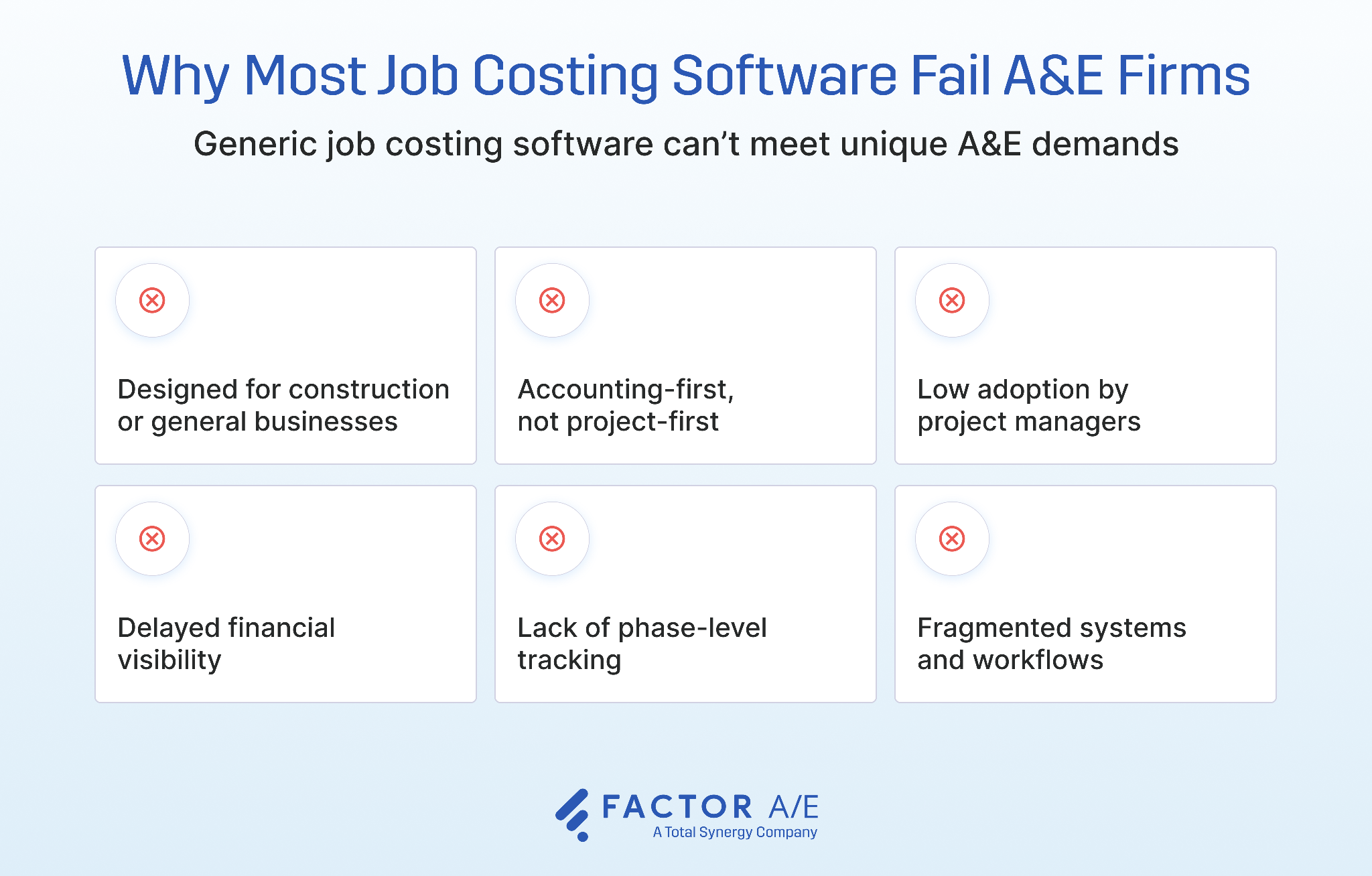
- Designed for construction or general businesses: Job costing tools are typically built for construction environments or general accounting use cases. So, they track materials and cost codes, but can’t fit into the labor-driven, phase-based nature of A&E projects.
- Accounting-first, not project-first: These systems prioritize financial reporting and compliance, making them more useful for finance teams.
- Low adoption by project managers: When software requires accounting knowledge to navigate finance-heavy workflows, PMs stop using it and rely on spreadsheets instead.
- Delayed financial visibility: General job costing software primarily offers cash flow insights tied to invoicing cycles or month-end close, meaning issues are identified only after profit margins are already impacted.
- Lack of phase-level tracking: Generic platforms track costs at the project level, giving firms no visibility into how individual design phases are performing.
- Fragmented systems and workflows: Software that is incompatible with A&E workflows leads firms to manage job costs through disconnected tools. This creates data silos, reconciliation gaps, and duplicate data entry.
Ultimately, firms lack updated, reliable data, making it harder to control margins and hindering project decisions.
What Firms Really Need From Architecture Job Costing Software
The right job costing software for engineers and architects should go beyond financial tracking and support day-to-day operations.
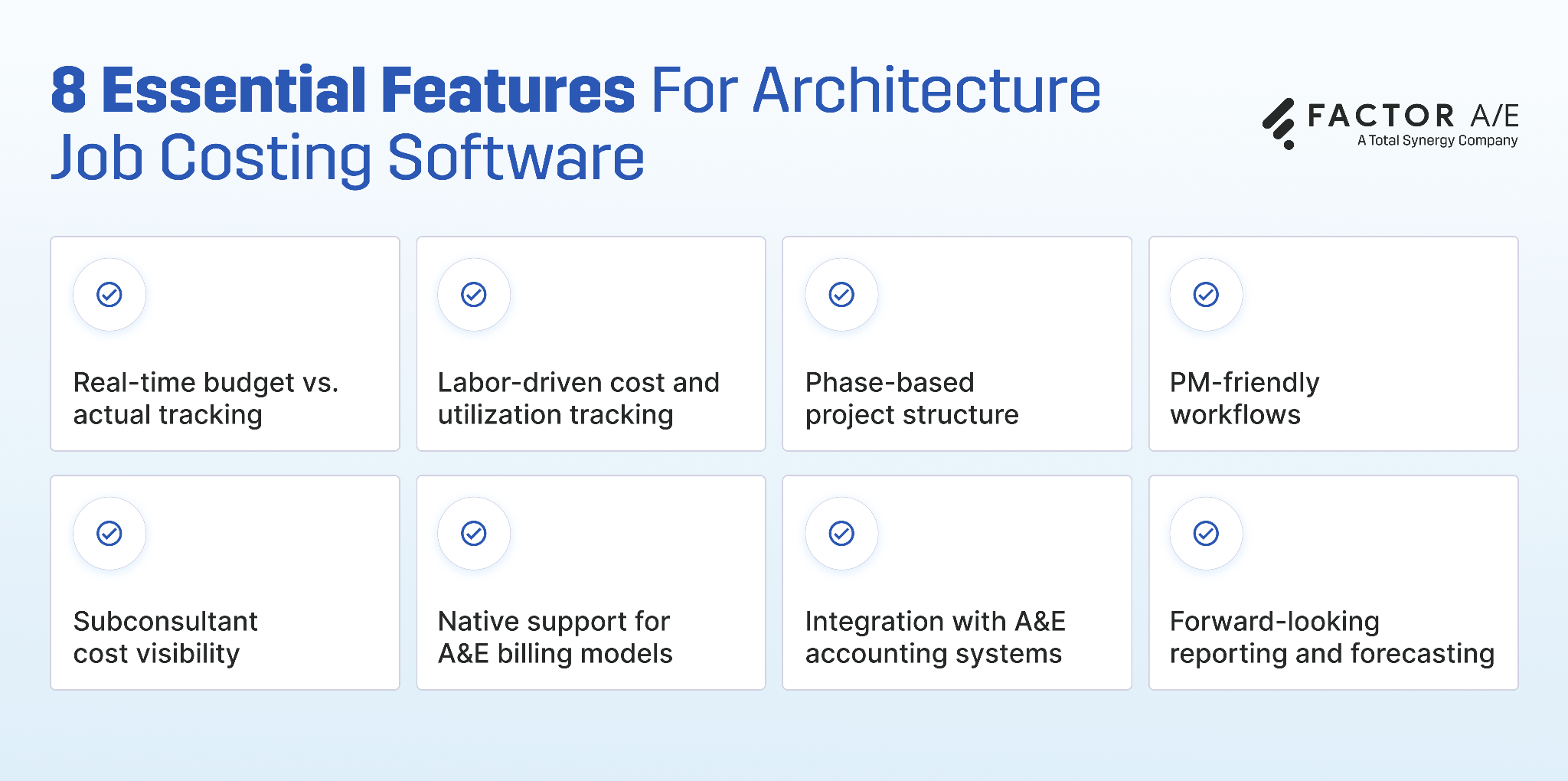
- Real-time budget vs. actual tracking: Provides instant visibility into project financials so project managers can identify cost overruns early and take corrective action.
- Labor-driven cost and utilization tracking: Connects time entries directly to cost and utilization, helping firms understand how staffing impacts profitability.
- Phase-based project structure: Mirrors how A&E projects are actually structured, so firms can identify phase-level fee burn and proactively manage risks.
- PM-friendly workflows: Gives project managers easy access to project financials, without relying on accounting to run reports or export data.
- Subconsultant cost visibility: Tracks subconsultant costs within project budgets, helping firms manage one of the most variable cost drivers.
- Native support for A&E billing models: Handles fixed fee by phase, percent complete, T&M, and hourly not-to-exceed without workarounds.
- Integration with A&E accounting systems: Ensures seamless data flow between A&E project and financial systems (commonly QuickBooks), reducing manual work and errors.
- Forward-looking reporting and forecasting: Provides insight into future project performance, including project cost-to-complete, revenue forecasting and margin risk.
When all of these capabilities work together in a single system, job costing becomes the operational foundation. It connects project execution directly to financial outcomes, so firms can control and manage profitability in real time. That is the standard A&E firms should hold any job costing software to.
The 5 Best Job Costing Software for A&E Firms: Features, Pros, and Cons
The tools below are among the top job costing options for A&E firms today. Some are purpose-built for A&E workflows, while others offer general accounting or ERP capabilities with varying levels of job-costing depth.
We’ve evaluated them specifically against what A&E firms need from a job costing system.
1. Factor A/E
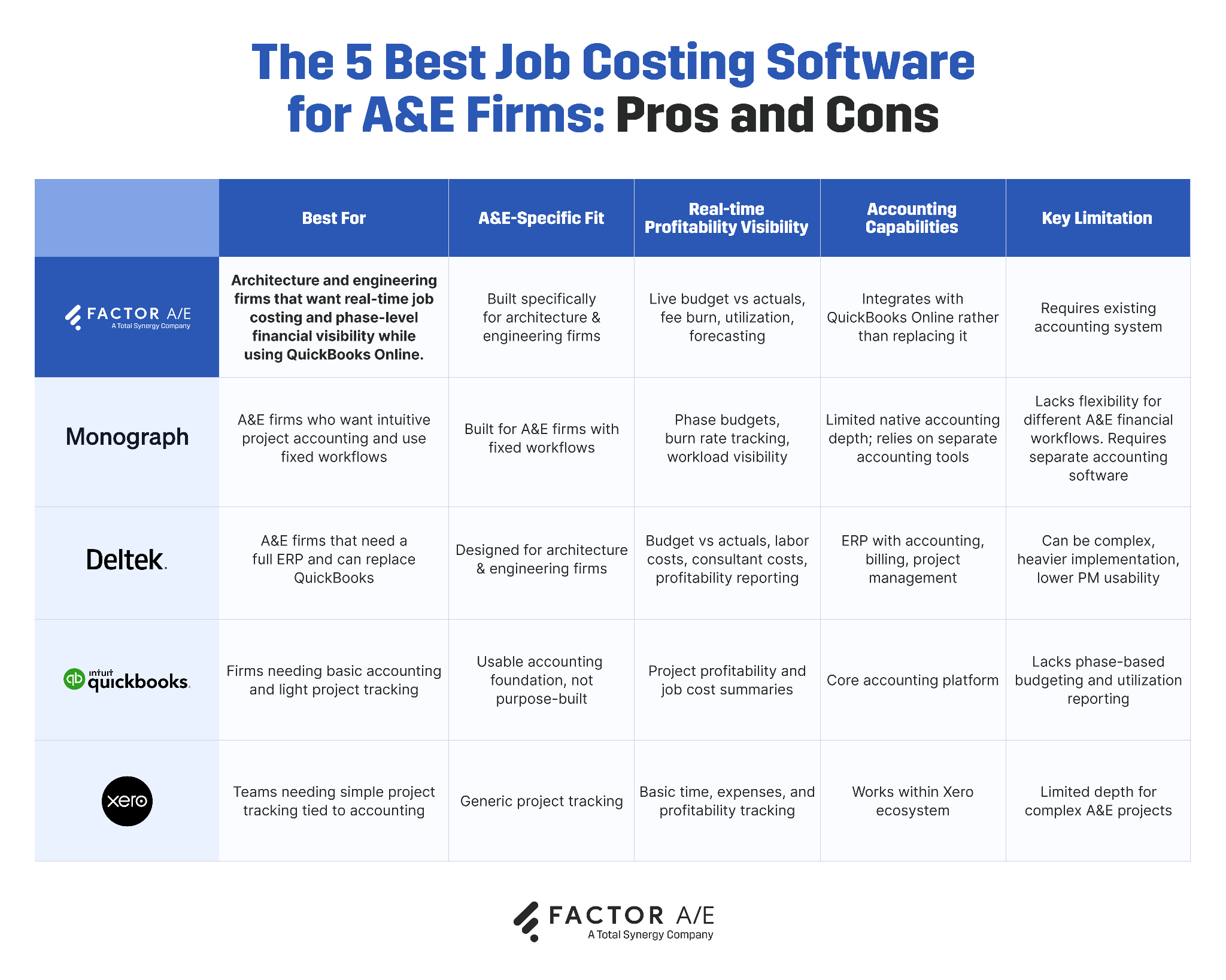
Best for: Architecture and engineering firms that want real-time job costing and phase-level financial visibility while using QuickBooks Online.
Overview
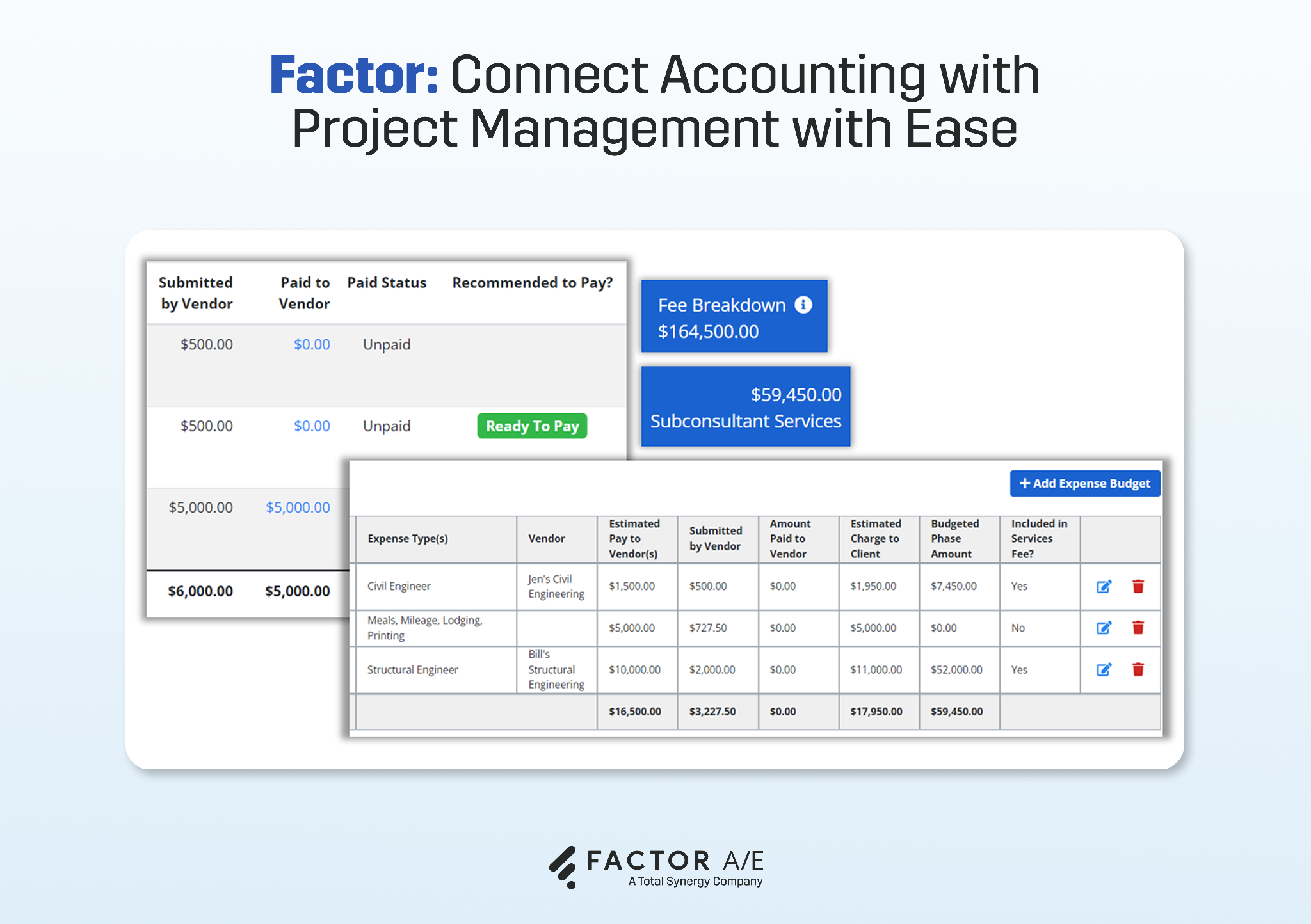
Factor is an A&E-native project management and financial platform that includes job costing. It is designed for labor-driven, phase-based workflows and supports ongoing budget management across the entire project lifecycle.
Factor connects time tracking, budgets, staffing, and billing in a single system. It’s also among the only A&E-specific platforms that provide real-time, two-way synchronization with QuickBooks Online.
Firm leaders and project managers get visibility into fee consumption, what's left, and whether a project will be profitable, without waiting for month-end or going through accounting.
Key features
Real-time job cost tracking by phase
Factor tracks labor costs, overhead, and subconsultant fees at the phase level, aligning directly with A&E project delivery. This gives firms the granular cost visibility needed to catch budget overruns early and take action before margin is lost.
Labor cost and utilization tracking
Factor connects time entries directly to billing rates and labor costs, showing exactly what each hour is costing the project. Utilization and realization rates are tracked automatically, with live visibility into billable vs. non-billable time. So, firms can understand how staffing impacts profitability.
Budget vs. actual visibility across the project lifecycle
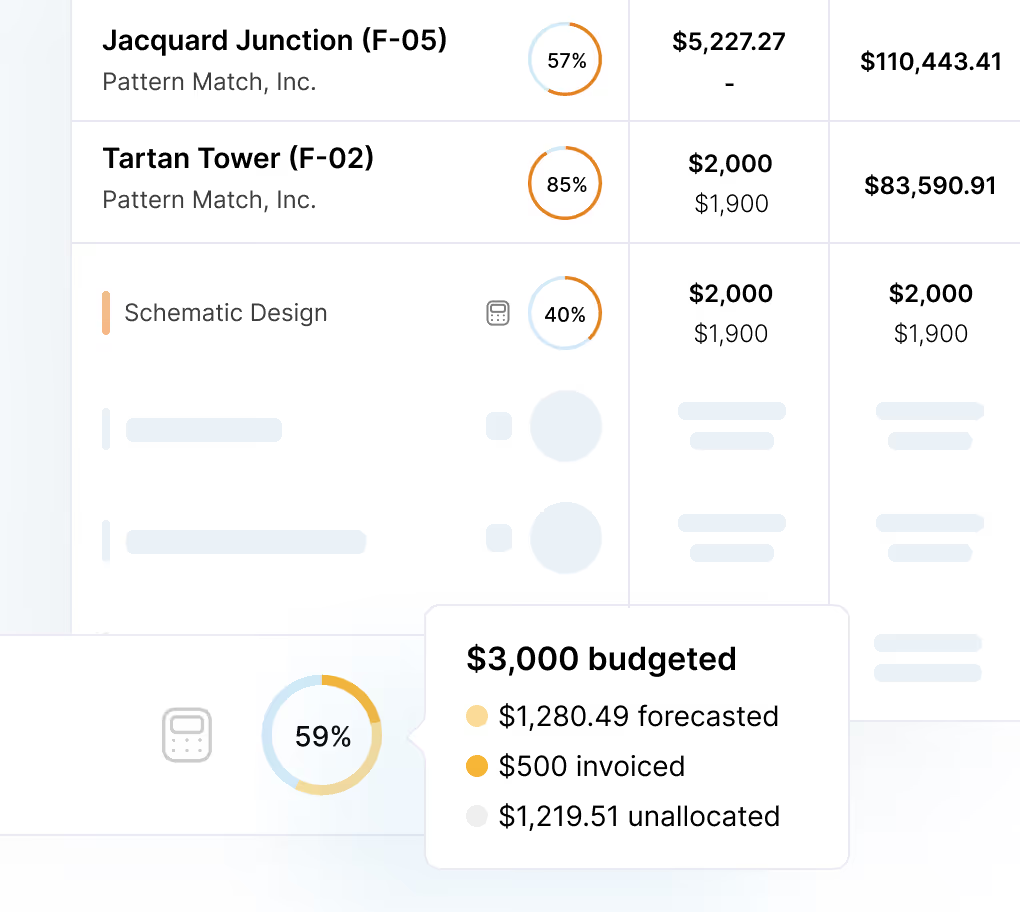
Factor provides continuous visibility into budget vs. actual performance at the phase, project, and portfolio level without manual reconciliation. Project managers can see how their project is tracking against the fee and firm leaders can monitor profitability across projects from a single dashboard.
Project forecasting and cost-to-complete visibility
Factor gives firms forward-looking visibility into how a project is likely to finish. PMs and firm leaders can forecast revenue, see the projected cost-to-complete by phase, estimate remaining costs, and evaluate projected margins based on current performance.
Two-way QuickBooks Online integration
Factor syncs invoices, payments, and financial data with QuickBooks Online in real time, so project cost data and accounting records stay aligned automatically. There is no duplicate data entry, no manual export, and no reconciliation gap between what the project shows and what the books say.
Pros
- Job costing built specifically for A&E phase-based project delivery
- Live budget vs. actual visibility at the phase level, with overhead burden applied
- PMs and firm leaders access job cost data without going through accounting
- Supports A&E billing models natively
- Two-way synchronization with QuickBooks Online
- Transparent pricing
Cons
- Not a standalone accounting system
- Not designed for large enterprise firms that need a full ERP replacement
Pricing
- $30/user/month (including custom reports and invoicing).
2. Monograph
Best for: A&E firms that want intuitive project accounting and use fixed workflows.
Overview
Monograph is a project accounting platform built specifically for architects, with a strong focus on usability and project visibility. It centers around budgets, burn rate tracking, and staffing insights, giving project managers a clear view of high-level project health.
Its interface is clean and intuitive, making it easy for project managers to adopt. But Monograph is also built around one specific workflow, so firms with more complex projects or custom billing structures will run into its limits quickly.
Monograph covers the core job costing needs, but firms might need a separate accounting system for deeper financial controls.
It also has a two-way integration with QuickBooks Online. But, only some information updates automatically between the two platforms and users must manually send invoices and bills to QBO. This setup might require manual reconciliation for accuracy, unlike on Factor, where finalized invoices are automatically synced with QBO.
Key features
- Phase-based budgets and fee tracking
- Burn rate visibility
- Staffing and workload planning
- PM dashboards
- Architecture-specific workflows
Pros
- Built for architects
- Clean, intuitive interface
- Strong project visibility
- QBO integration for invoicing and financial reporting
Cons
- Limited flexibility in creating custom A&E workflows
- Lacks deep customizations for invoices and billing
Pricing
- $540- $750 per month for 10 users. For the exact quote, you'll need to contact sales.
3. Deltek Ajera
Best for: A&E firms that need a full ERP with integrated project accounting and are ready to move off QuickBooks.
Overview
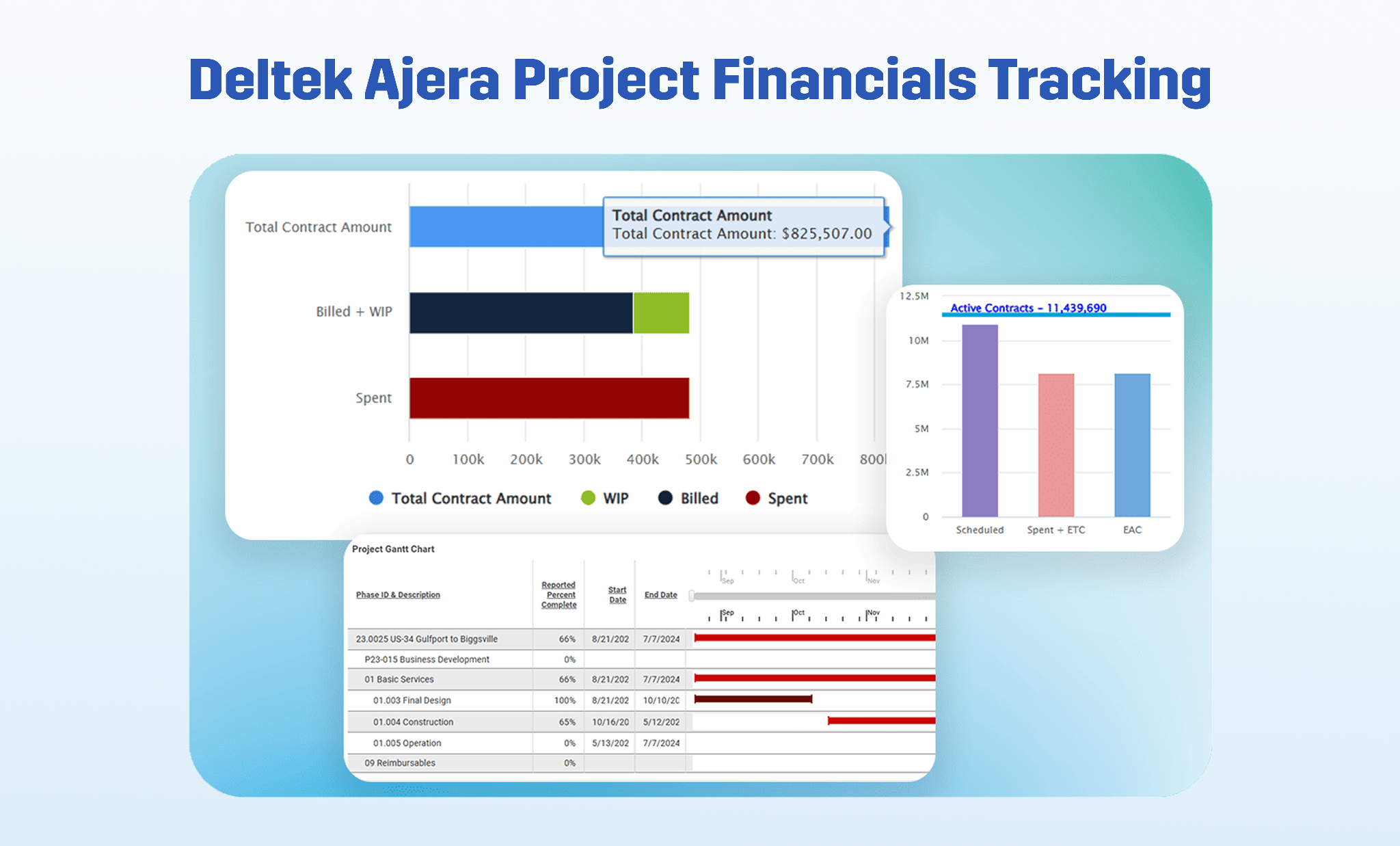
Deltek Ajera is an enterprise resource planning (ERP) platform for A&E firms that includes accounting, billing, project management, and job costing.
Ajera provides detailed budget tracking, labor and consultant cost management, and profitability reporting. However, it is more finance-heavy than modern tools and often requires a complex, consultant-led implementation.
For growing firms, this level of complexity and high costs may outweigh the benefits. For example, Altura Architects spends 20 hours less on invoicing every month after switching to Factor’s simpler systems from Ajera’s complex workflows and external spreadsheets.
Key features
- Budget vs actual reporting by project and phase
- Labor, consultant, and expense tracking
- Integrated billing and invoicing
- Profitability reporting
Pros
- Built for A&E firms
- Strong accounting and reporting depth
- Comprehensive controls
Cons
- Replaces QuickBooks entirely, which is not suitable for firms that want to keep QBO
- Implementation can be consultant-driven and time-intensive
- Interface can feel heavy and complex for smaller or less technical teams
- Higher cost and configuration requirements than lighter-weight A&E tools
Pricing
- Deltek Ajera doesn't post pricing publicly, so you'll need to contact sales for a quote.
4. QuickBooks Online
Best for: Firms that need reliable accounting with basic job costing and project profitability tracking.
Overview
QuickBooks Online is one of the most widely used accounting platforms for small businesses and includes built-in project profitability tools through its Projects feature. It allows firms to assign time, expenses, and costs to projects and run basic budget vs. actual reports.
But QuickBooks has no phase-level tracking, utilization reporting, or native support for A&E workflows. For A&E firms, QuickBooks is a strong accounting foundation, and many firms pair it with A&E-specific tools like Factor to close those gaps.
Key features
- Basic project cost tracking
- Budget vs. actual reporting at the project level
- Labor cost tracking through Payroll + Time integrations
- Invoicing, billing, and standard financial reporting
Pros
- Familiar and widely adopted across A&E firms
- Strong accounting foundation for some firms
- Large ecosystem of integrations
Cons
- No phase-level cost tracking
- No utilization, realization, or billing multiplier reporting
- Does not support A&E billing models natively
- PMs have no meaningful self-serve access to project financials
Pricing
- Job costing is available in the QuickBooks Online Plus plan, which costs $57.50 per month for 5 users, and the QuickBooks Online Advanced plan, which costs $137.50 per month for 25 users.
5. Xero Projects
Best for: Firms looking for basic time and cost tracking connected to accounting.
Overview
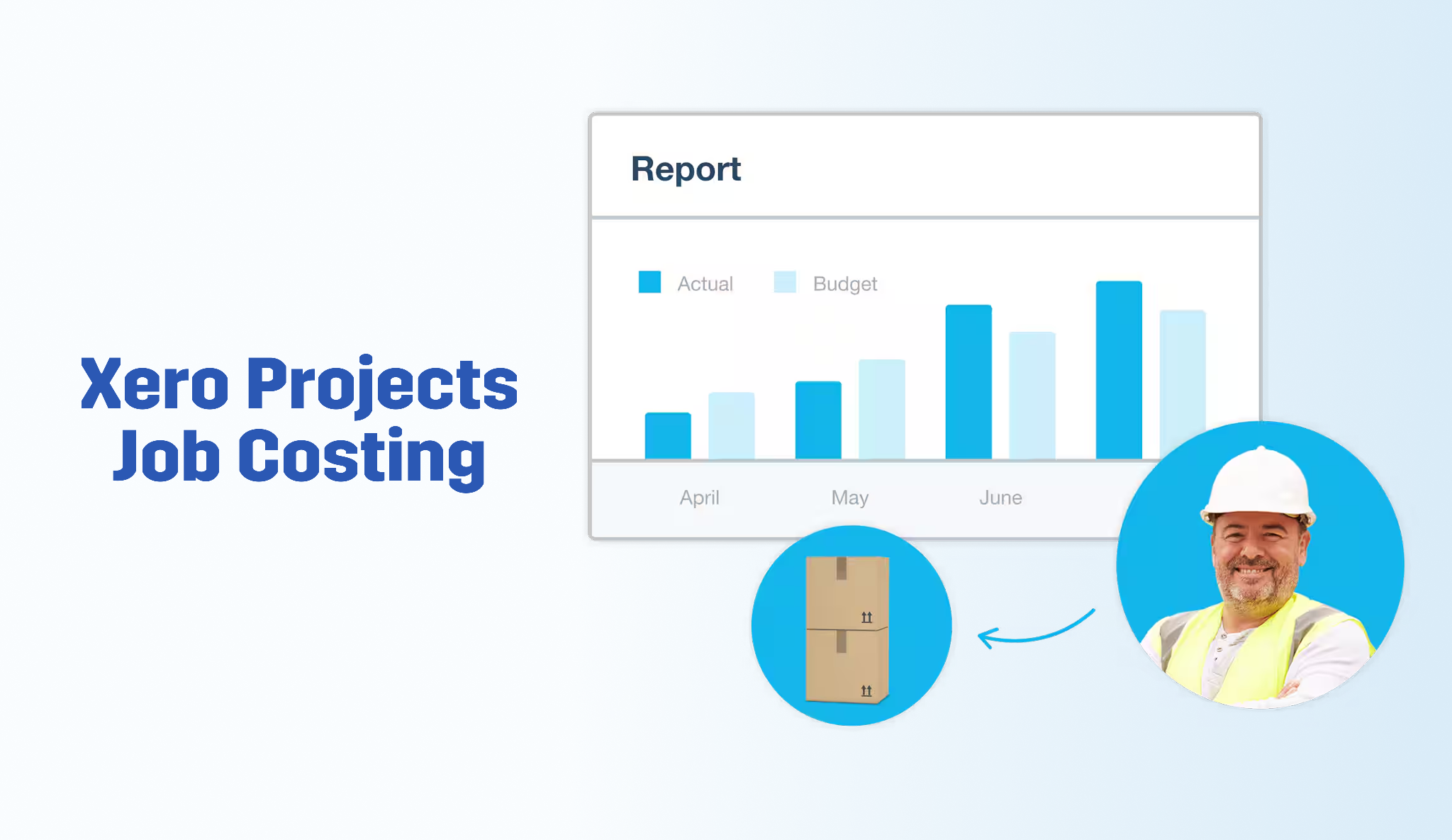
Xero Projects is the project management module built into Xero's cloud accounting platform. It allows firms to track time, expenses, and basic project profitability in one place.
While simple and easy to use, it is not designed for A&E workflows. It lacks phase-based budgeting, detailed labor cost tracking, advanced financial visibility, and PM-facing dashboards, making it better suited for firms with simpler needs.
Key features
- Time and expense tracking
- Project-level cost tracking
- Basic profitability reporting
- Invoicing from project data
- Mobile time entry
Pros
- Clean, intuitive interface
- Simple connection between project tracking and accounting
Cons
- Not built for A&E workflows or billing models
- Reporting is project-level only
- Does not integrate with QuickBooks
Pricing
- Xero pricing plans start at $5.80 per month, with the Projects module costing an additional $7 per user per month, plus $5 per additional active user per month.
The Right Job Costing Software Can Protect Your Margins
A&E firms that win on margin treat job costing as a live decision-making system. Traditional tools, whether ERP systems or lightweight accounting add-ons, were not built for that.
Most job costing tools will tell you how a project performed. Factor tells you how it's performing right now, by phase, with the numbers your PMs actually need to act on. That distinction matters more than any feature list.
Factor connects project delivery to financial performance in real-time, with an interface that caters to A&E project managers and leaders, not construction contractors. So, growing firms can ditch the spreadsheets and generic platforms for a purpose-built firm management system.
Book a free 30-minute demo to see how Factor connects your project data to instant financial insights.
FAQs
What is job costing software?
Job costing software tracks all costs associated with a specific project against the agreed budget in real time. For A&E firms, this software must connect time tracking to project phases and fee budgets instantly, so project managers and firm leaders can keep projects profitable.
What alternatives to QB can provide job costing?
QuickBooks alternatives that provide job costing include Deltek Ajera and Xero Projects. A&E firms need customizations to make these systems work and might be better off with pairing QuickBooks with A&E-specific platforms like Factor.
What businesses use job costing?
Job costing is used by businesses that deliver work on a project basis, including architecture and engineering firms, construction businesses, marketing agencies, legal practices, and professional services firms.

Recommended articles

See Factor in action
In one quick call, we’ll show you a simpler way to run projects and get paid faster.
.png)
“I recommend Factor to other firms. The team is great, it’s easy to use, and it has streamlined my project management. It can do the same for yours.”
Adam Mayberry
Architect / Managing Principal


